
YouTube visual guide · Published 2026-03-22
Where Do You Find Scheduled Videos On YouTube?
What The Example Shows
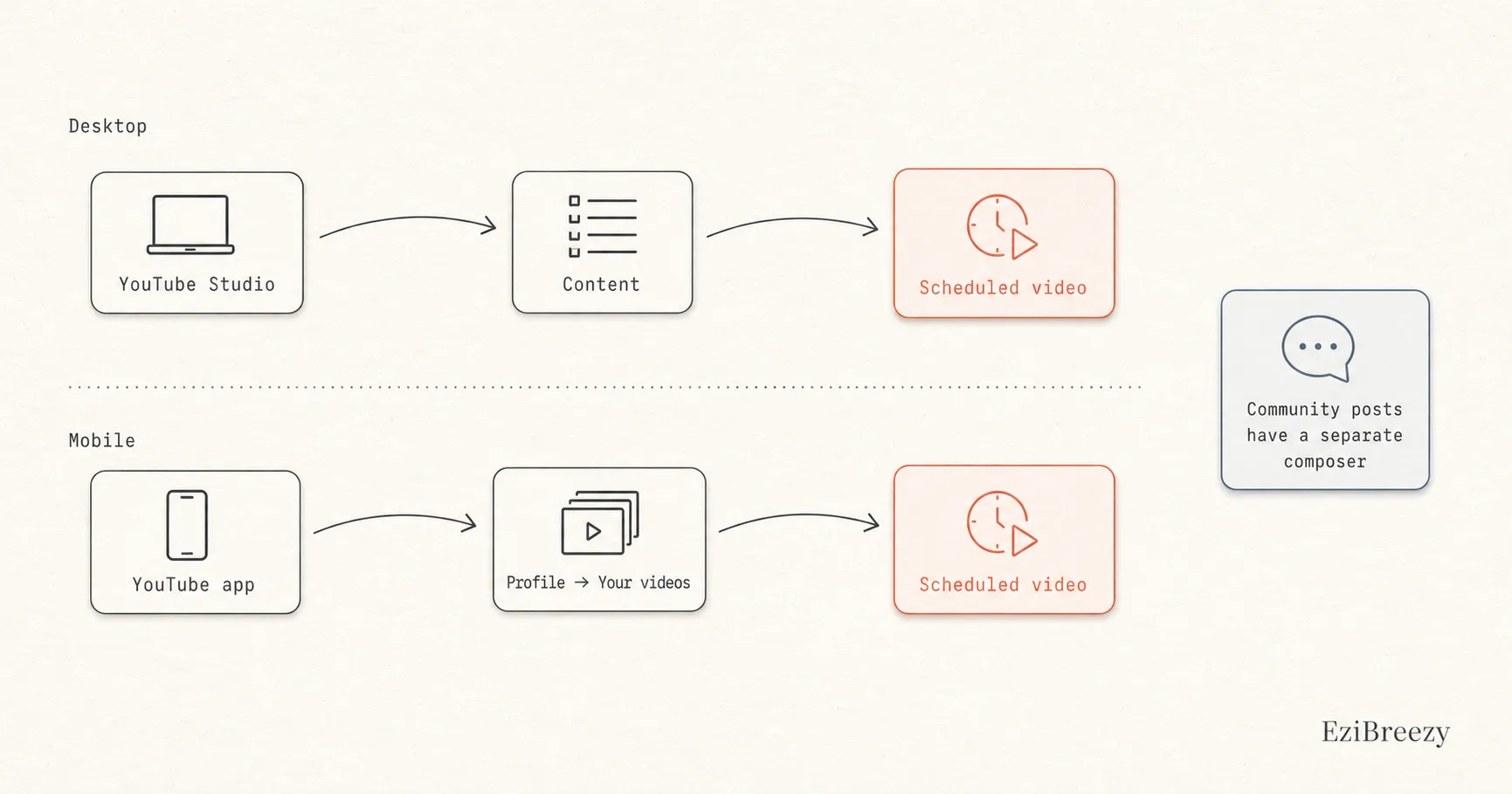
The clearest place to find a scheduled YouTube upload is in your content list. Go to the Content page in YouTube Studio, or on mobile open your videos list in the app. There is not a separate public-facing scheduled queue. You go back to the upload inside your content library and adjust the visibility from there.
Where scheduled videos live in YouTube Studio
If you scheduled from desktop Studio, go back to YouTube Studio and open the Content page. That is where private, scheduled, draft, and published videos are managed. The scheduled video is not hiding in analytics or channel settings.
Once you open the video again, you can review the details, change the visibility timing, or publish sooner if needed.
Where to look on mobile
If you scheduled from a phone, the same logic applies. You are looking for the upload inside your videos library rather than a separate scheduling dashboard, then reopening it.
That is one reason the queue can feel harder to manage on mobile than on desktop. The content is there, but the workflow is less obvious when you are trying to check several uploads at once.
Why people search for posts when they really mean videos
Some people search for scheduled posts on YouTube when they really mean scheduled videos. Others may actually be thinking about Community posts, which YouTube handles through a different composer with its own scheduling option. The workflows are related, but they are not the same screen.
If your main job is managing video uploads, think in terms of the content library. If your main job is scheduling Community posts, you are in a different publishing flow.
Keep the YouTube queue somewhere easier to manage
Use a workflow where upcoming uploads are clearer, easier to review, and less dependent on hunting through the native content list.
More Visual Planning Help
Features, tools, and guides that pick up where this answer leaves off.
More YouTube Questions
Keep going inside the YouTube cluster, or head back to the full list.