
Social media scheduler for YouTube
Schedule YouTube videos and Shorts with the whole upload form filled in before the day it goes live. Title, description, tags, category, visibility, thumbnail and the Made for Kids question all live on the post here, so you do them while you still remember the video.
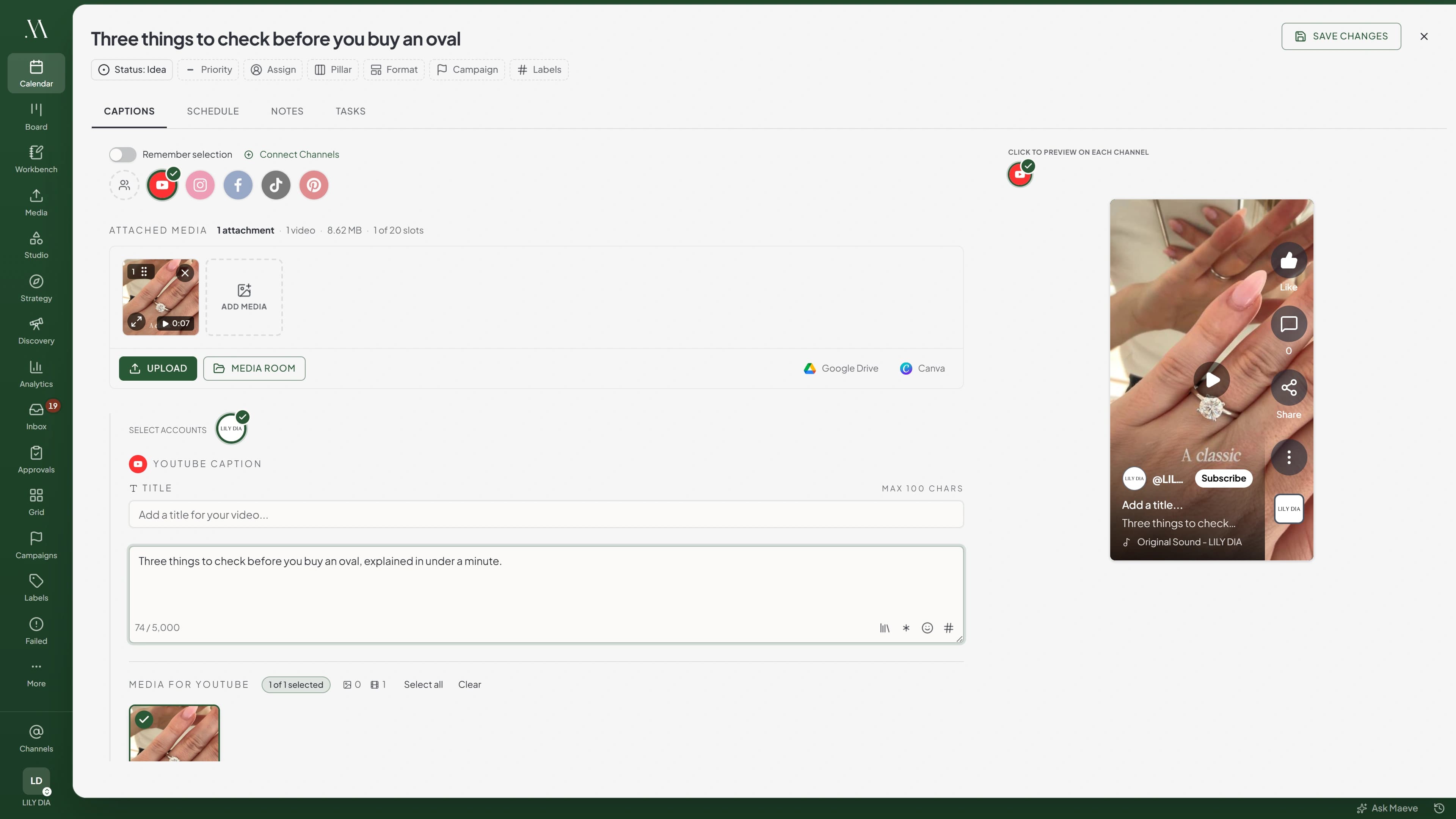
Long-form and Shorts, from the same draft
One video per post, with its own YouTube title, a real description, tags and a category. A long-form video also needs a custom thumbnail before it will publish, JPEG or PNG under 2MB, which you can upload, pull from Google Drive or take from the Media Room.
Maeve works out whether the file is a Short by looking at it: square or taller, and 180 seconds or less. Shorts skip the thumbnail, because YouTube only lets you set those in its own app. YouTube makes the final call on Shorts classification from the video itself, so what Maeve decides is which rules to hold you to, not what YouTube will label it.
Handling Shorts and long-form from one draft is what makes it a scheduler for creators as much as brand channels.
The Studio checklist, filled in before upload day
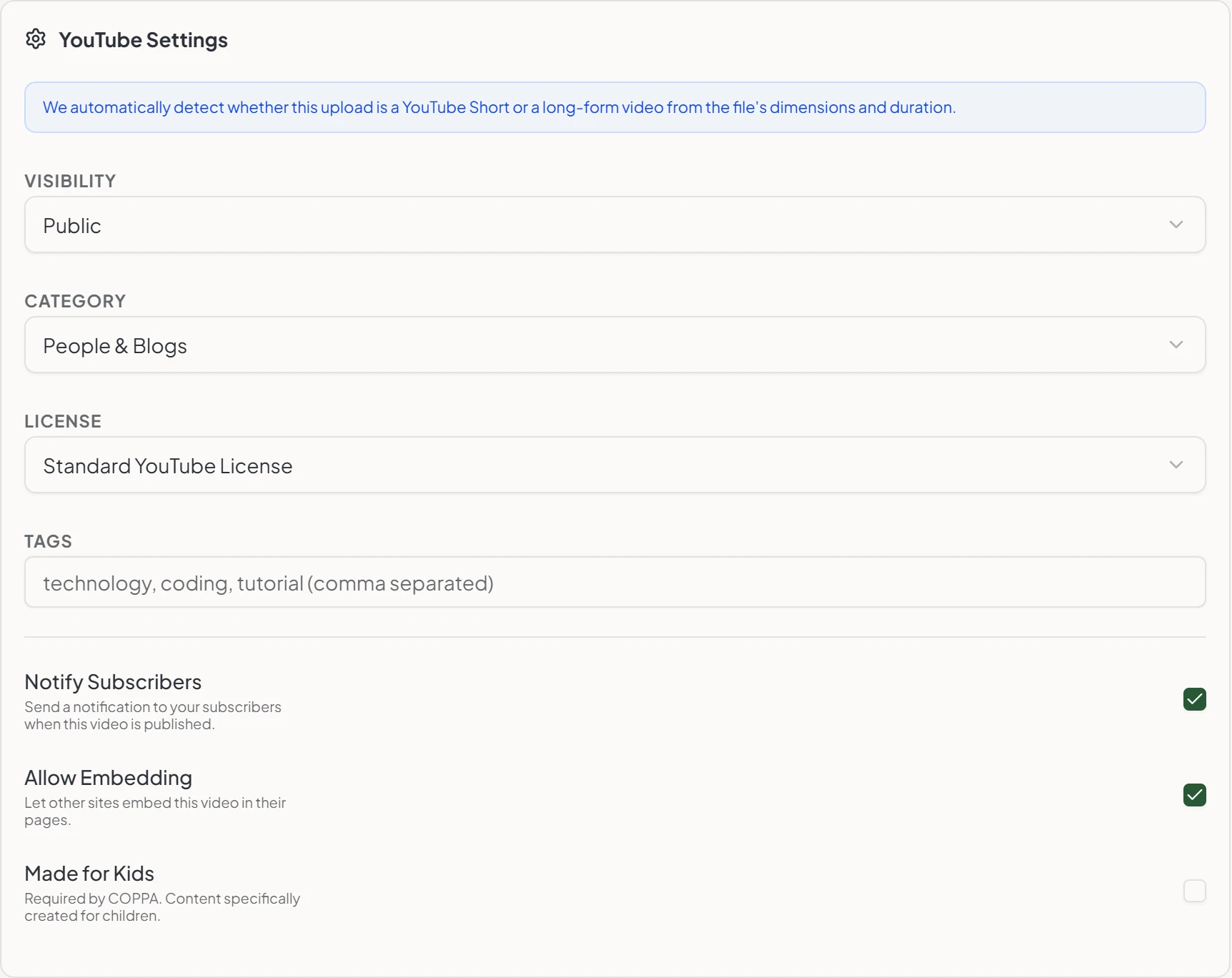
Everything you would otherwise tick through in YouTube Studio sits on the post. Public, unlisted or private, the category list pulled from your channel's region, tags, the standard or Creative Commons licence, whether to notify subscribers, whether embedding is allowed, and the Made for Kids setting COPPA requires.
One honest note on thumbnails. YouTube only applies a custom thumbnail on channels with a verified phone number, and if it refuses yours the video still publishes without it. That refusal does not currently surface in Maeve, so the post will look like it went out clean. Worth a glance at the channel after the first one.
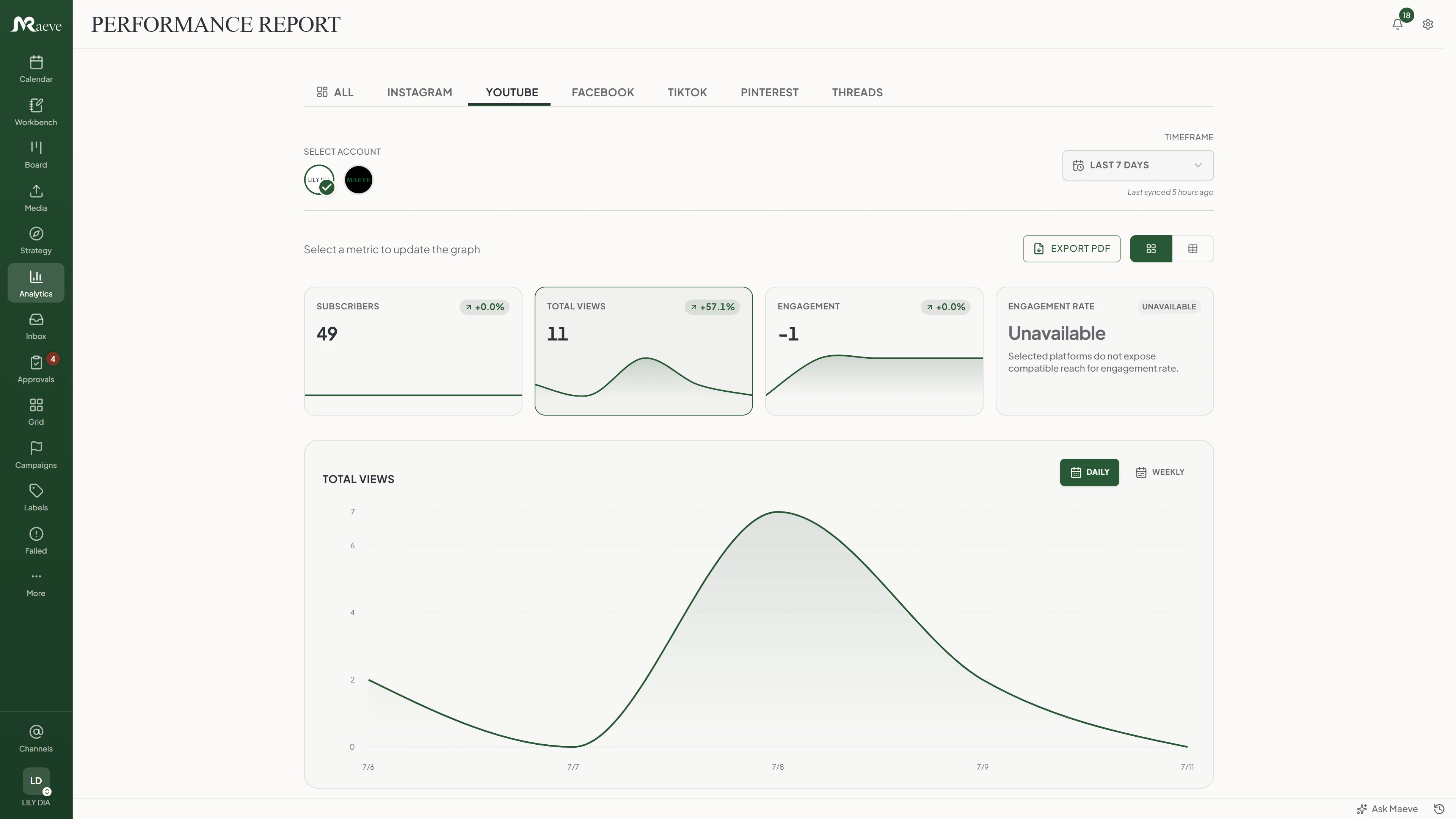
See what actually held people
YouTube is a watch-time platform, so the report is less about who clicked and more about who stayed. Watch time, average view duration and average view percentage are numbers no other network in Maeve reports, and they sit next to subscribers gained and lost counted separately, total views, traffic sources, and the split between subscribers and everyone else.
Demographics come through by age, gender and country when your channel is above YouTube's privacy threshold. Maeve widens the window to 28 days trying to clear it, and says so rather than showing a blank panel when it cannot. Impressions and thumbnail click-through are not here, because YouTube's own analytics endpoint has been returning them broken.
The month exports as a branded PDF with a top performing videos section when someone wants it on paper.
What the YouTube scheduler does
One video per post, the packaging on the post instead of in a checklist, and a recovery path when YouTube says no.
The limits, before you hit them
YouTube's rules and ours, in one place.
Questions
What can Maeve schedule on YouTube?
One video per post, long-form or a Short, with a YouTube title, a description, tags, a category, visibility, licence, Made for Kids, notify subscribers, allow embedding and a thumbnail. It does not publish Community posts, polls, image posts, live streams or Premieres.
Can I schedule Shorts?
Yes. Maeve works out whether a video is a Short by looking at it: square or taller, and 180 seconds or less. Both have to be true. A Short over 180 seconds is stopped before upload with the reason, rather than being refused by YouTube later. YouTube itself makes the final call on what gets labelled a Short, from the video.
Do I have to add a thumbnail?
For a long-form video, yes. It will not publish without one. JPEG or PNG under 2MB, uploaded from your machine, pulled in from Google Drive or taken from the Media Room. Shorts skip it, because YouTube only lets you set a Short's thumbnail in its own app.
What if YouTube refuses my thumbnail?
The video still publishes, just without it. YouTube only applies custom thumbnails on channels with a verified phone number. Worth knowing: that refusal does not currently show up in Maeve, so the post will look like it went out fine. Check the channel after your first one.
Can I write a YouTube-specific title and description?
Yes, and you have to write the title, YouTube will not take a post without one. It is capped at 100 characters and a longer one is refused rather than trimmed. The description runs to 5,000 characters, and anything longer is quietly cut at that mark rather than rejected.
Can I set tags, category, visibility and Made for Kids?
All of them. Public, unlisted or private. The category list comes from your channel's region. Tags are typed comma-separated and sent as a list, with no cap at our end, so YouTube's own 500-character total across all tags is the one to watch, and an over-long set fails at upload.
What video files does it take?
MP4 or MOV, up to 512MB, one per post. That size cap is ours rather than YouTube's, and it is the same limit every video in Maeve is held to. File type is checked when you upload the file rather than in the editor.
Can I schedule YouTube videos from the Media Room?
Yes. Pick a video from the Media Room, keep reusable videos and thumbnail files in folders with labels, and attach the one you want before it goes to the calendar.
Do I get YouTube analytics?
Yes, and it is the deepest of any channel here. Watch time, average view duration and average view percentage are reported by no other network in Maeve. Alongside them: subscribers gained and lost counted separately, total views, traffic sources, the subscriber versus non-subscriber split, and age, gender and country demographics when your channel is above YouTube's privacy threshold. Impressions and thumbnail click-through are not available, because YouTube's endpoint for them is broken.
Do YouTube comments come into the inbox?
Yes. Comments on your videos land in the Social Inbox and you can reply, hide and unhide them. YouTube has no comment webhooks, so Maeve polls hourly rather than delivering instantly. You cannot delete someone else's comment, only hide it, and hiding a top-level one hides its replies. There is no liking a comment, no mentions and no DMs, because YouTube's API offers none of those.
Can I connect more than one channel?
Yes. If your Google account has several channels, Maeve lists them all and you tick the ones you want. Each becomes its own channel in the workspace.
What permissions does connecting ask for?
Upload, channel read, comments and analytics, and all four together. If you decline one, the connection is refused rather than set up in a reduced state, so you always know what you have. If you connected a channel before comment access existed, reconnect it and the inbox picks it up.
Can YouTube posts go through approvals or client review?
Yes. A YouTube upload drafts, schedules, moves through internal approval or client review where your workspace uses them, and publishes without anyone remembering to do it.
What happens if an upload fails?
It lands in Failed Posts with the video, the settings and the schedule intact, plus YouTube's own reason. One to know about: if you hit YouTube's daily upload quota, that failure is not retried automatically, so it waits for you to retry it once the quota resets.
Can I schedule Community posts, live streams or Premieres?
No. This is for video uploads and Shorts. Community posts, polls, image posts, live streams and Premieres are not published from Maeve.