
Social media scheduler for Threads
Schedule Threads posts and whole threads, up to twenty replies under the first post, published in order at the time you picked. No sitting in the app posting them one at a time and watching the clock between each. If it stops halfway, retrying carries on from the last one that went out.
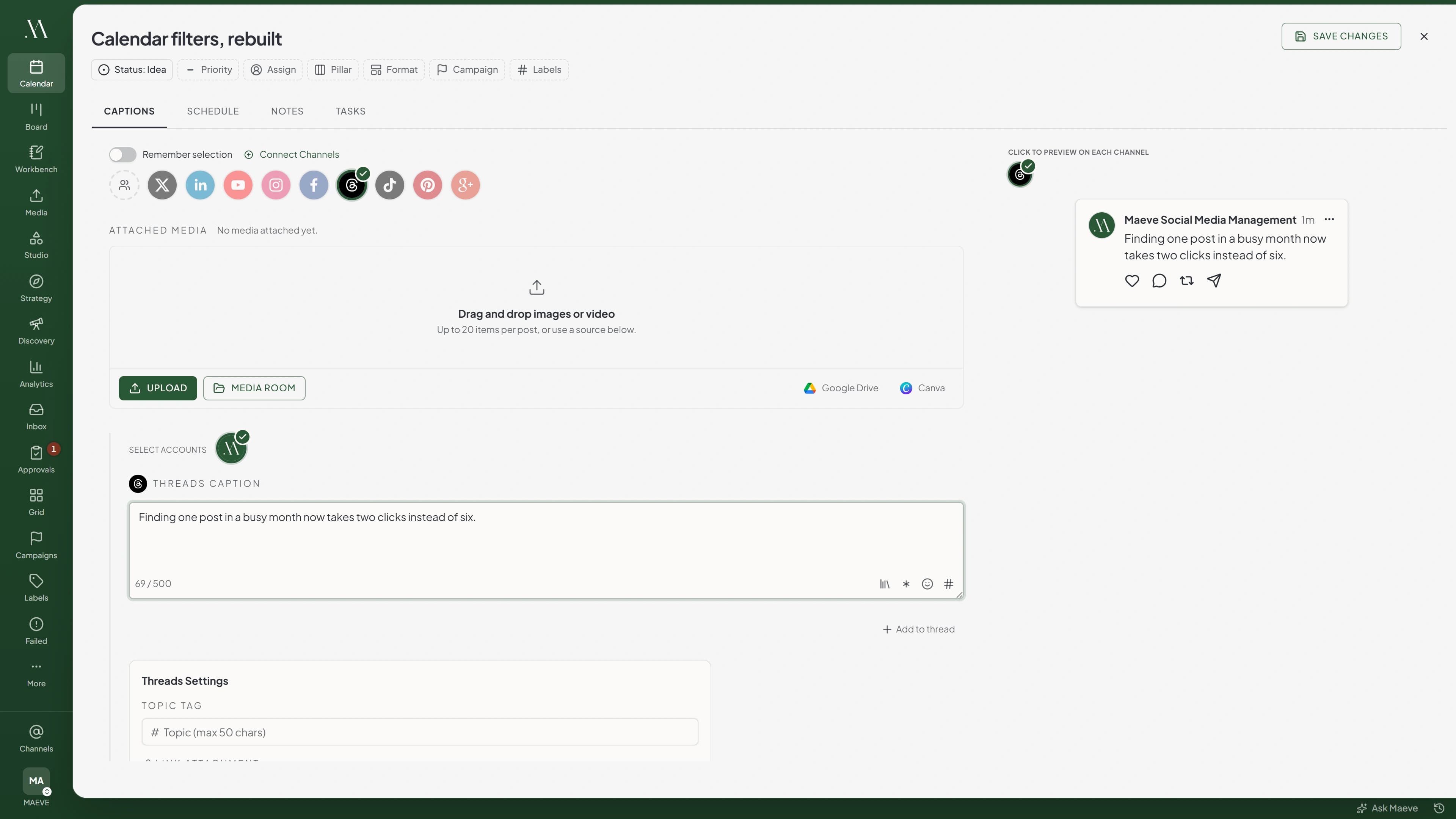
One post, or a sequence that publishes itself
A post can be a sentence on its own, or carry up to ten images and videos mixed together in the order you set. Everything is held to 500 characters, and Threads is the only channel here where Maeve checks that again on the way out, so a draft that crept over never quietly turns into a rejected post.
When the thought needs more than one post, add replies underneath and give them their own media. Each one goes out replying to the one before it, so the thread reads the way you wrote it. If Threads drops out partway through, Maeve knows which replies are already live and a retry picks up from there rather than starting the thread again.
The one place you can tag a location
Threads is the only network in Maeve where you can attach a place to a scheduled post. Instagram and Facebook keep their location search closed to scheduling tools, so nobody offers it there. Here you search for it in the composer and it goes out on the post.
Next to it sit the rest of the Threads settings. One topic tag up to 50 characters, a link attachment for a post with no media, and who is allowed to reply. They apply to the first post rather than the whole thread, which is the bit worth knowing before you write one.

Threads settings
Threads
Location
- The Flour Shop12 Kirkgate, Otley, United Kingdom
- Otley Market PlaceMarket Place, Otley, United Kingdom
- Wharfemeadows ParkBridge Street, Otley, United Kingdom
Topic Tag
One topic per post, and Threads files the post under it.
No Instagram account, no Facebook Page
Threads connects on its own login, straight to the Threads account. There is no Business Manager step, no Page to pick first and no Instagram account to link it to, which is where most people get stuck connecting a Meta channel anywhere else.
Meta does cap how much a Threads account can publish over a rolling 24 hours, and every post in a thread spends one of it. A first post with twenty replies needs twenty-one. Maeve counts that up and checks before it starts, so a thread you do not have room for is stopped up front instead of stranding you halfway through.
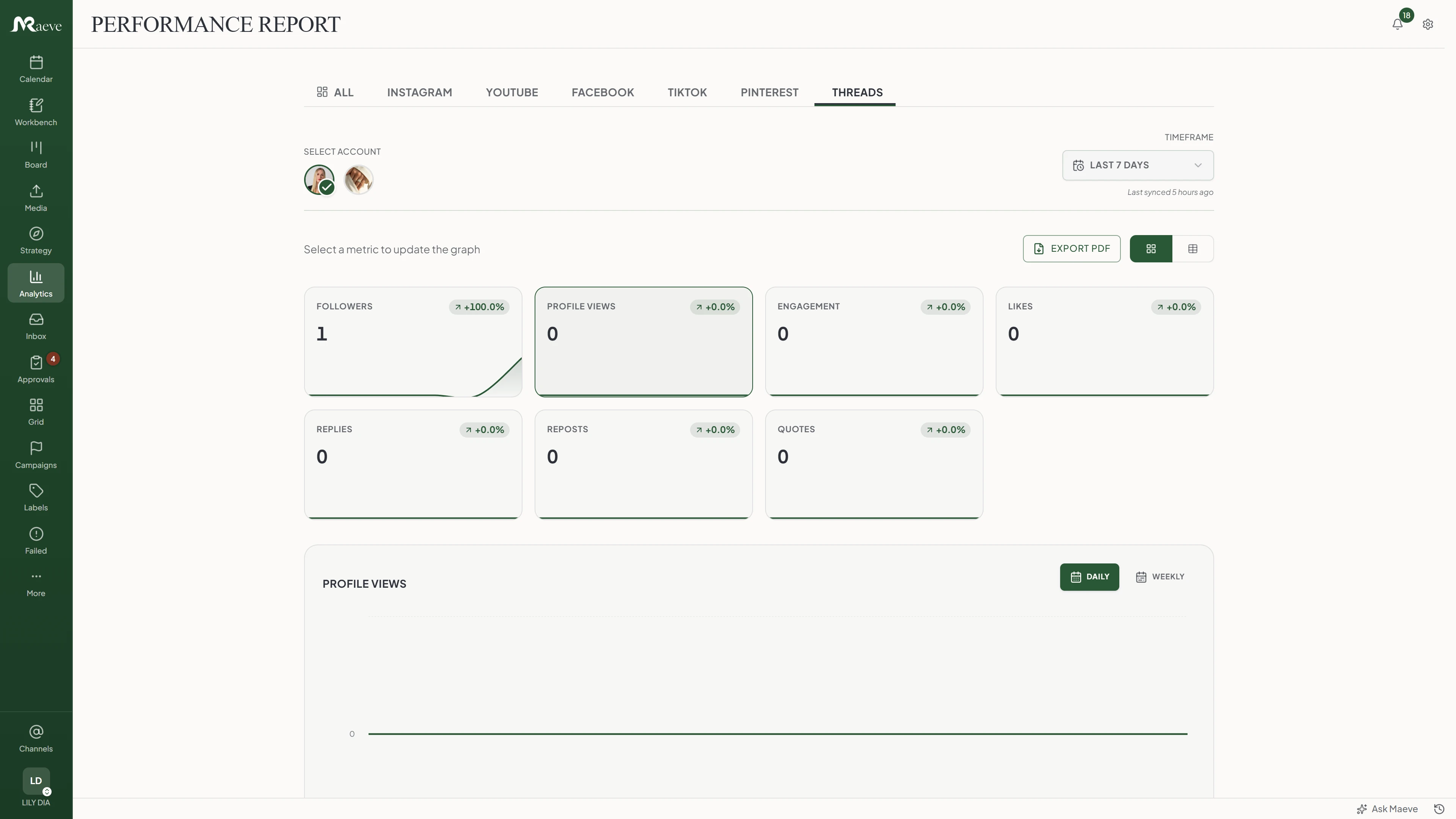
See what got people talking
Threads is a reply-shaped platform, so the useful column is which posts started something. Followers, profile views, engagement, likes, replies, reposts and quotes across the account, then views, shares and the same breakdown on every individual post, with a posting-times heatmap and performance grouped by the labels you use.
Two honest notes. Threads only opens up 30 days at a time and has nothing at all before April 2024, so a full year of history is not there to report on. And it publishes no reach figure and no audience breakdown, so you will not find those here rather than find something invented in their place.
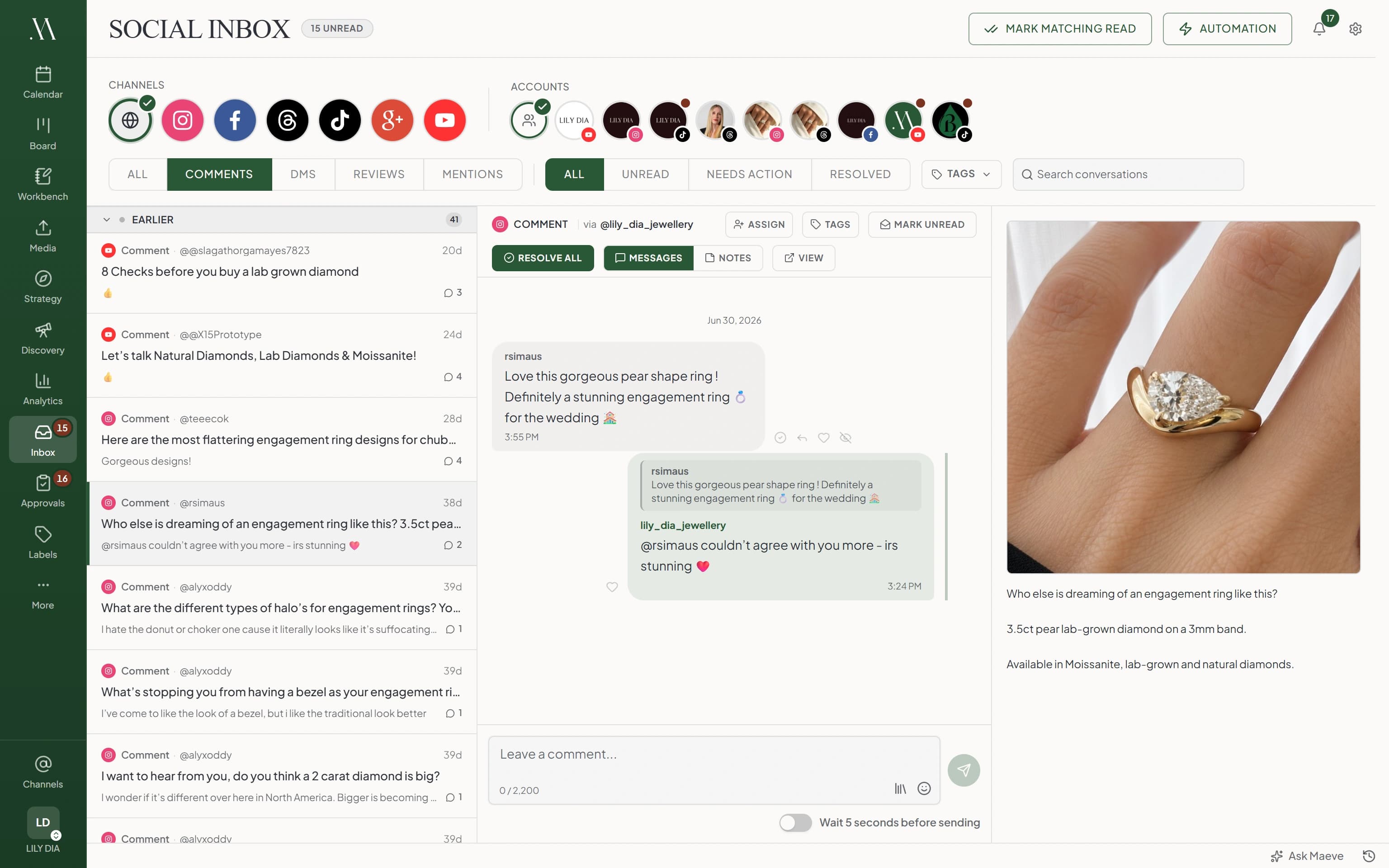
The replies come back to you
Answers to your posts and mentions of you both land in the Social Inbox, next to Instagram, Facebook, YouTube, TikTok and Google Business Profile. Reply up to 500 characters, hide something you would rather not leave up, or unhide it again.
Threads pushes most of it through as it happens, and Maeve sweeps every five minutes behind that so a missed delivery does not become a conversation you never saw. Deleting or liking someone else's reply is not possible from any outside tool, and Threads has no direct messages at all.
What the Threads scheduler does
Light-touch posting with the same workspace behind it: review, calendar, inbox, analytics and a recovery path.
The limits, before you hit them
Threads' rules and ours, in one place.
Questions
What can Maeve schedule on Threads?
A single post or a whole thread. Text on its own, images, video, or a mix of the two, with a topic tag, a link, a location and a reply setting on it. A thread is the first post plus up to twenty replies, written now and published in order at the time you pick.
Can I schedule a whole thread at once?
Yes, and this is the part worth having. Write the first post, add up to twenty replies under it, and Maeve posts them one after another so each one replies to the one before it. You are not sitting in the app at 8am pasting them in.
What happens if a thread stops halfway?
It picks up where it stopped. Maeve records each post as it goes, so a retry carries on from the last reply that published rather than posting the thread again. The one thing that breaks it is editing the text after the failure, which Maeve treats as a different thread and stops rather than mangling the one already live.
What is the Threads character limit?
500 characters, on the first post and on every reply. Threads is the only channel here where Maeve checks that on the way out as well as while you type, so a draft that crept over never quietly becomes a rejected post.
How many images or videos can a Threads post have?
Ten per post, and you can mix images and video in the same one. Replies carry their own media too. Threads itself allows twenty, but ten is what Maeve publishes today, so ten is the number to plan against.
Can I add a link to a Threads post?
Yes, on a text post with no media. Threads treats the link as its own attachment rather than something in the text, so the composer has a field for it. Add media and the link stops being used, even if it is still sitting in the field.
Can I tag a location on a Threads post?
Yes, and Threads is the only network in Maeve where you can. Search for the place in the composer and it goes out attached to the post. Instagram and Facebook do not open that search up to scheduling tools, so nobody can offer it there.
Do I need an Instagram account or a Facebook Page?
No. Threads connects on its own login, straight to the Threads account. There is no Business Manager step, no Page to pick and no Instagram account to link first.
Is there a limit on how much I can post in a day?
Meta gives each Threads account a rolling 24-hour publishing allowance, and every post in a thread spends one of it. A first post with twenty replies needs twenty-one. Maeve checks the allowance before it starts, so a thread that would run out is stopped up front rather than stopping halfway through.
Do Threads replies come into the Social Inbox?
Yes, and mentions of you as well, alongside Instagram, Facebook, YouTube, TikTok and Google Business Profile, all in the Social Inbox. You can answer up to 500 characters and hide or unhide a reply. Threads has no way for an outside tool to delete or like a reply, and it has no direct messages at all, so nothing offers those.
Does Maeve report Threads analytics?
Yes. Followers, profile views, engagement, likes, replies, reposts and quotes in Threads analytics reports, plus views, shares and the rest per post, a posting-times heatmap and performance by label. Threads only opens up 30 days at a time and has nothing before April 2024, and it publishes no reach or audience figures, so Maeve does not invent them.
Can I write a different caption for Threads?
Yes. The Threads version is its own text, so the same idea can be tighter on X, more visual on Instagram and lighter here without becoming four separate drafts you have to keep in step.
Can Threads posts go through approvals or client review?
Yes, where your workspace uses them. A Threads post drafts, goes for internal approval or client sign-off against the real text and media, then schedules.
Where do I find my scheduled Threads posts?
In Maeve, on the calendar. Month and week show each post at its time, list shows them under In Queue, and the channel filter narrows it to Threads. Maeve holds the post and publishes it at the time you picked, so it does not appear in the Threads app until then. Posts you schedule in the Threads app itself sit in its drafts folder, where you can edit or delete them.
Can I edit or delete a Threads post after it publishes?
You can delete it from Maeve, but you cannot edit the text, because Threads does not let any outside tool do that. Deleting the first post of a thread leaves the replies up, so those come off one at a time.
What happens if a scheduled Threads post fails?
It lands in Failed Posts with the text, media, account and timing kept together, along with the reason Threads gave. Fix what it names and retry, rather than rebuilding the post.