
An Instagram grid planner that shows your feed before you post it
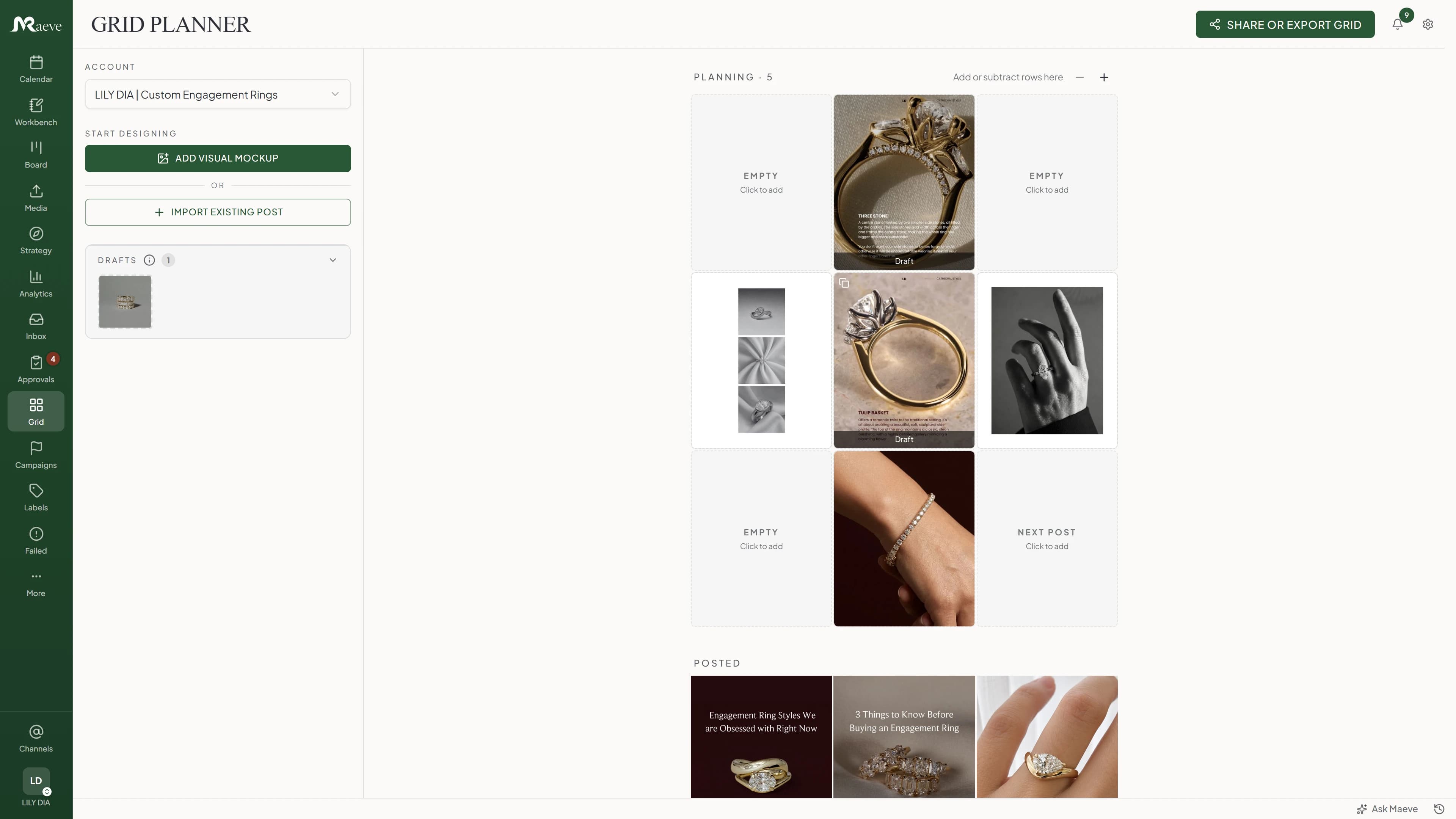
It's your Instagram profile as the three-wide grid, with what you've already posted at the bottom and what's coming next above it. Drag the tiles until the layout looks right. Reorder the scheduled ones and their times move with them, so the order you're looking at is the order it goes out.
Try it out before it's a real post
Drop an image onto the grid from your laptop, Google Drive or the Media Room and it sits there as a mockup. Nothing is scheduled and nothing is written yet, it's just a picture holding a place in the layout.
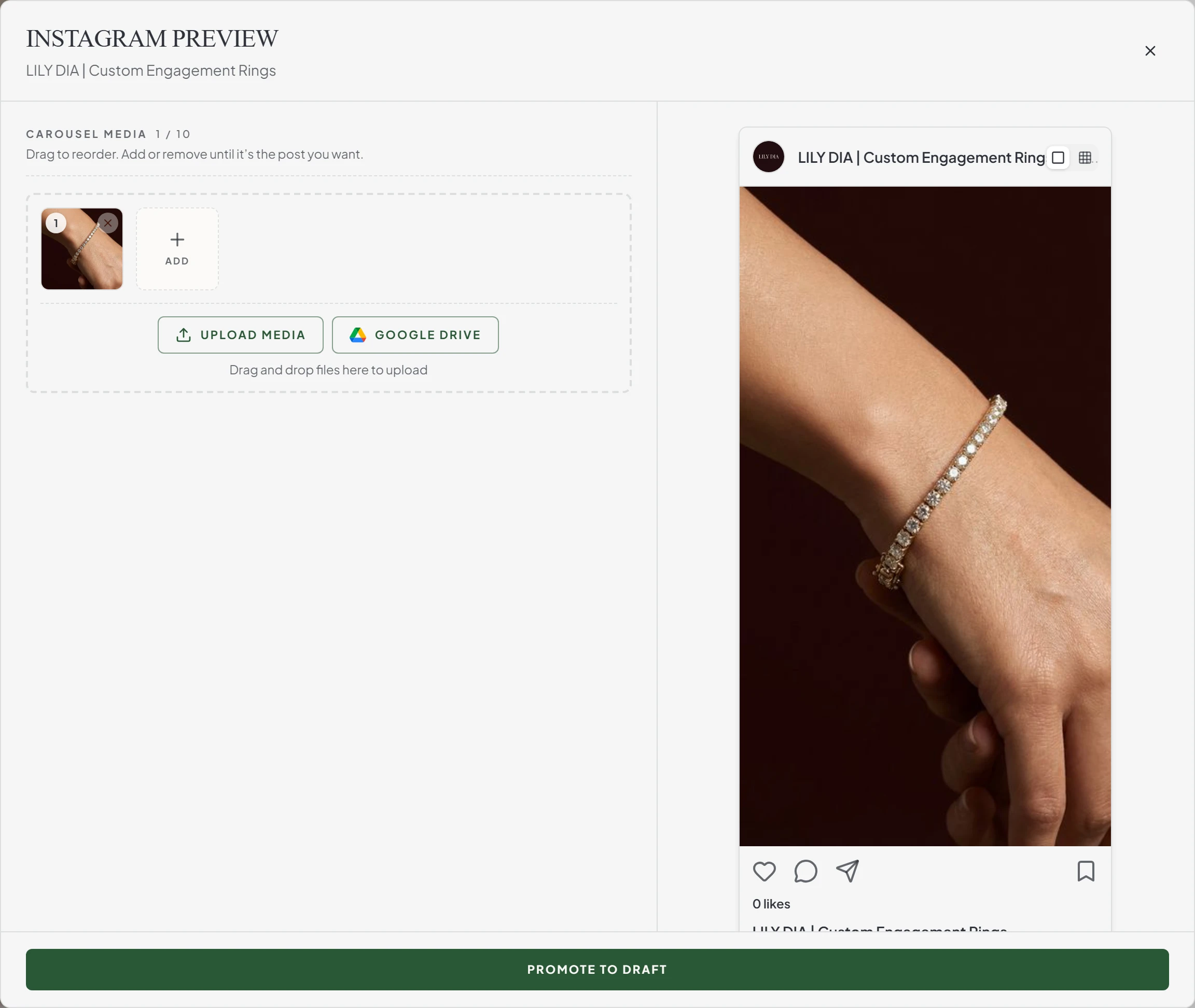
Open one and it renders the way Instagram will, at the right shape, with the whole carousel beside it, up to ten images you can reorder or swap. When the layout looks right, one button turns it into a real draft with the same media and opens the editor for the caption.
Judge it against what's already there
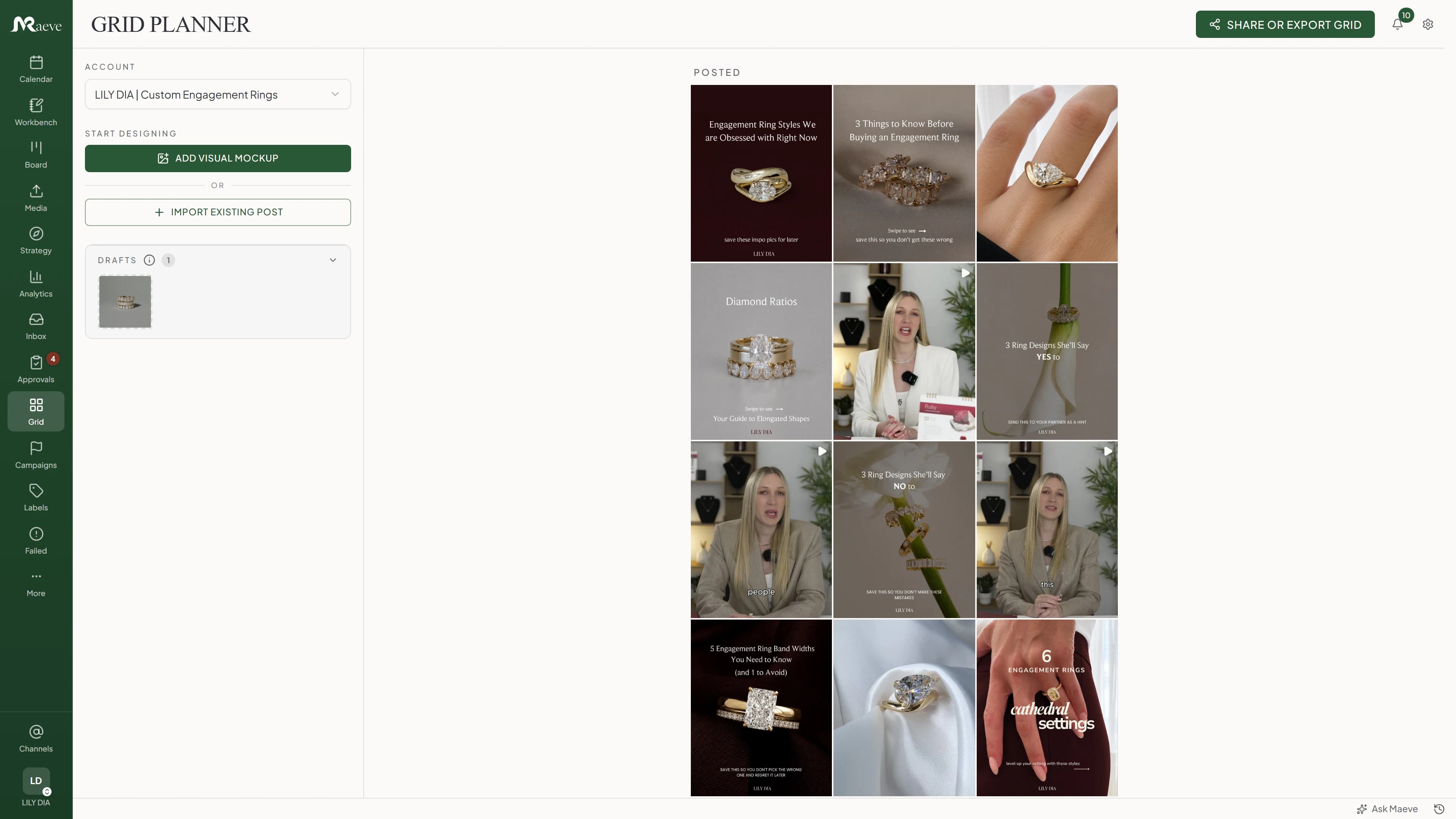
Your last 27 published posts sit directly underneath the plan in the same three columns, so you're looking at the new row against the real feed rather than against nothing, the way someone landing on your profile would.
Stories are left out, because they never touch the profile, and Reels only turn up when Share to Feed is on. What's on the grid is what people actually see.
Show someone the plan without a login
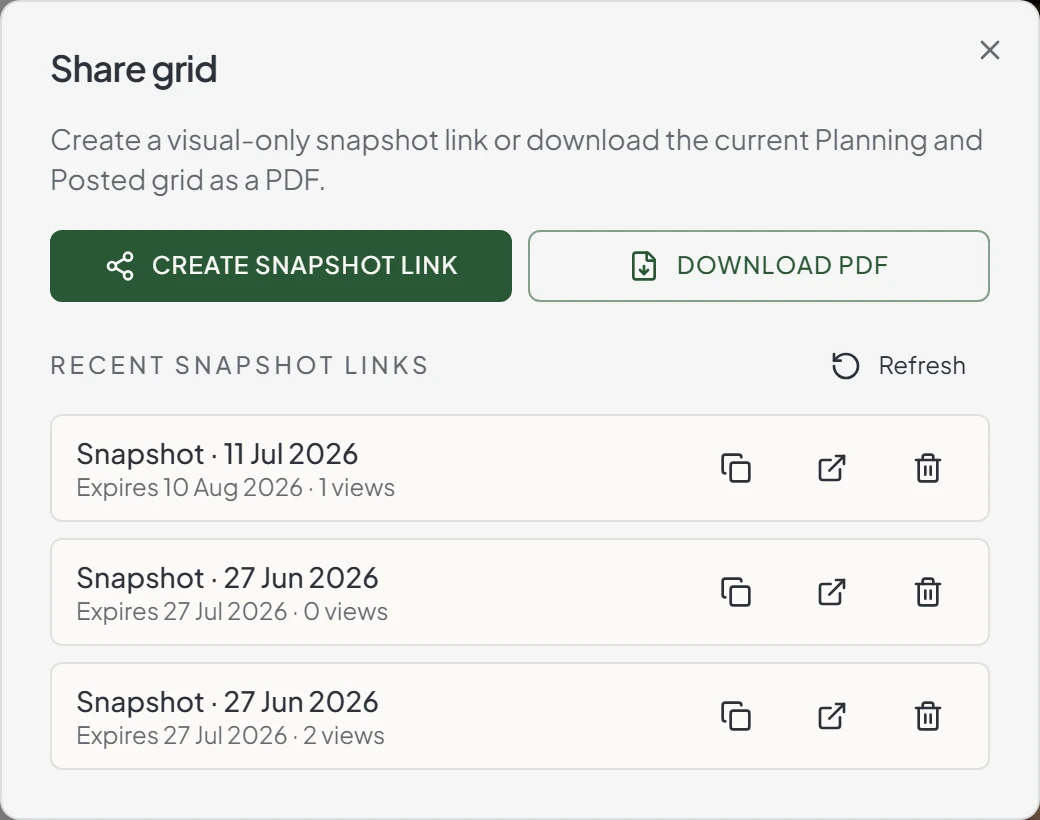
A share link shows the pictures and nothing else. No captions in progress, no internal notes, no schedule. It expires on its own, tells you how many times it's been opened, and you can kill it early if plans change. If they'd rather have a file, the same view downloads as a PDF.
It's a snapshot of the grid as it looked when you made it, and it's for showing rather than signing off. When you need a real approval, promote the mockups to drafts and send those through client review instead. Sharing is on Standard and above.
What the feed planner does
A profile-shaped view of the Instagram plan, with enough connection to the real posts that arranging the grid and building the content are the same job.
Questions
What is Maeve's Instagram Grid Planner?
The Instagram Grid Planner is a 3-column profile-style preview for any connected Instagram account. Each tile is a real post or a visual-only mockup. You drag tiles to test the layout, click into one to see the full post, and turn a mockup into a real Instagram draft from the same screen.
Is this the same thing as an Instagram feed planner?
Yes. Feed planner, layout planner, post planner, grid planner: different names for the same job, arranging your upcoming Instagram posts in the three-wide profile view before they publish. The difference in Maeve is that the tiles are your real drafts and scheduled posts, so the layout you settle on is the schedule that actually goes out.
Is the Grid Planner Instagram-only?
Yes. The 3-column grid mirrors an Instagram profile, so it doesn't apply to other networks. LinkedIn, X, Facebook, Threads, TikTok, YouTube, and Pinterest posts use the Calendar and Composer like every other post.
How is this different from Later or Planoly?
Later and Planoly let you upload screenshots and arrange them. Maeve's grid is the same workspace the post lives in: a tile is a draft, a draft is a tile, and promoting a mockup creates a real Instagram draft you schedule from the Composer. One tool, not two.
Can I see my drafts on the grid before they're scheduled?
Yes. Drafts for the selected Instagram account sit in a side tray. Drag any draft onto the grid to plant it on a slot, or open the draft in the Composer when the caption or media needs work.
Does dragging tiles change my scheduled times?
No. The Planning grid is the layout view. Dragging tiles changes the order in the grid only. Posting times only change when you drag in the Coming up queue or move posts on the Calendar.
What happens when I reorder Coming up?
The times you already have get reassigned across the moved posts. If Monday, Wednesday and Friday are scheduled, dragging Friday into first position gives that post the Monday slot and shifts the other two down. The times stay, the posts swap, and no new slots are invented. It saves the moment you drop it, with no confirm step, so it's worth a look at the calendar afterwards.
Can I build a mockup before the post exists?
Yes. Add images or a video to a tile and it sits as a planning item, not a draft. When the layout looks right, hit Promote and a real Instagram draft is created with the same media. The Composer opens, ready for the caption. To spread one image across several tiles, cut it with the free Instagram grid maker and add each tile as its own mockup.
Can one tile hold a carousel?
A planner tile holds up to ten media items, the same limit Instagram uses for a real carousel. Add media from upload or the Media Room, reorder it inside the tile, swap one out, and the cover updates.
Do Stories and Reels appear in the grid?
Stories are excluded because they don't appear on the profile. Reels only appear when Share to Feed is on. The grid matches the public profile, not the camera roll.
Can I set a custom cover for a video tile?
Yes for visual-only mockups: pick any cover image for a single-video tile. Linked Reel tiles use the cover saved on the actual draft, since that's what Instagram will publish.
Can I share the grid with someone who doesn't have a login?
Yes. Share or export grid creates a visual-only snapshot link that shows the Planning and Posted grids and nothing else. Links expire on their own, show how many times they've been opened, and can be revoked early. You can also download the same view as a PDF.
Can clients see the grid to approve it?
Client review batches show one post at a time today, not the full grid. When the visual sequence matters, send a snapshot link of the grid alongside the review batch, or promote the mockups to drafts and send them through Client Reviews for the actual sign-off.