Maeve SocialMade for the People Who Plan, Approve, and Publish Together

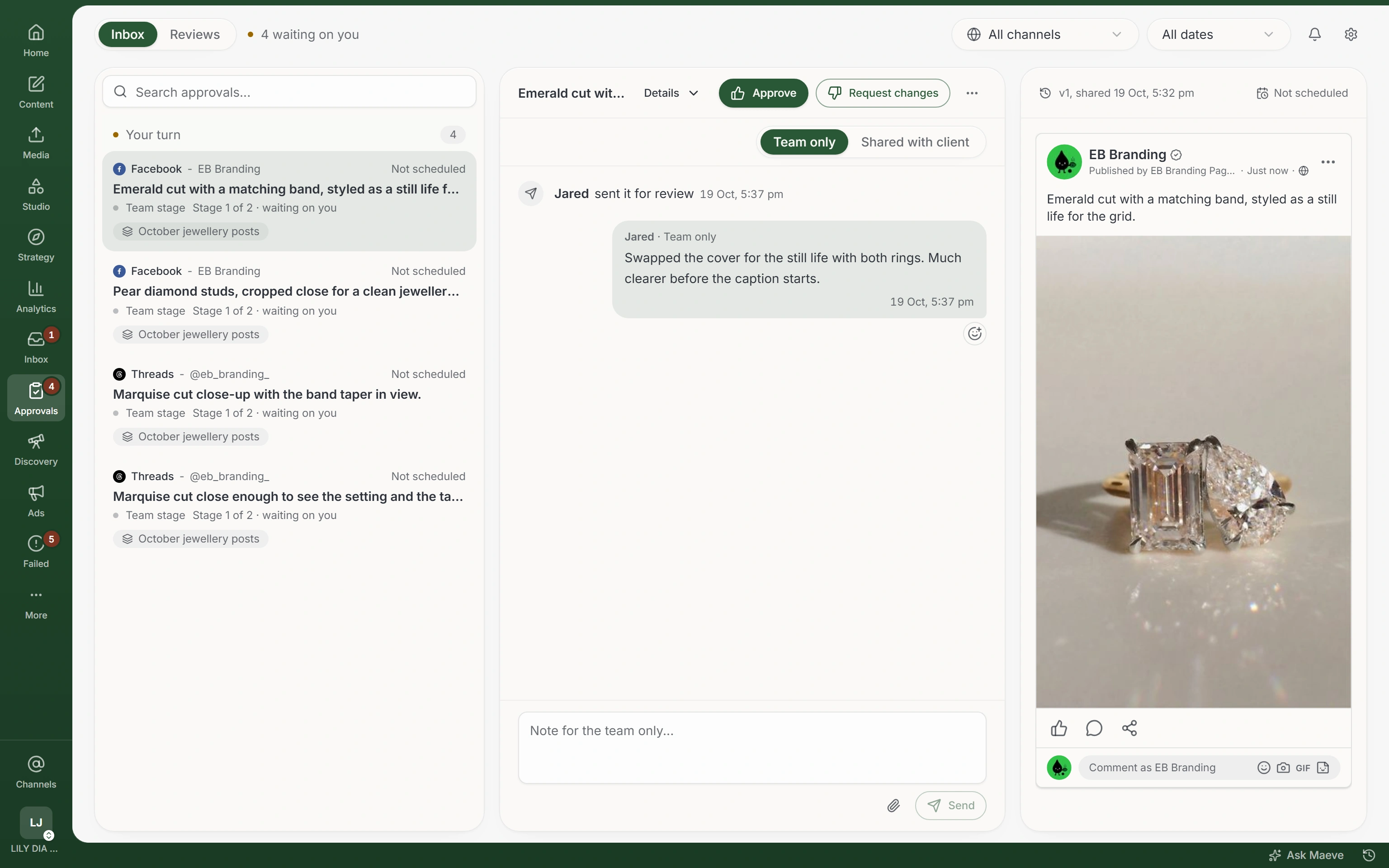
Maeve keeps the sign-off in one place: team approval, client approval, or both in order. A post stays locked until everyone who needs to has approved, and if you change it after, the approval resets. Your client opens a link. No login, nothing to learn.

3 days free. Cancel anytime.

Maeve approvals view with an internal approval thread and the post preview

Built for the work you actually do. Approvals, calendar, content, inbox, and analytics in one workspace, and Maeve AI to draft the first version.

Social Inbox

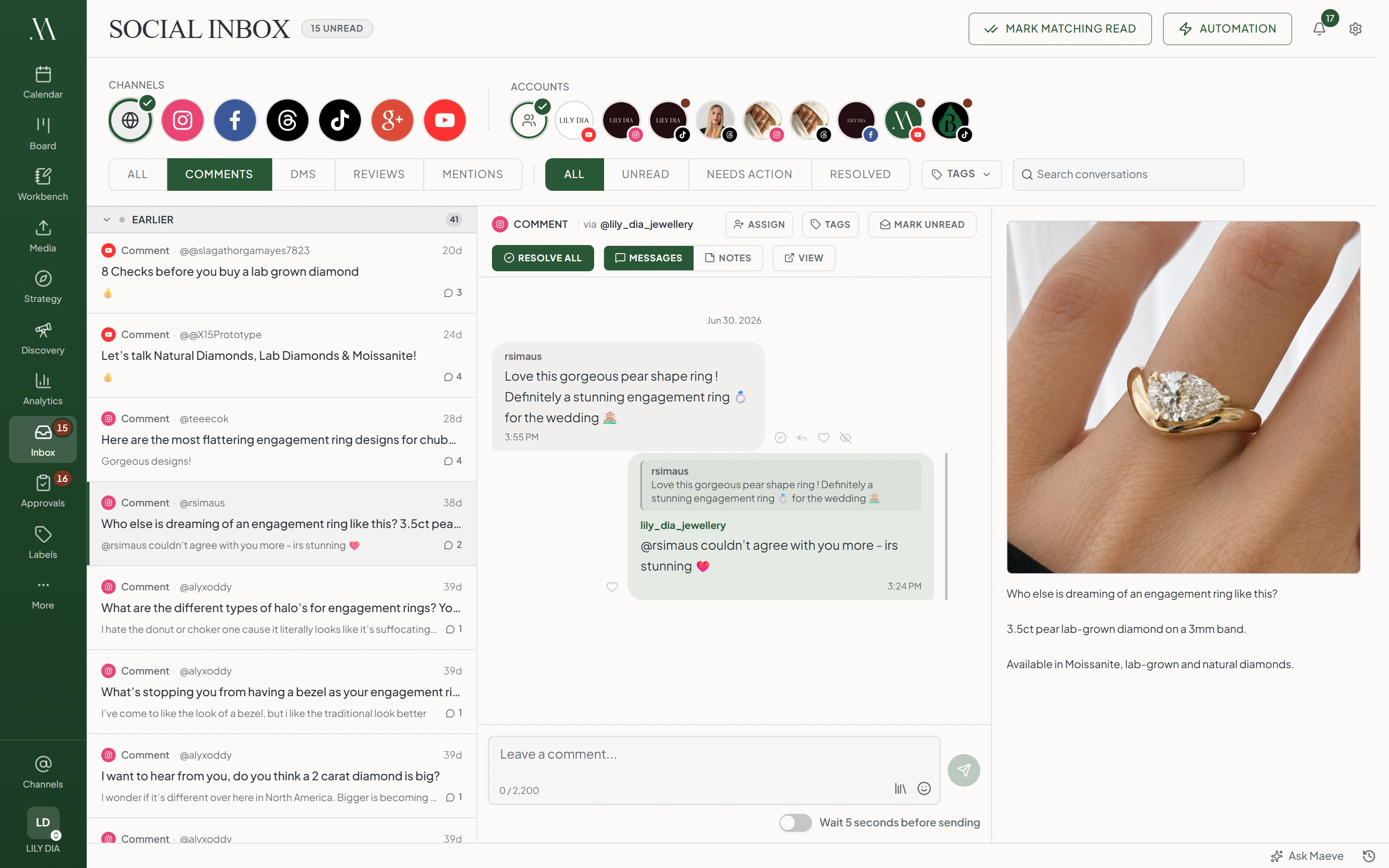
Every comment, DM, mention, and review from Instagram, Facebook, and Threads in one queue, so nothing sits unanswered because nobody knew it existed. Assign each thread to whoever owns it, keep private team notes the customer never sees, and reply with the original post open beside the conversation. There's an undo timer for the reply you send too fast, and you mark things resolved as you clear the queue.

Maeve social inbox with a list of comments and DMs, an open conversation thread, and the related post preview
Maeve approvals view with an internal approval thread and the post preview

Approvals Workspace

Most tools treat approval as a status label anyone can ignore. In Maeve a post under review is locked until it's approved, and if you edit an approved post the approval resets, so the version your client approved is the version that publishes. Run it internal first, then client, or both in order, with one approver or all of them. Your client opens a plain link, approves or asks for changes, and your internal thread stays yours. Every review you've ever sent them collects in one portal they open with a six-digit code, no password.

Maeve mobile app showing a list of draft posts with their platform and last-edited date
Maeve mobile app composer with channel picker, caption field, media, and post type controls

Maeve on Your PhoneComing Soon · In App Review

The whole workflow, on your phone. Write and schedule posts, approve the ones waiting on you or send them back with a reason, send review batches to clients, and check the queue, the calendar, and your analytics from anywhere. When a post needs your approval, the app notifies you. Coming soon to the App Store and Google Play.

The Workbench

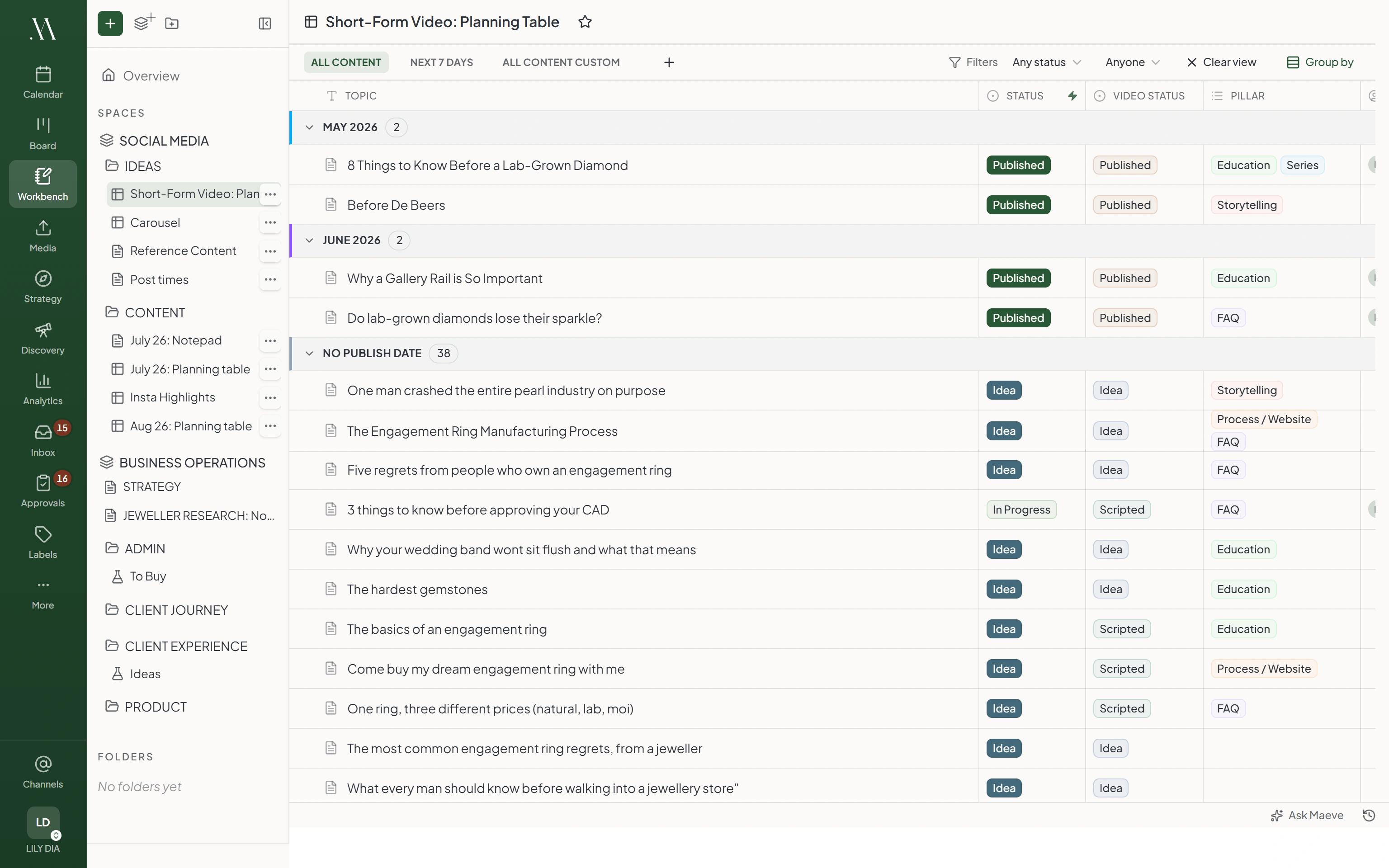
The plan in Notion stops matching the scheduler about a week in, and nobody notices until something doesn't go out. In the workbench every row of a planning table is a real draft, so status, schedule, and owners mirror the live post and the plan can't drift. Build tables with your own columns, keep research and notes on the same page, write together in real time, and lock private pages to the people who need them.

Maeve workbench showing an ideas page with a planning table of draft topics and a notepad of draft scripts below

Content and Task Boards

A content kanban where columns can fill themselves. Point a column at a status, everything in review, everything scheduled, and the board stays accurate without anyone dragging cards around. Write and edit posts right from the board, and keep the work around the content, the shot list, the copy tweak, the client chase, on a task board beside it, with tasks linked to the actual posts.

Maeve content board with post cards flowing across Backlog, Draft, Review, Scheduled, and Published columns
Maeve task board with task cards across Backlog, In Progress, Review, and Done columns
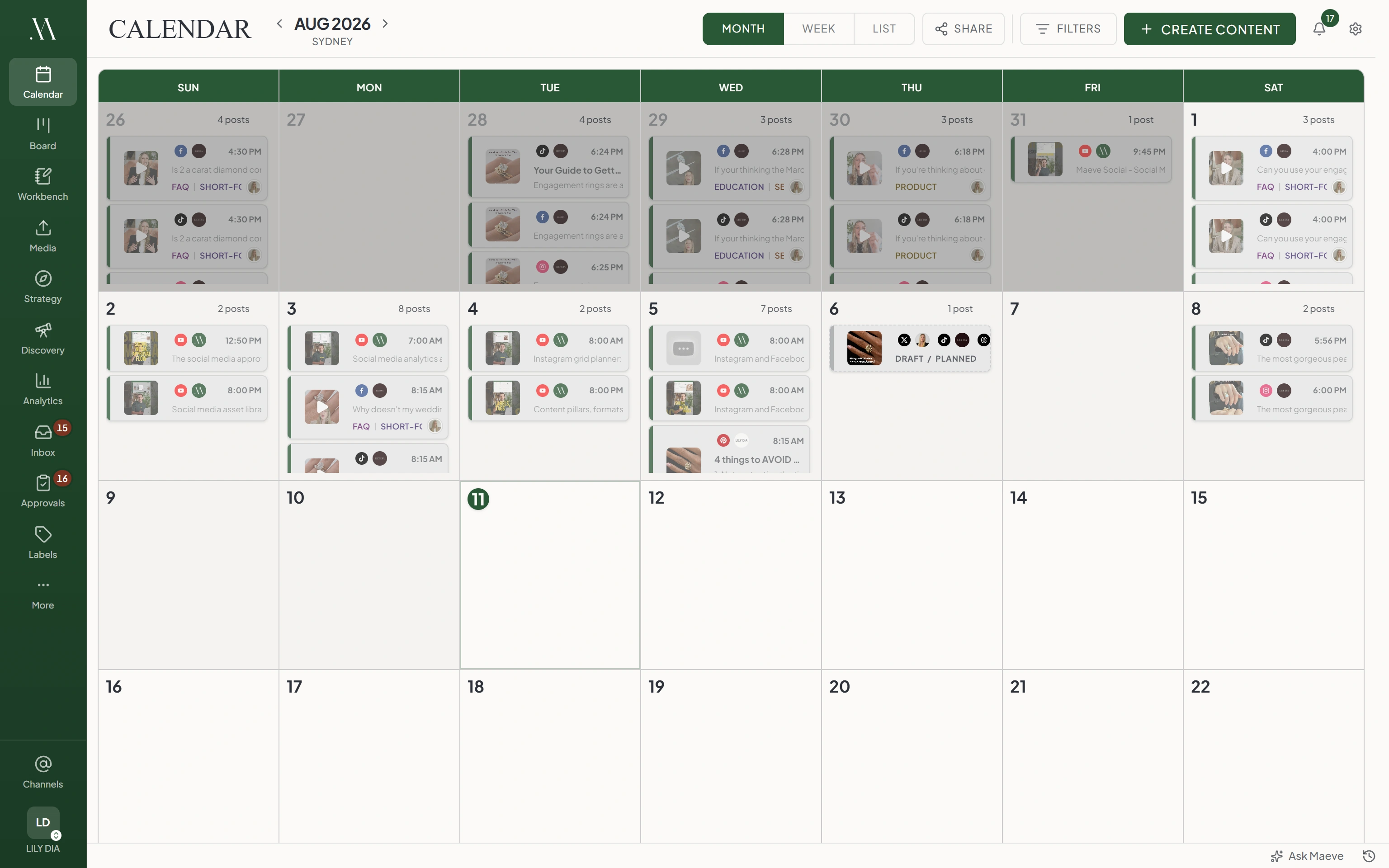
Maeve calendar in month view, each day stacked with scheduled posts color-coded by status and platform

Calendar

Your whole schedule as a month, a week, or a list, every post color-coded by status. Drag to reschedule, turn any scheduled post into a repeating series, run campaigns as rails across the month, and pin sticky notes to the day they belong to. When the client asks what's coming, send a read-only link and choose exactly what it shows, field by field. It never exposes your internal notes, your assignees, or your errors.

Maeve media room library with folders and asset cards showing file specs, usage counts, and labels

Media Room

Upload an image or video once and use it everywhere. Every asset shows exactly which posts and grids it's in right now, with links straight to them, so you never delete something that's about to publish. Organize with folders, labels, and favorites, filter down to what's still unused, and anything you delete waits in the bin for seven days in case you change your mind.

Maeve strategy view with goal cards tracking short-form save rate, workshop registrations, and offer-page conversion, each showing pace against target

Strategy: Goals, Bets, and Retros

The strategy deck gets opened once and never again, because it lives nowhere near the posts. In Maeve it lives with them. Set goals that update straight from your analytics, then bet on what you think will work: you call it, teammates take sides, and Maeve settles it from the real numbers. The retro runs on a schedule, opens with how the period went, and ends with who owns what next. Say what you think will happen, then find out if you were right.

Maeve labels view with grouped diamond-cut labels, usage counts, and tabs for content pillars, formats, and hashtags

Labels, Pillars, Formats, and Hashtags

One shared vocabulary for the whole team, so everyone tags content the same way and the tags mean something. Pillars mark the theme, formats mark the type, and both show up in analytics, so you can see which themes actually perform instead of guessing. Filter the calendar, board, and library by any label, and drop saved hashtag sets into a caption instead of retyping them.

Maeve Instagram grid planner with drafts and posted tiles laid out in the three-wide feed, plus empty slots to fill

Instagram Grid Planner

Your feed is a grid, so plan it like one. Posted, scheduled, and mocked-up posts sit together in the real three-wide layout, with color placeholders for photos that don't exist yet and collaborator posts added by hand so the grid shows what will really be there. Drag the tiles into the order you want and the publish times swap to match. When it looks right, send a read-only link or export it as a PDF.

Content Editor

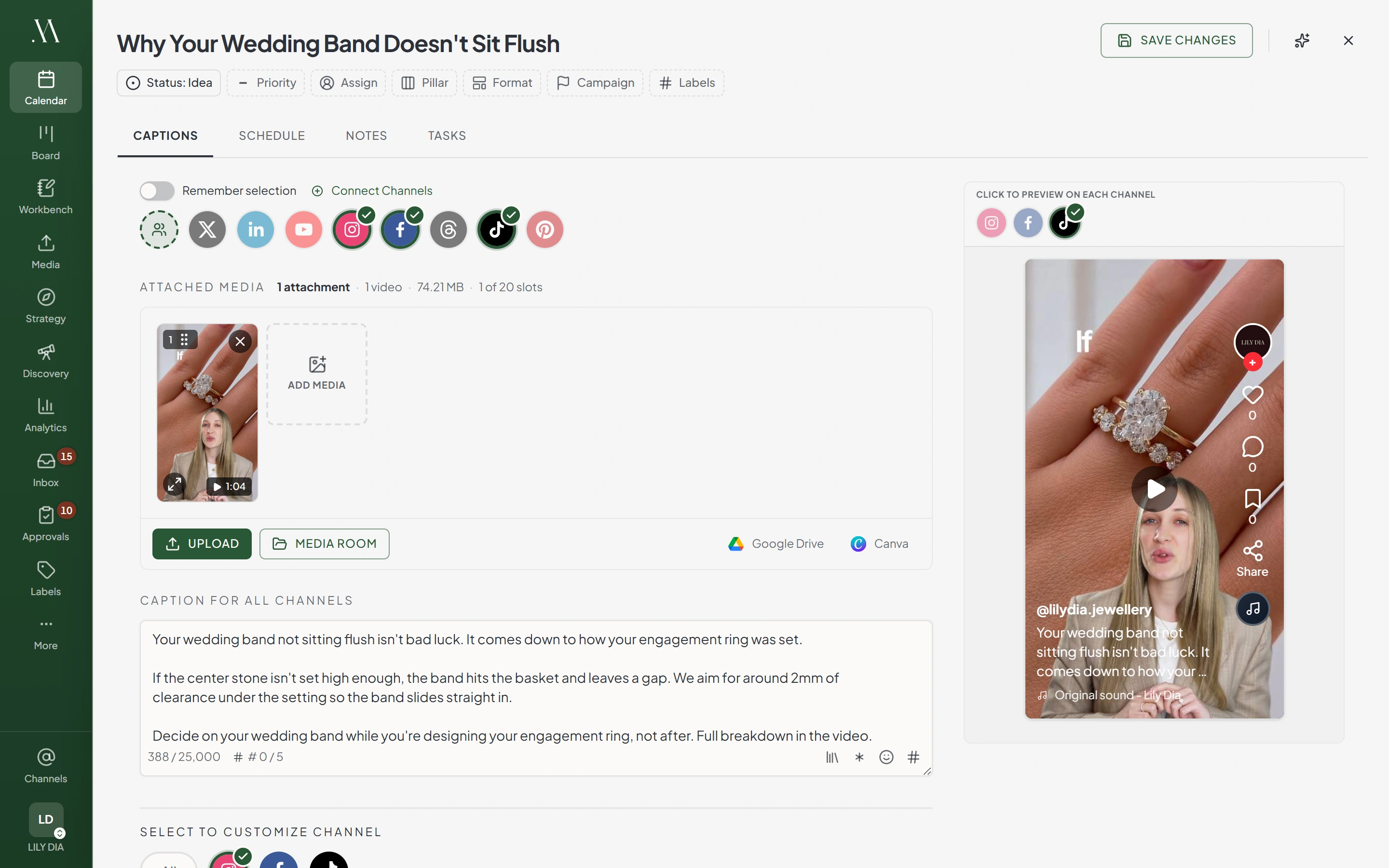
One post, every platform, without writing it six times. Start from one caption, then override the wording or the media for any channel that needs it. The native options are all here: TikTok privacy and branded content, YouTube thumbnails, Instagram collaborators and audio, Pinterest boards, Threads reply rules. Thread out a run on X or Threads, schedule the first comment, and check the live preview of exactly what each platform will show before you schedule anything.

Maeve content editor with channels selected, a main caption, and a live TikTok preview of the post beside it
Maeve failed-posts view with scheduled posts grouped by error type, an Instagram connection error and reconnect guidance, and the post preview

Failed Posts

Sometimes a post fails. Platforms go down, connections expire, a scheduled window slips past, and you deserve the real reason, not a vague 'something went wrong.' Every failure shows up here grouped by what actually happened, with the platform's error in plain words and the matching fix one click away: reconnect, reschedule, or retry. Temporary blips retry themselves, and nothing ever fails quietly.

Analytics & Reports

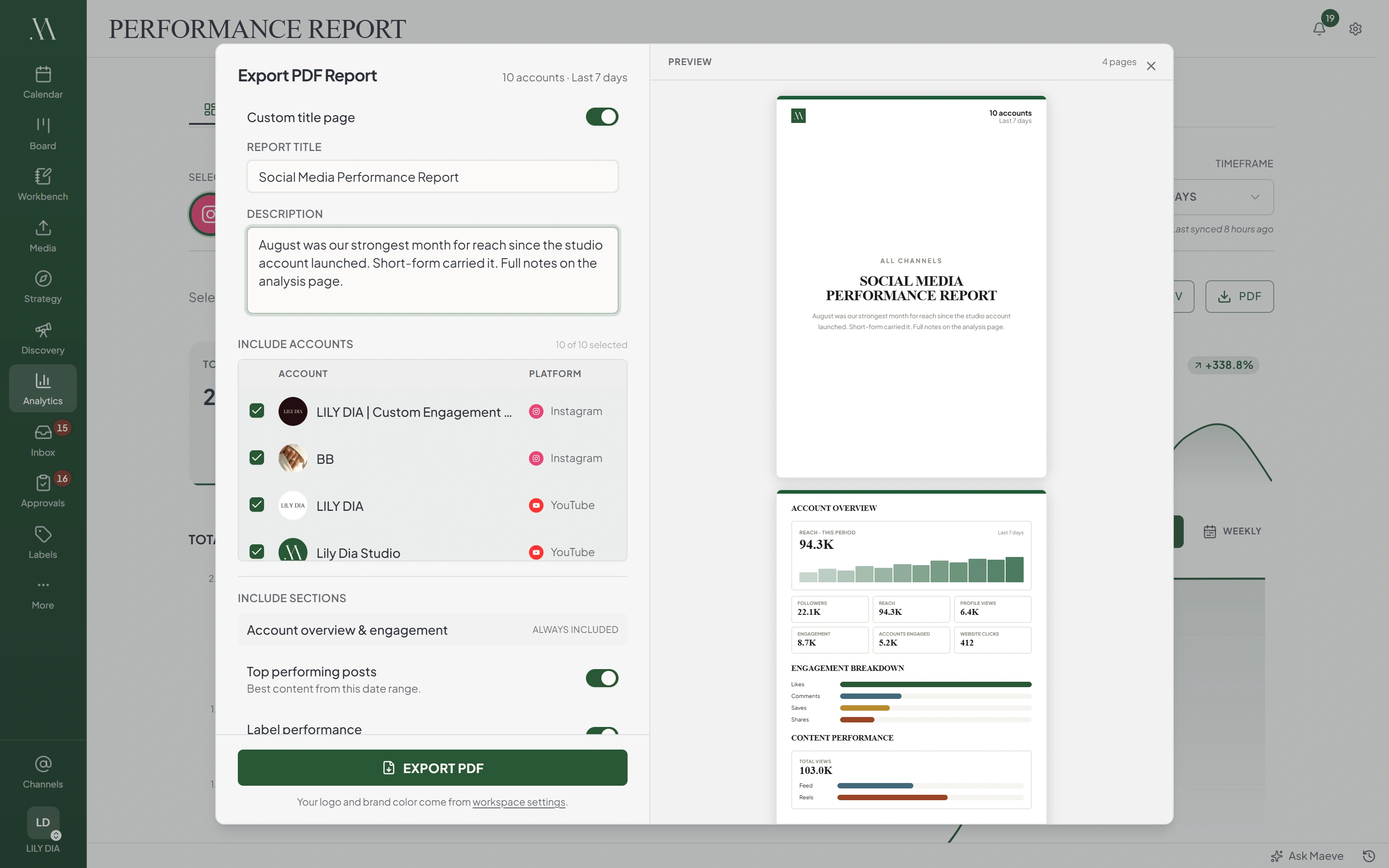
Every platform's numbers in one place: reach, views, engagement, follower growth, demographics, and the hours your audience is actually online. Content performance breaks down by pillar, format, and label, so the strategy you set is the strategy you can check. When the month ends, export a PDF report with your name on the cover, the client's numbers inside, and your written take on the last page.

Maeve analytics with the Export PDF Report panel open, showing a branded cover and a TikTok performance report preview with reach, followers, and engagement
Maevestaged for review
Draft three captions for Friday's launch

Done. Three drafts, staged in your composer to check.

IGDoors open Friday. Here's the full look inside.Draft
TTThree years of work, one launch. This is it.Draft
inThe list goes live at 9am. Details below.Draft

Maeve, the Built-In Assistant

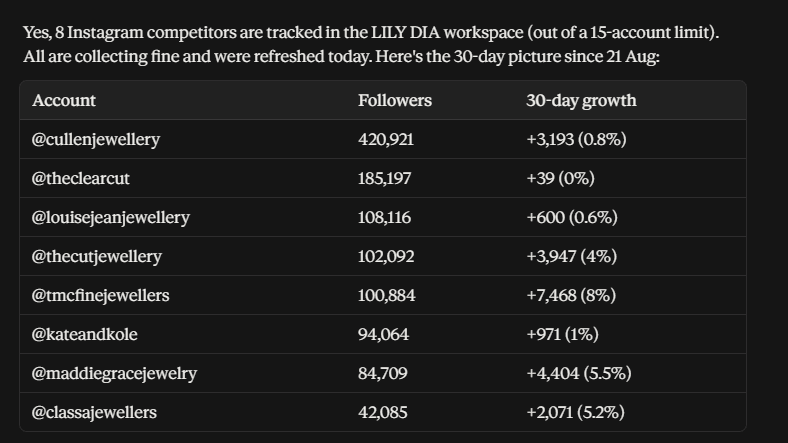
Ask in plain English: what's going out this week, draft three captions for the launch, how did last month do. Maeve sits in a dock on every screen and beside you in the editor, and everything it writes goes into the draft, staged for you to check. It can never publish or delete a post unless you confirm that exact one. On client accounts, the restriction is the point.

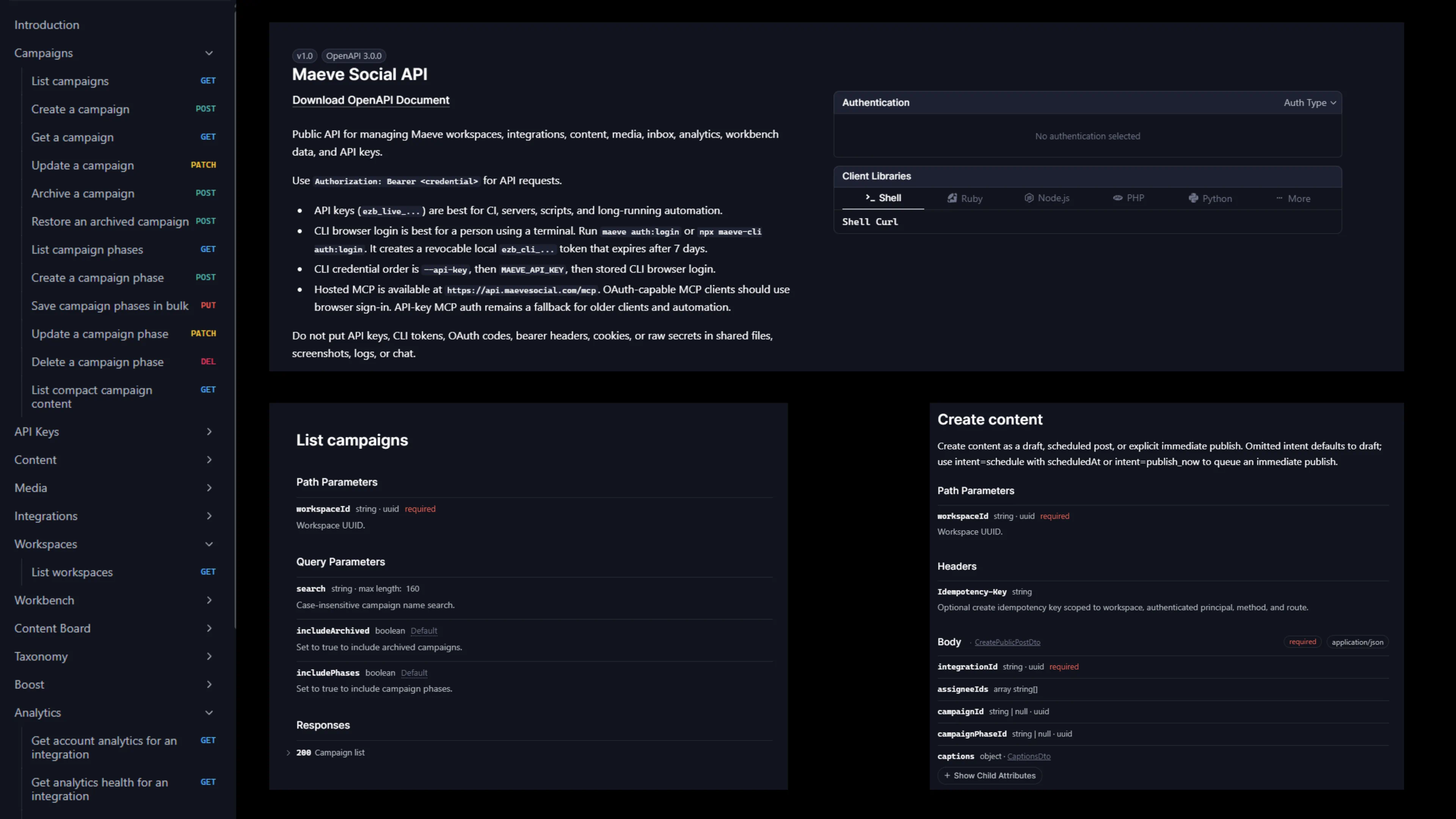
Maeve Social API reference with an endpoint sidebar, the OpenAPI overview, and campaign and content endpoints

MCP & CLI

The same workspace, open to the assistants you already use. Connect any MCP client and it can read your calendar, pull your numbers, and stage drafts under the same rule: nothing publishes without your confirmation on that exact post. Prefer a terminal? The CLI is there too, with a full API underneath.

Deep Support for All 8 Platforms. Instagram, Facebook, LinkedIn, TikTok, YouTube, X, Pinterest, and Threads.

Swipe to see all platforms

Use the arrow keys, Home, and End to move between platform tabs. Press Tab to move into the selected platform details.

Instagram

Post Anywhere

  • Create single images, videos, carousels, Reels, and Stories.
  • Smart Stories: Upload multiple photos or videos and we fan them out into individual stories at post time.
  • Preview how your post will look once published.

Intelligent Media Handling

  • Automatic format optimization for Instagram's requirements.
  • Custom cropping for each image (4:5 vs 1.91:1).
  • High-resolution media support with automatic processing.

Advanced Reel Controls

  • Choose whether your Reel appears on your main feed.
  • Upload custom cover images.
  • Select the perfect frame for your thumbnail.

Tag Everything

  • Tag people in your photos
  • Tag products from your catalog to drive sales.
  • Invite collaborators to co-author posts.
  • Search and add locations.

Boost Engagement

  • Pin your first comment to start conversations.

Made for Creators, Businesses, and Agencies

Creators

Batch a week of posts in one sitting, adapt each caption by platform, and keep the grid looking the way you planned it.

See the creator scheduler

Small Businesses

Post consistently without social turning into a second job. Plan the week, get the owner's approval from a link, publish everywhere, and see what worked.

See the small business scheduler

Agencies

One login, a workspace per client, and roles that keep accounts separate. Sign-off runs through the social media approval software, and the monthly report goes out as a PDF with your name on the cover, not ours.

See the agency workspace

Plans from $20 a Month

Basic

$20USD / mo

Best for freelancers and small businesses

Billed $240 yearly

  • 1 user account
  • 2 workspaces
  • 20 social connections
  • Publish to 8 platforms
  • Content Workbench
  • Strategy briefs & content pillars
  • Platform-specific captions
  • Social Calendar
  • Social Inbox
  • Advanced Analytics
  • Media Room with folders & tags
  • Hashtag & Label Manager
  • First comment scheduling
  • 20GB Media Storage
Start My Free Trial

3 days free. Cancel anytime.

Standard

$79USD / mo

Best for agencies, teams and businesses

Billed $950 yearly

  • Everything in Basic +
  • 5 team members
  • 5 workspaces
  • 50 social connections
  • Roles and permissions
  • Internal collaboration & approvals
  • External client workflows
  • 50GB Media Storage
Start My Free Trial

3 days free. Cancel anytime.

Premium

$158USD / mo

Best for large agencies and businesses

Billed $1900 yearly

  • Everything in Standard +
  • Unlimited team members
  • Unlimited workspaces
  • Unlimited social connections
  • Dedicated Success Manager
  • Advanced Audit Logs
  • White-glove phone support
  • 100GB Media Storage
Start My Free Trial

3 days free. Cancel anytime.

Secure Payment via Stripe

Plan Your Grid Before You Post It

Don't Get
Left Behind.

Start My Free Trial

3 days free. Cancel anytime.