
Tag it once, find it in a year
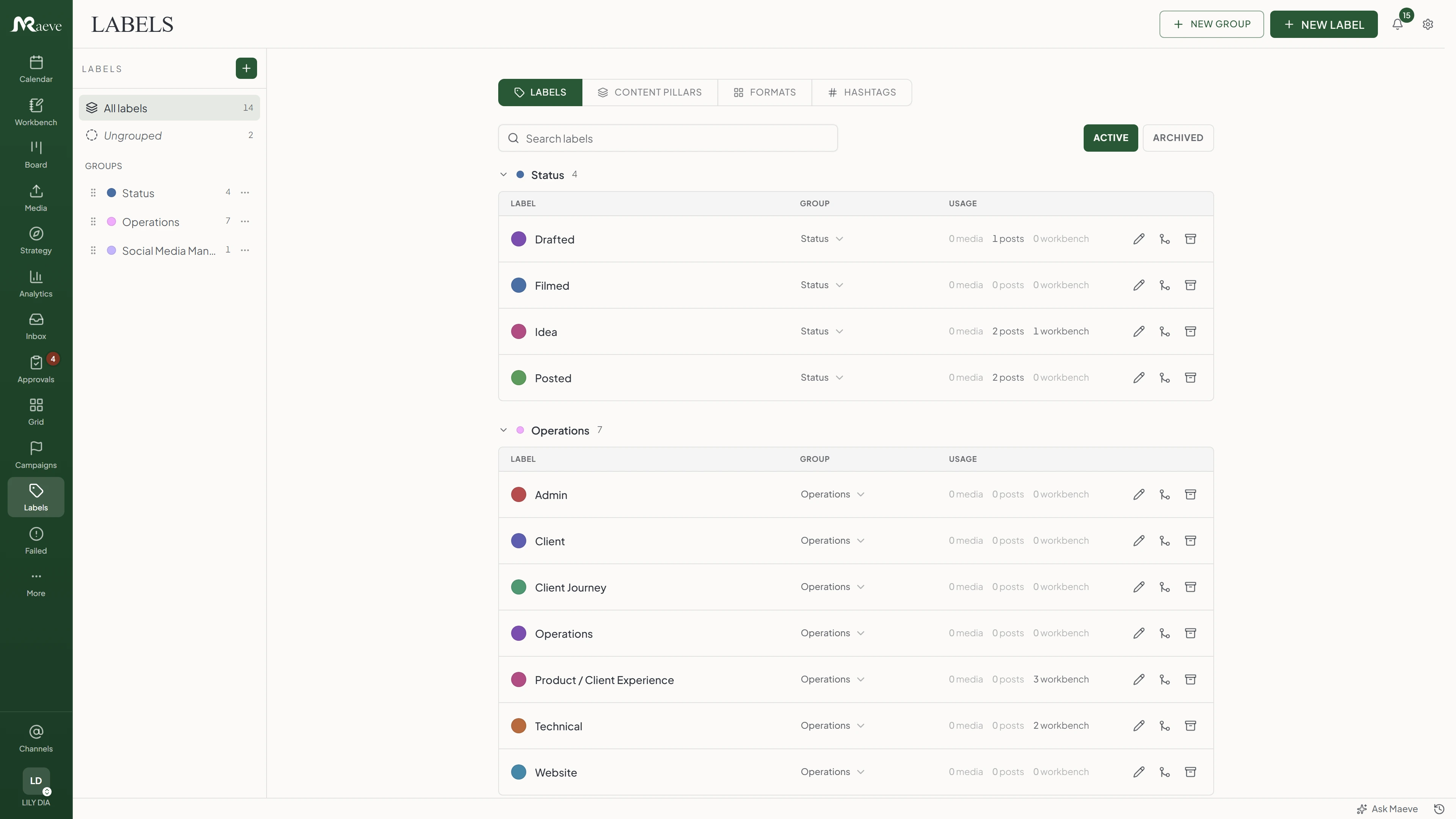
Every team invents its own words for things, then quietly invents them again six months later, so the same campaign ends up filed under three names and none of them find each other. This is the one list everybody works from. Put a label on a draft, a photo or a planning row, and one click pulls the whole campaign back out.
What the post is about, and what shape it takes
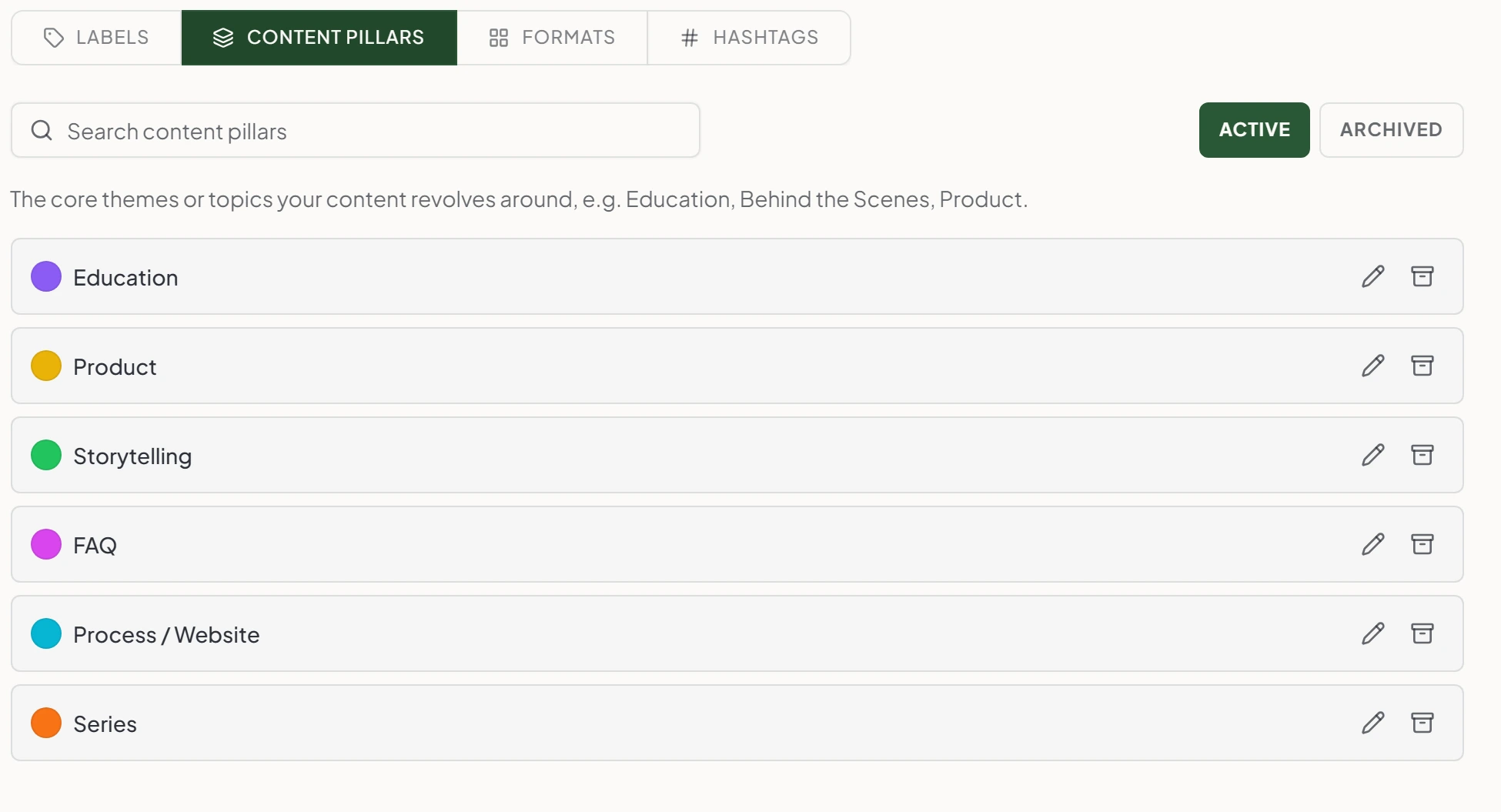
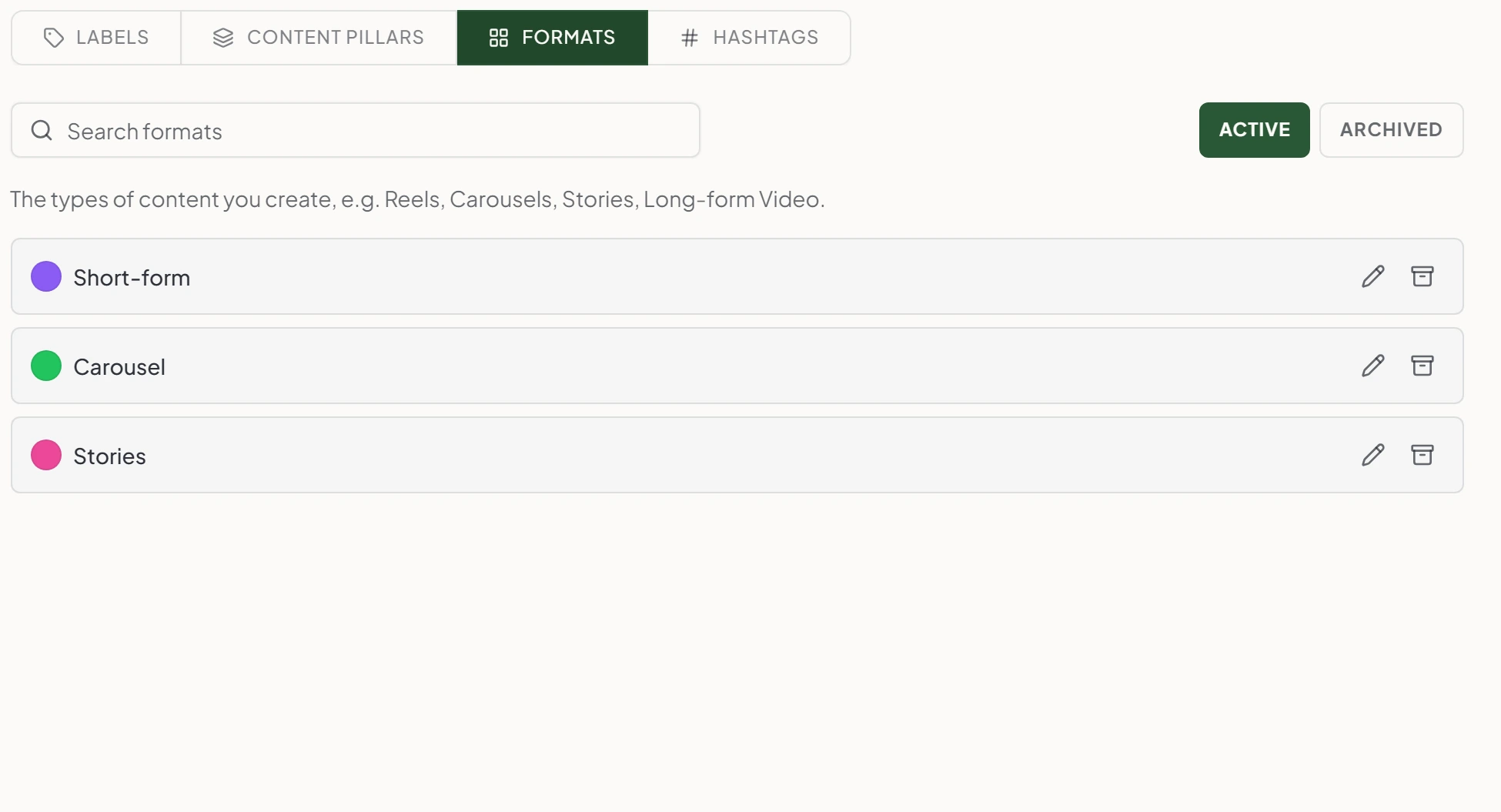
A pillar is the theme the post keeps coming back to, the Education one, the Product one, the Storytelling one. A format is the shape it arrives in: short-form, carousel, stories. Set both on a draft and two questions answer themselves. Are we posting too much product this month, and did anyone actually film the reel. Working those themes out up front is what a content pillar strategy is for, and this feature just records the result.
Both lists are yours to write. Rename them, recolour them, and when one stops earning its place, delete it. It drops out of the pickers without stripping itself off everything you already filed under it.
For the day you find three labels for the same thing
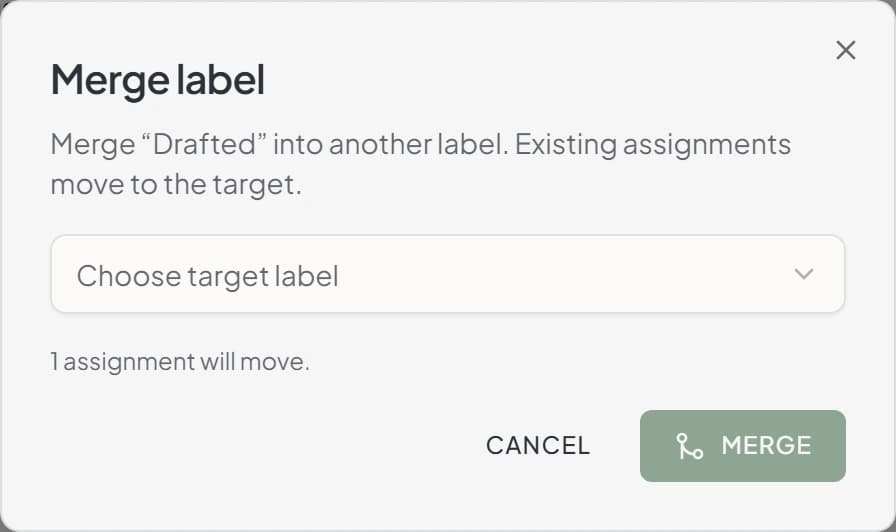
It happens to everyone. Someone makes Launch, someone else makes Launches, and a year of posts ends up split down the middle. Merge one into the other and every assignment moves across, on the posts, on the photos, on the planning rows. The dialog tells you how many are about to move before you say yes.
Which one is the duplicate is usually obvious from the usage counts sitting next to each label, since the one nobody used reads zero across the board.
The hashtags you keep pasting in
Save a set of hashtags as a named group and stop keeping them in a note on your phone. When you write the caption, open the library and drop the whole group in at once, or copy it out with one button. Keep a group per platform, per niche, per product line, however you actually think about it.
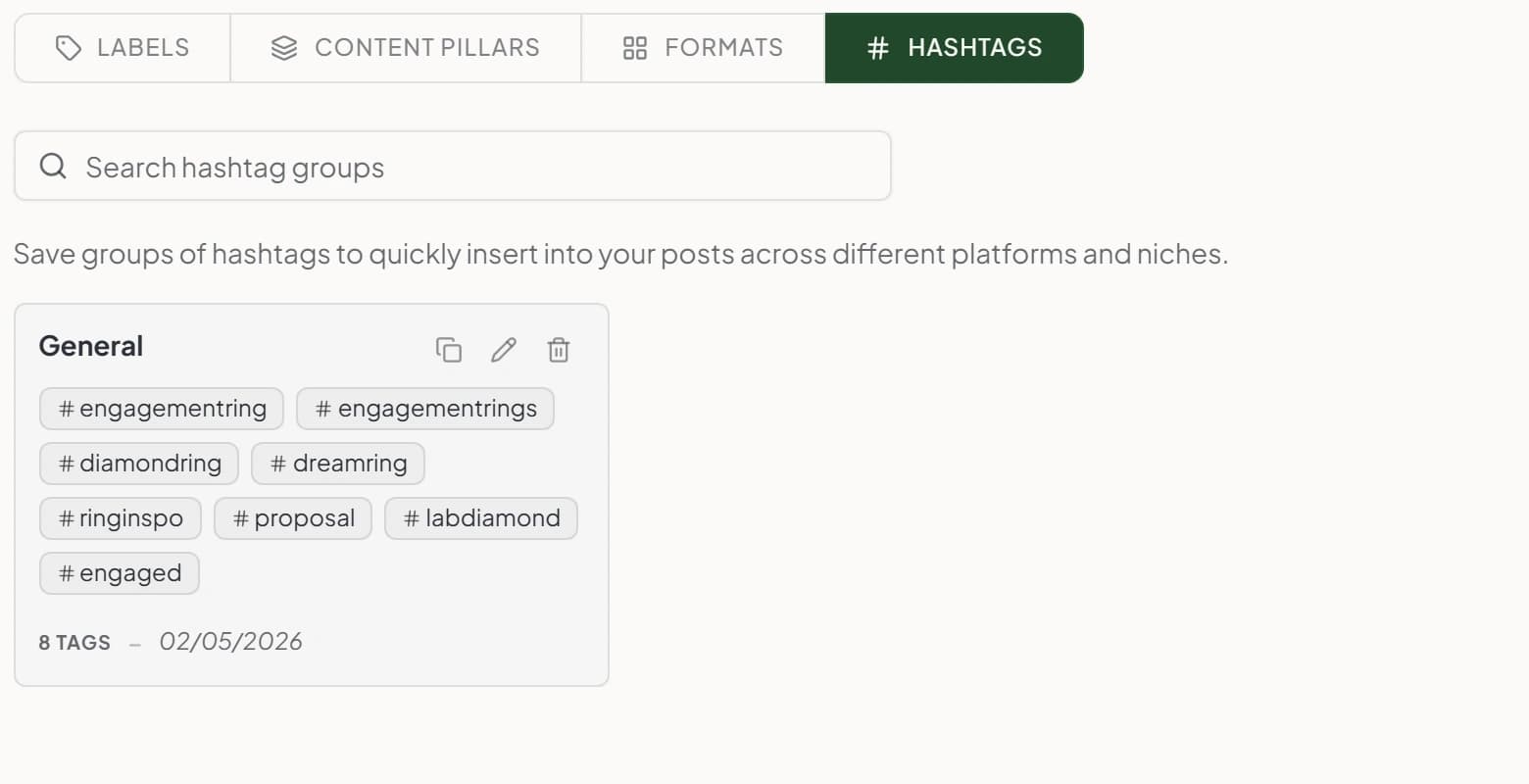
What's in the vocabulary
Four lists, and the tools that stop them rotting: usage counts to show what nobody uses, merge to fix the duplicates, and a delete that retires a label without stripping it off last year's posts.
Questions
What is Maeve Tags?
Your team's shared shorthand for content, in four parts. Labels for clients and campaigns, content pillars for your themes, formats for the shape of a post, and hashtag groups for the sets you paste into captions. Set them up once and everyone uses the same words for the same things.
What is a content taxonomy?
A shared naming system for the way your team plans content. Campaign labels, content pillars, content formats, and reusable hashtag sets. Set them up once and the same language shows up everywhere your team works.
Can I create campaign labels?
Yes. A label is a name and a color. Use it for campaigns, clients, launches, seasons, or content series. Stack several on the same post when it belongs to more than one group.
Can I define content pillars?
Yes. Add your strategy themes, whatever they are for you: Education, Product, Storytelling, FAQ. Attach one pillar to a post and you can see your content mix without working it out from memory.
Can I define content formats?
Yes. Short-form, Carousel, Stories, Long-form video, whatever you actually make. Pick one when you draft, so the team knows the shape of the post before anyone shoots it.
Can I save the hashtag set I always use?
Yes. Save your go-to hashtags as a named group. When you write a post in Composer, open the hashtag library and drop the whole group into the caption in one go. No more copy-pasting from a Notes doc.
Can I see how often a label is actually used?
Yes. Every label shows its usage next to it: how many media files, how many posts, and how many workbench rows carry it. It's the fastest way to spot the label somebody made once and never used again.
I've made a mess. Can I merge two labels?
Yes, and this is the one that saves you. If the team ended up with both "Launch" and "Launches", merge one into the other and every existing assignment moves across. The dialog tells you how many will move before you commit.
What happens when I get rid of a label I don't want?
Deleting it retires it rather than wiping it. Maeve tells you as much before you confirm: existing assignments stay attached and the label just stops appearing in the pickers. So last year's posts keep the label they were filed under, and nobody can put it on anything new.
What happens when I rename or recolor a tag?
It updates everywhere at once. Rename a label and every post carrying it follows. Recolor it and the new color shows up on the calendar, the board, and the library. No re-tagging, no find-and-replace.
What if I have hundreds of labels? How do I keep them tidy?
Put them in groups. All the client labels in one, all the campaign labels in another, and anything loose sits under Ungrouped until you file it. The sidebar filters the list to one group at a time, and there's a search box for when you know the name.
Can I filter posts by tag?
Yes. Click a label and the calendar, board, library and workbench all filter to it. Stack it with status, platform or assignee when you need to narrow further.
Do tags work with Media Room?
Yes. The same labels work on your Media Room photo and video library. Tag a photo with the campaign label, filter the library by it, or bulk-tag a whole shoot at once.
Are tags shared across my workspace?
Yes. Labels, pillars, formats, and hashtag groups belong to the workspace. Everyone you work with sees the same set, and a new person opens the editor to find the vocabulary already there. Different workspaces keep their own lists, which is what you want when each client has their own.