
Like Notion, Miro and Monday, built in
The Workbench is the planning side of Maeve. A canvas like Miro for references, saved Reels and links. Docs like Notion for the brief and the script, with your team writing in them live. Tables with the columns, views and assignees you would build in Monday, except a row is the actual post, so the status updates itself as it goes out.
Spaces, folders and pages
A space is the top level. It holds folders and pages, and anything unfiled sits in Unsorted.
Folders move between spaces and pages move between folders.

Workbench
Spaces
Social mediaIdeasShort-form videoReference contentStrategySep series planningContent strategyContentSep 26Jul / Aug 26Business operationsClient experienceLocal jeweller researchUnsorted
Walk n' talksNotesWhat the icons mean
- Doc for briefs, scripts and notes
- Canvas for the rough stage, before anything is a post
- Content table where every row is a real post
A lock means private
Three kinds of page
You pick the kind when you make the page. It cannot change later.
A Content table is the spreadsheet one, and every row is a real post. If you have used Monday.com, you already know how it works.
A Doc is where briefs, plans and scripts live, the things you would otherwise keep in Notion or a Google Doc.
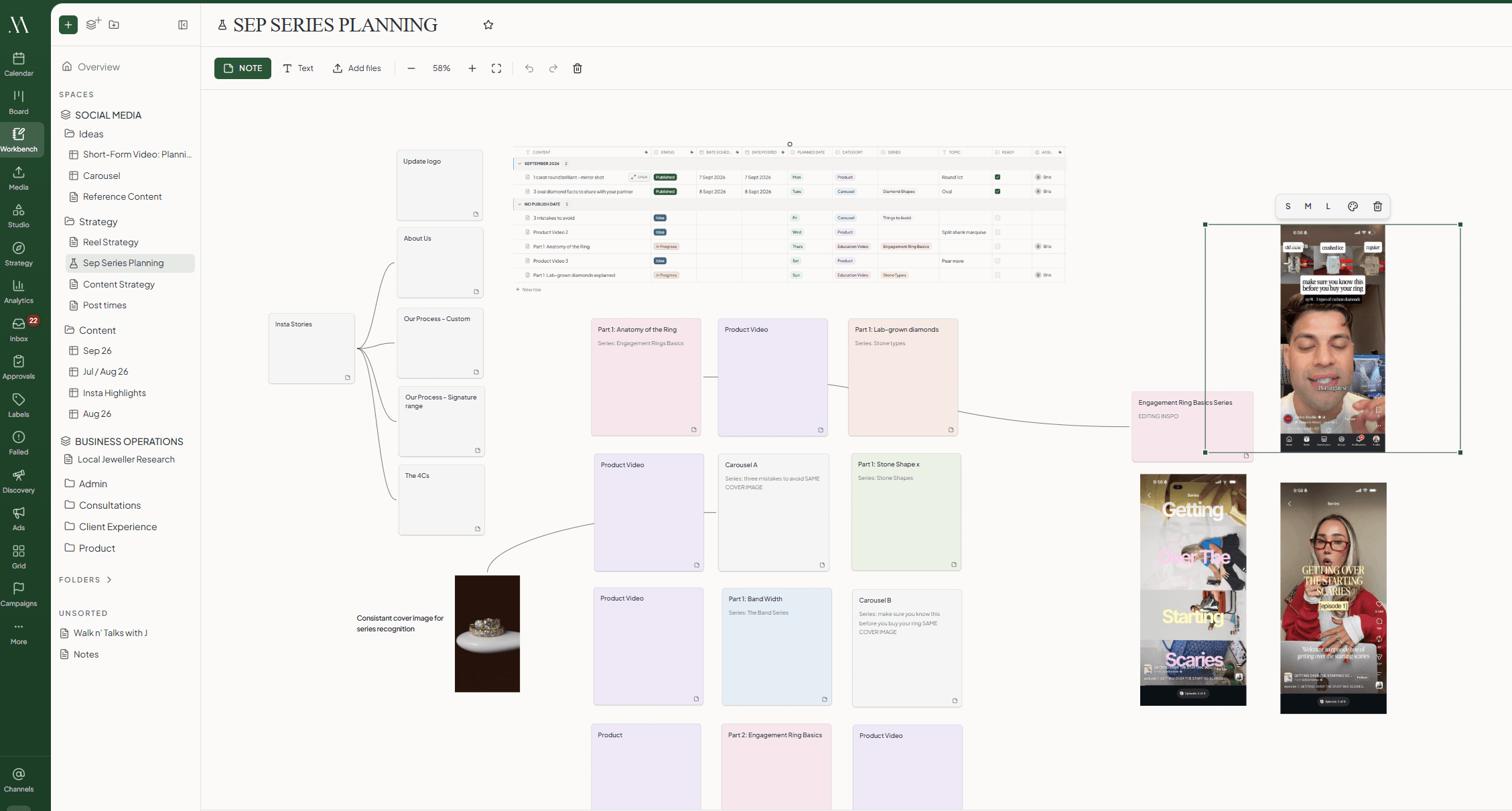
A Canvas is closer to Miro. Add notes, screenshots, links and photos, join them together and think through an idea visually.
The content table
A content table sits in a folder or a space and holds your content. A common use case is to organise it by month.
Each row is the same content you create in the calendar or on the content board, so it stays up to date wherever you make the change.
Add your own columns for anything you track. Status, Date Scheduled, Date Posted and Assignees keep themselves up to date as the post moves through its lifecycle.
Everything you make here also shows up on the content board, and once it has a scheduled date it appears on the calendar. You can pull existing content into a table, and send content from one table to another.
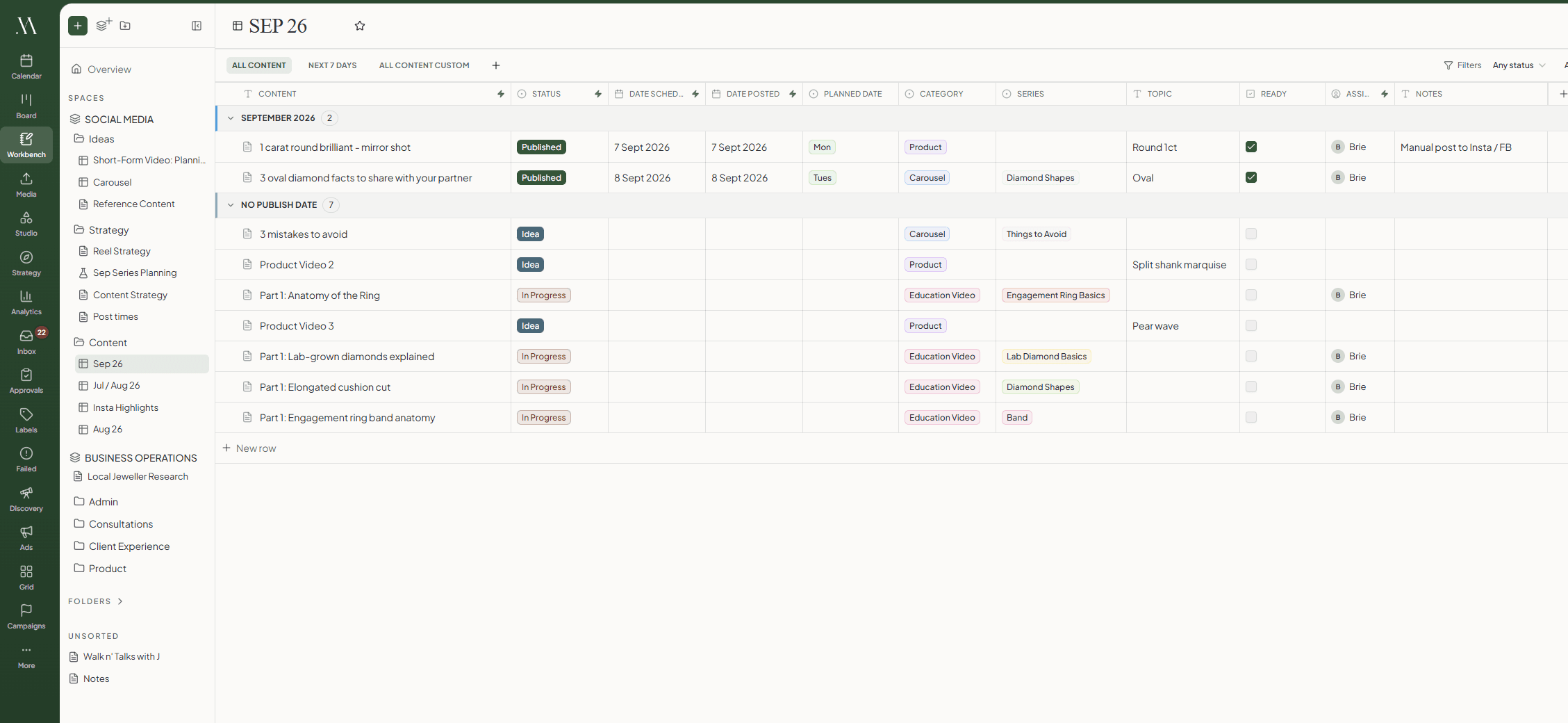
Create your own views to filter the table
A view is a saved filter on the table. All Content and Next 7 Days are there from the start, with ready made views for things like Backlog, Waiting on Client, Needs Attention and Published. Change the filters on any of them and it saves as a new view of your own.
The canvas
A canvas is the place to plan visually. Write notes, add images and links, paste in screenshots, and join ideas together to map out how they fit.
When an idea is ready, add it to the content table and it becomes a post. Images and videos go with it, straight into the Media Room and onto the draft.
The document page
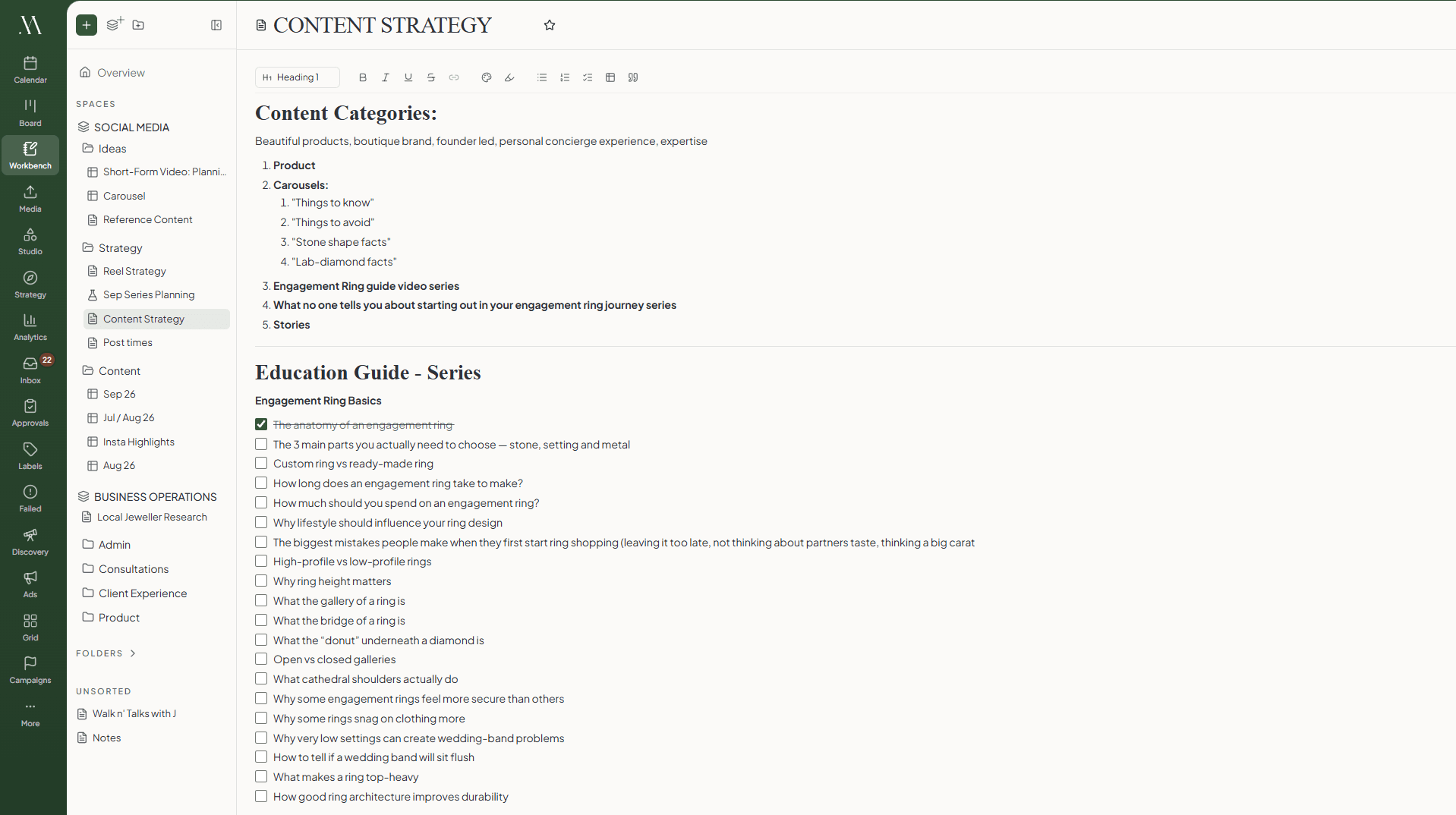
A doc gives you a rich text editor with headings, lists and checkboxes. Write your briefs and scripts, or use it to brainstorm.
Docs are collaborative in real time, so you can plan with your team. Two of you can type at once, each with a named cursor, and if the wifi drops your edits go up when it comes back.
Who can see what
Every page is either Workspace, which everyone in the workspace can open, or Private, which only you can open. A private page stays that way, so a manager cannot open it either.
A private folder is different. You pick who is in it and everything inside follows that list, so a few people can share a folder and nobody else sees it. Clients never see any of it, only the posts you send them for review.
Questions
What is the Workbench?
It is where your plan lives. Spaces hold folders and pages, and a page is where you do the work. Every page is one of three kinds: a content table, a doc or a canvas.
How is this different from planning in Notion or a spreadsheet?
A spreadsheet holds a description of the post. Here the row is the post, so the plan and what actually goes out cannot drift apart. Nothing has to be copied across.
What can I put in a content table?
Every table starts with Title, Status, Date Scheduled, Date Posted and Assignees. Add your own columns on top: text, select, multi-select, checkbox, date or person, with your own colours on the select options.
Can I change a post's status from the table?
No. Status, Date Scheduled, Date Posted and Assignees are read from the post itself, so they update as it moves through its lifecycle. The title is the one cell that writes back.
How does a row become a real post?
Adding a row creates the draft there and then, at Idea. You can also drop in a post you already have, and the same post can sit on more than one table. Open a row and the full editor takes over the page, the same editor the calendar and the board open.
Can I write the caption in a table cell?
No. Cells hold planning fields. Open the row and it lands you straight on Captions in the full editor.
Can I turn something on a canvas into a post?
Yes. Add to content table turns a card into a row, and images and videos go into the Media Room and onto the draft. Until you do that, a card is not a post and nothing on a canvas can go out by accident.
Can two of us work on the same page at once?
In a doc, yes. You both type at the same time and see each other's named cursors, and if your connection drops your edits go up when it comes back. Canvases and content tables update for everyone within a moment, without live cursors.
Who can see a page?
A page is either Workspace, meaning everyone in the workspace, or Private, meaning you alone. A private folder has a list of members you pick and everything inside follows it. Clients only ever see the posts you send them for review.
What happens if I delete a row?
It comes off that table and the post stays, so it still shows up everywhere else. Deleting the content itself is a separate action, offered while the post is still at Idea or Draft.
Can an agent or my own tools fill the table?
Yes, for tables. Your agent can list pages, read a content table, add rows, set cells and remove rows through the MCP server and the public API. Canvases and docs are not exposed that way.
Can I save a page setup and reuse it?
Not yet. There is no way to save a template, copy a page or set one to repeat. If you run the same plan every month, keep one content table and add fresh rows to it.