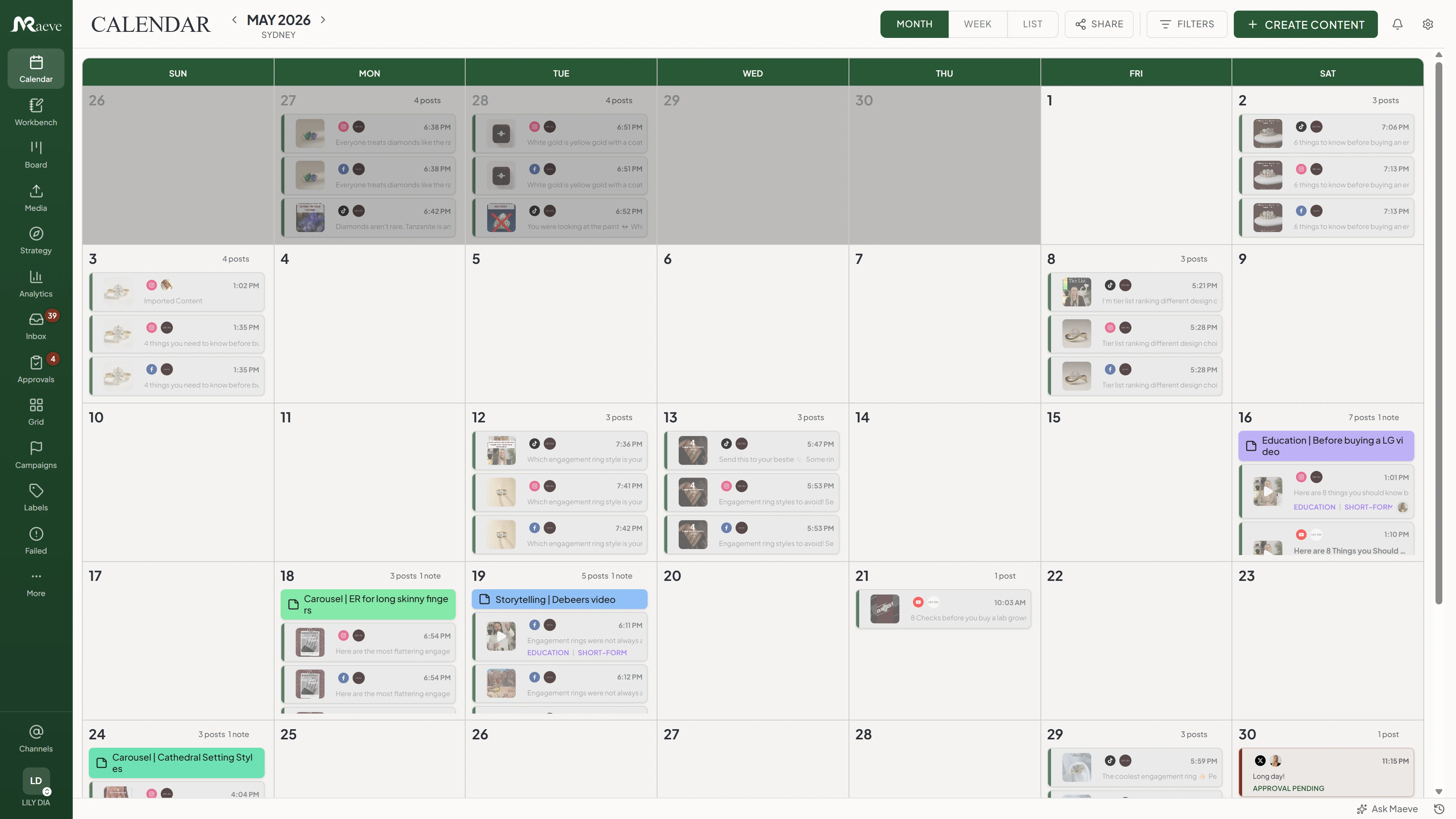
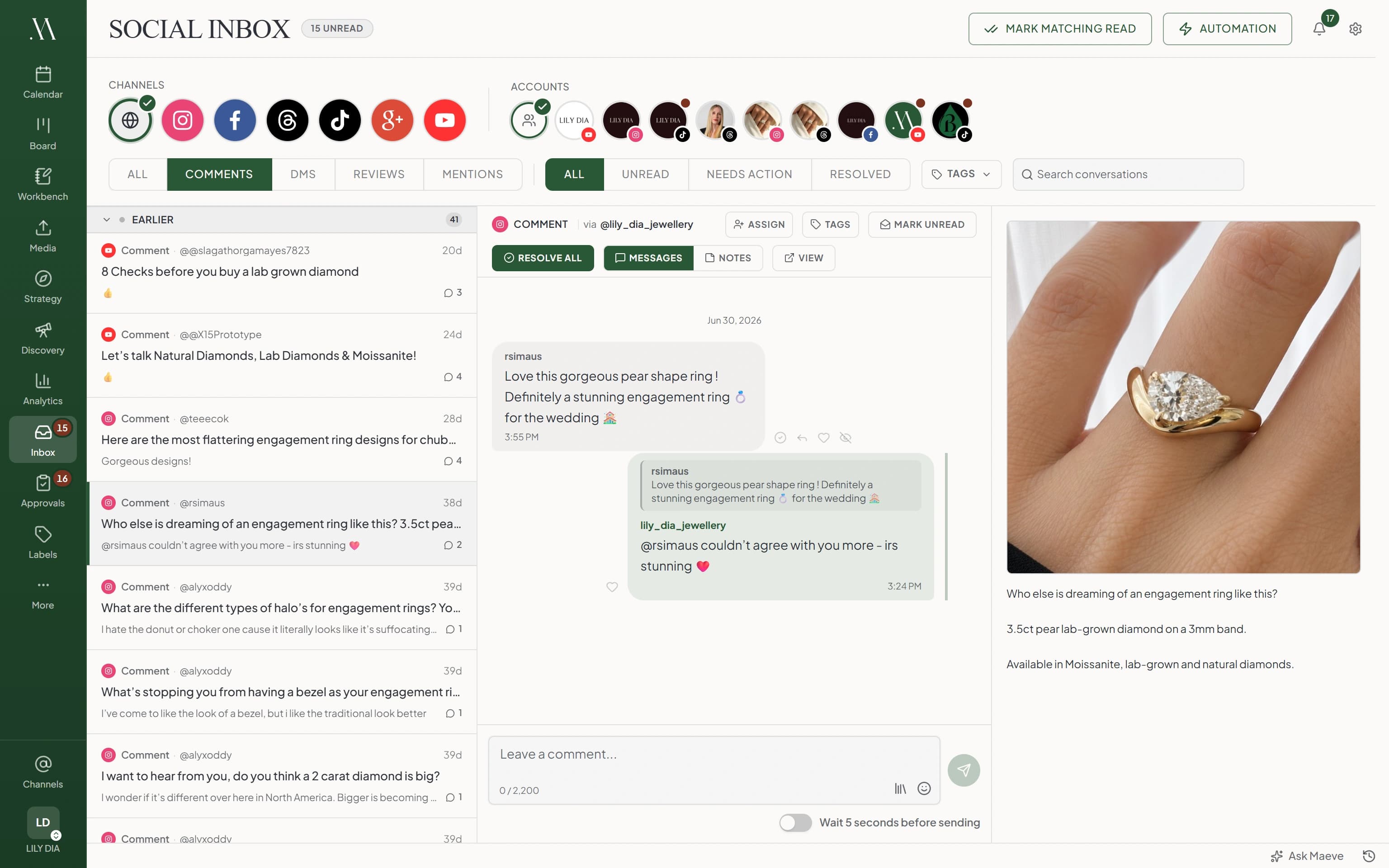
The person doing the posting is also doing the ordering, the bookings and the actual work, so social gets remembered at 8:47pm. In Maeve you sit down once a week, build the posts while your head is clear, and they go out on their own. The questions that come back land in one place too.
Post the offer and ask people to comment a word. Maeve replies to the comment in public and sends them the price list, the booking link or the menu in a DM, at two in the morning if that is when they asked.
Each one gets tagged as you like, so the people who asked are waiting in your inbox rather than buried under everyone who said nice ring. It also answers the hours and parking questions you type out every day. Standard and Premium.
New automation rule
Rule name
Comment LINK for the guide
Account
@lily_dia_jewellery · Instagram
When
Comment on a post
Match
Contains a keyword
Keywords (comma separated, up to 20)
link, guide, price
Public comment reply
Saved Replies
Just sent it to your DMs!
Private DM to the commenter
Saved Replies
Here's the link: maevesocial.com/guide
Instagram sends one private reply per comment, within 7 days of the comment.
Apply tags
LeadPricingStockist
CancelCreate rule
Answer the booking question where it was asked
Comments, direct messages and Google reviews from every connected account come into one queue, with the post the customer is asking about beside the conversation.
Mark it done when it is handled, so you know what still needs you rather than scrolling three apps to check.
Reviews come into the inbox with everything else, and you reply from there. No separate login, no forgetting for three weeks and then answering six at once.
Analytics shows what the listing itself did: how many people found you, then how many called, asked for directions or clicked through to the site.
Google Business Profile
A review, in your inbox
Rachel M.
Booked in the same week and they fixed what two other places could not. Parking out the back was easy too.
Thanks Rachel, glad we could sort it. See you at the next service.
One public reply per review. Sending another replaces it.
What the listing did
Listing views3,412
Calls86
Direction requests214
Google reports this about two to three days behind.
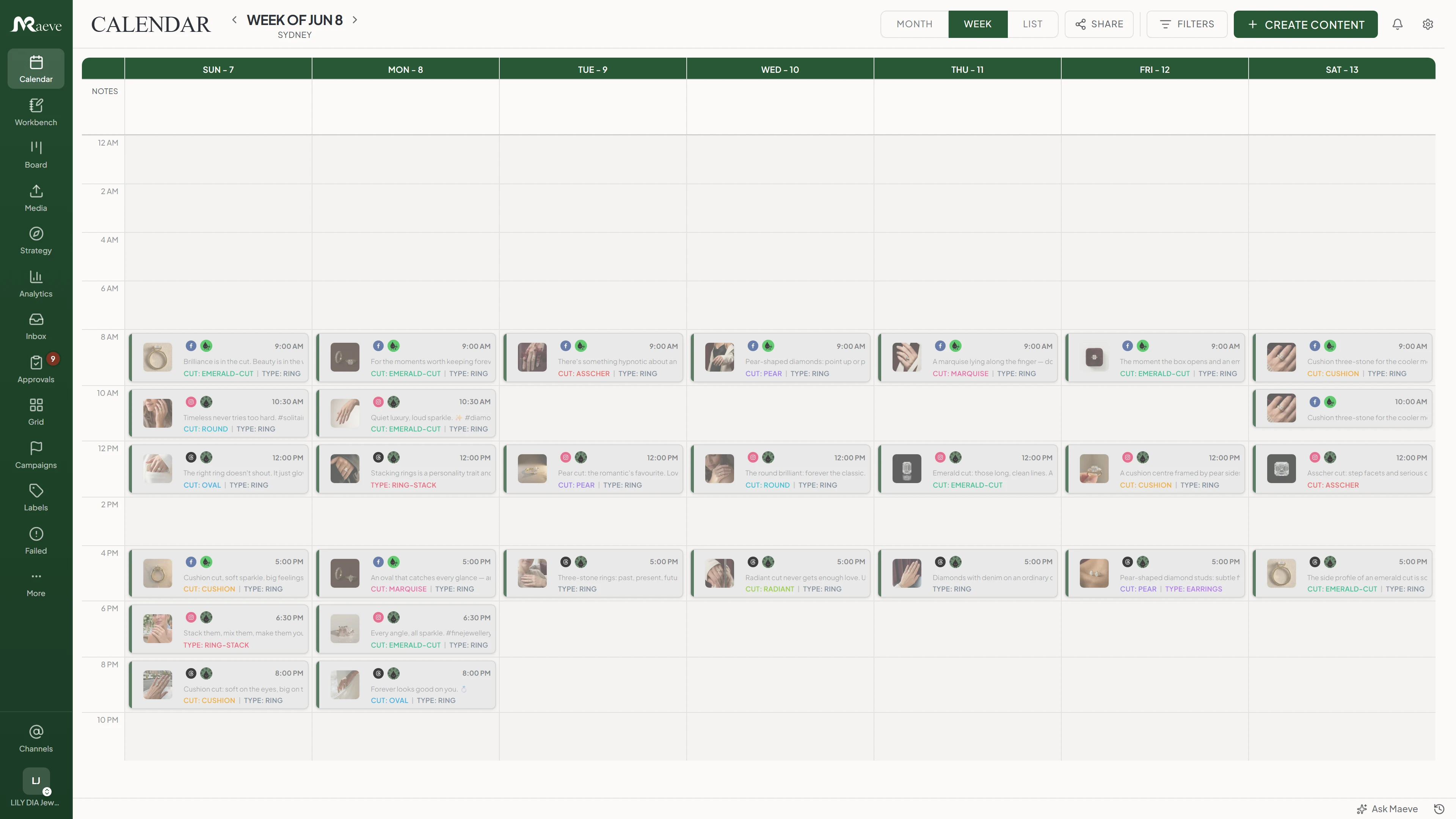
Build the week in one sitting
Give each platform the times you want to post, then fill them in one go. Drag something to a different day when the week changes shape.
Everything is on one calendar, so you can see what is a draft, what is scheduled and what has already gone out.
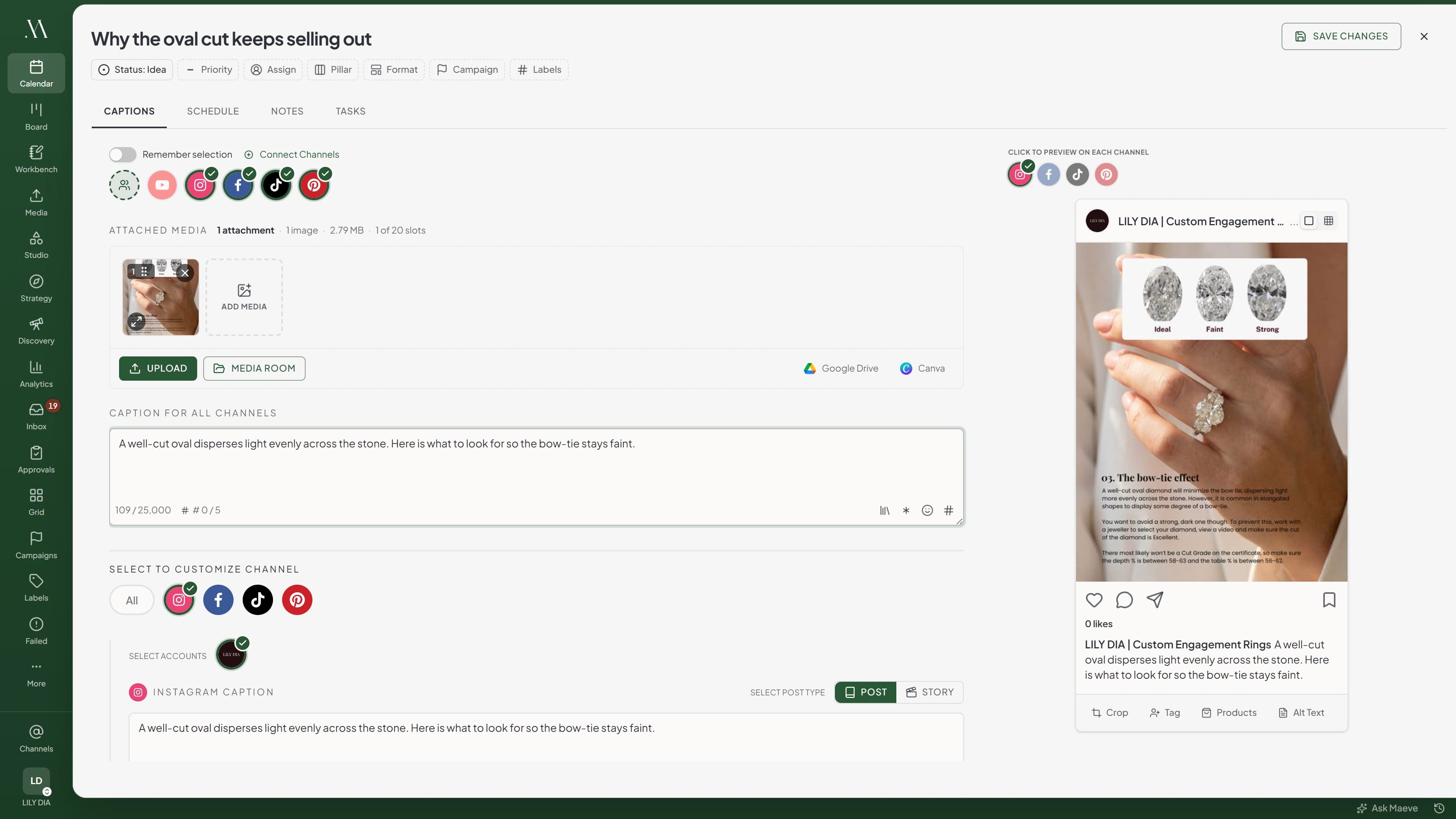
One post, shaped for each platform
Write it once and pick your channels. Then change what that platform needs: the booking link on Facebook, the hashtags in an Instagram first comment, a quieter version for LinkedIn.
You see each one the way a customer will before it goes out, while an awkward crop is still yours to fix.
Your photos stop living in the camera roll
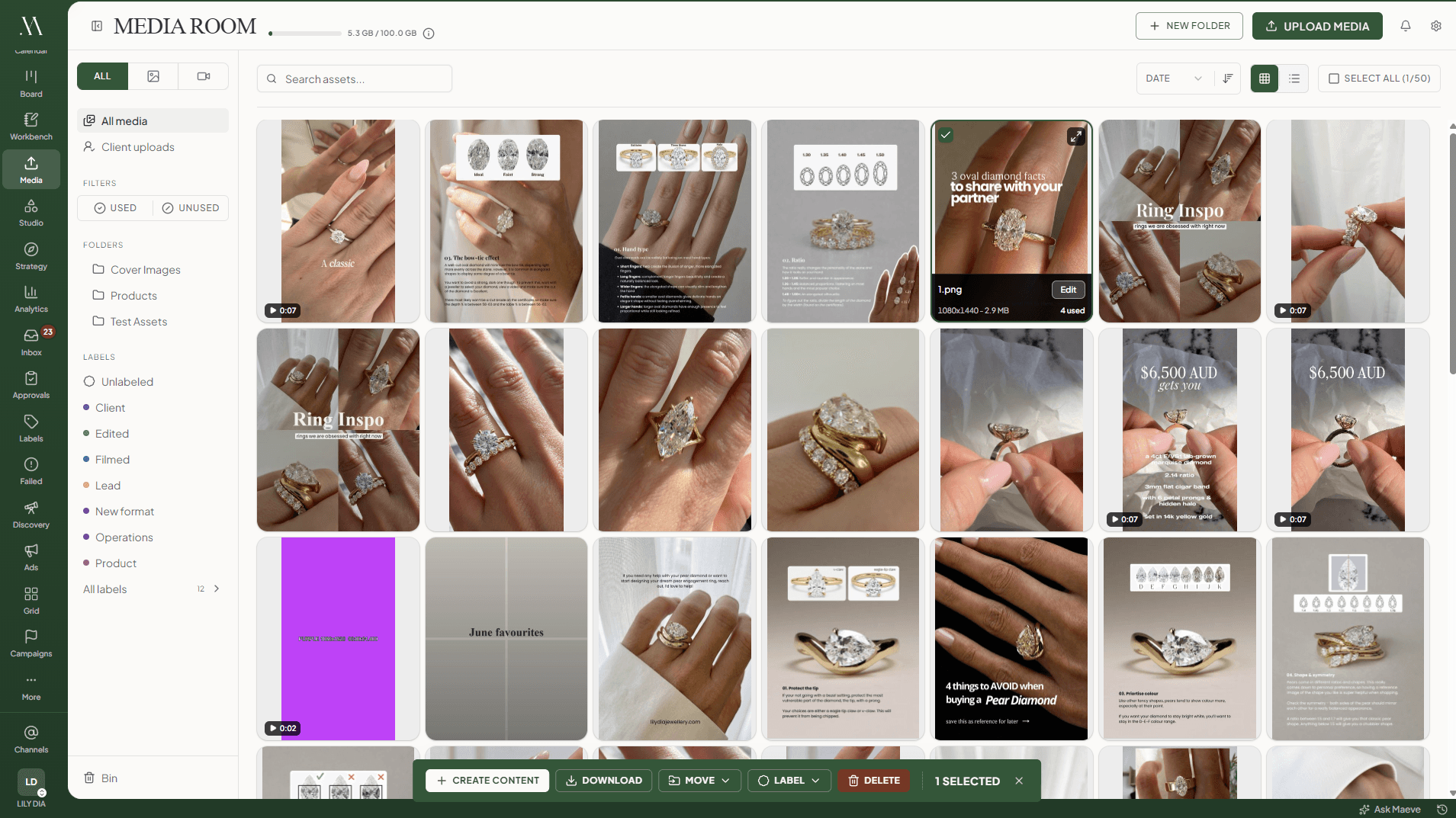
Product shots, team photos, the opening hours graphic and last month's event clips, filed in folders with labels.
Each one tells you which posts it has already been in, so the same photo does not go out three weeks running.
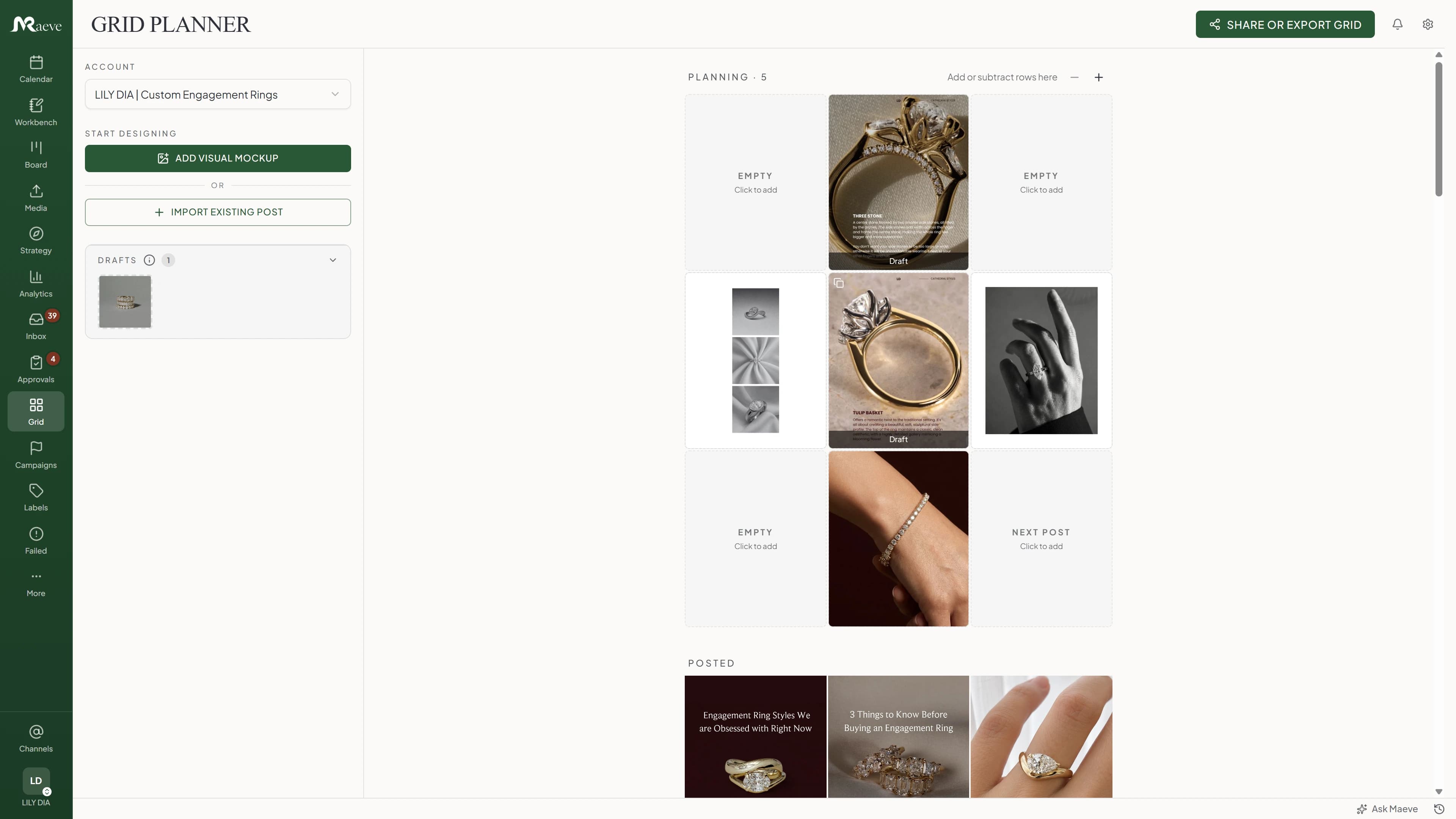
Check the feed before the next nine posts land in it
Drop what is scheduled into a mock Instagram feed and see whether it looks like a business someone would follow.
Move things around until it does, and the calendar moves with it.
Enough numbers to know what to do again
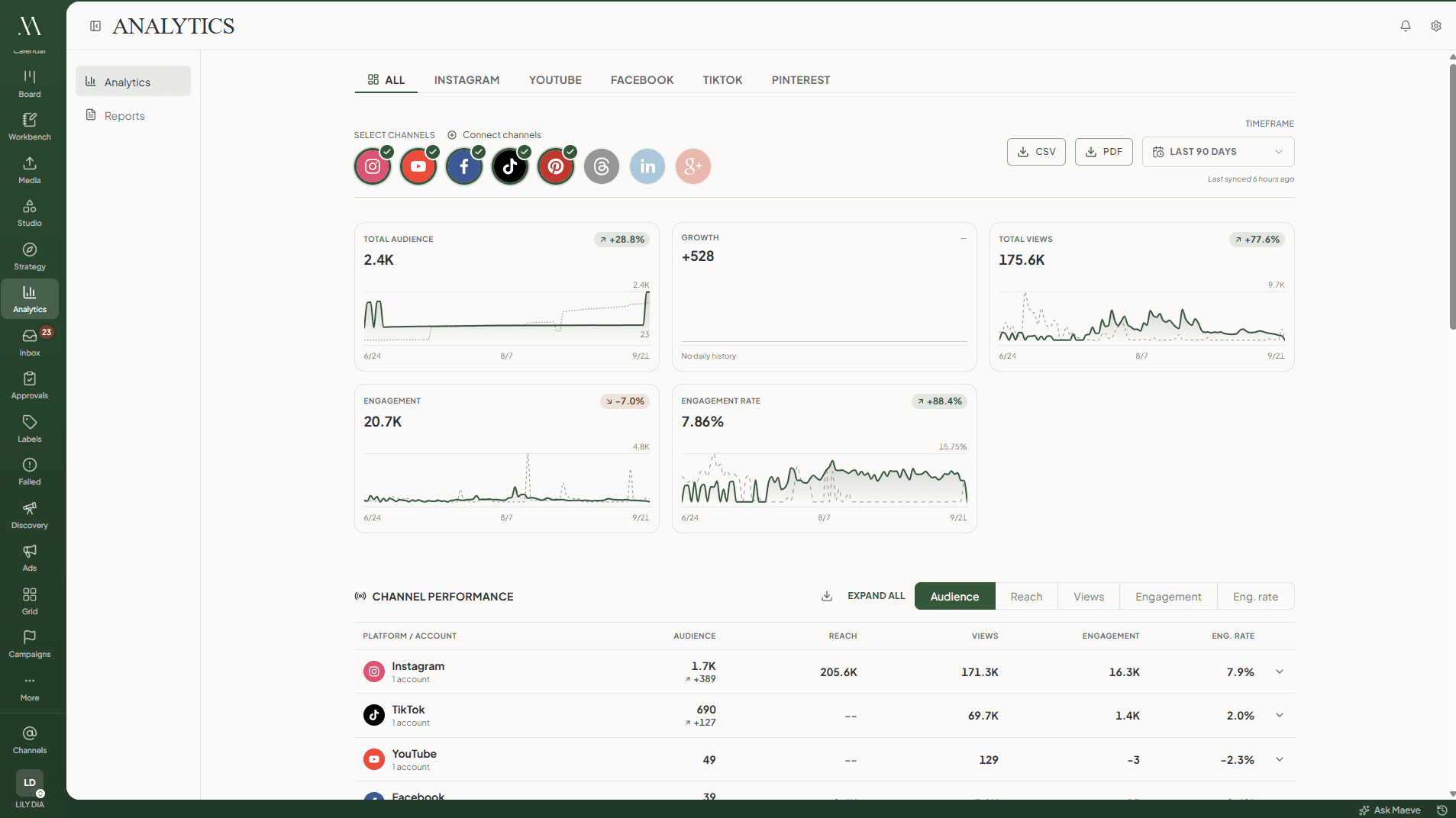
Followers, reach, engagement and your best posts, across every account, with the period before it for comparison.
It also shows when your posts actually get engagement, hour by hour and day by day, worked out from your own posts rather than a chart of what works for everyone else.
Find out what to post more of
Tag your posts by what they are, then read the numbers by tag. Nine promos and four posts about the work, and the four win.
That is the difference between posting more and posting better, and it is the answer most businesses never get.
Content performance
LabelsPillarsFormats
Content performance by label over the selected period
Label
Posts
Views
Eng. rate
Behind the scenes
7
28.4K
6.2%
Before and after
5
22.1K
5.8%
Team
4
9.7K
3.1%
Promo
9
11.2K
1.4%
Nine promo posts, and the four about the work did better than all of them. That is the kind of thing this table is for.
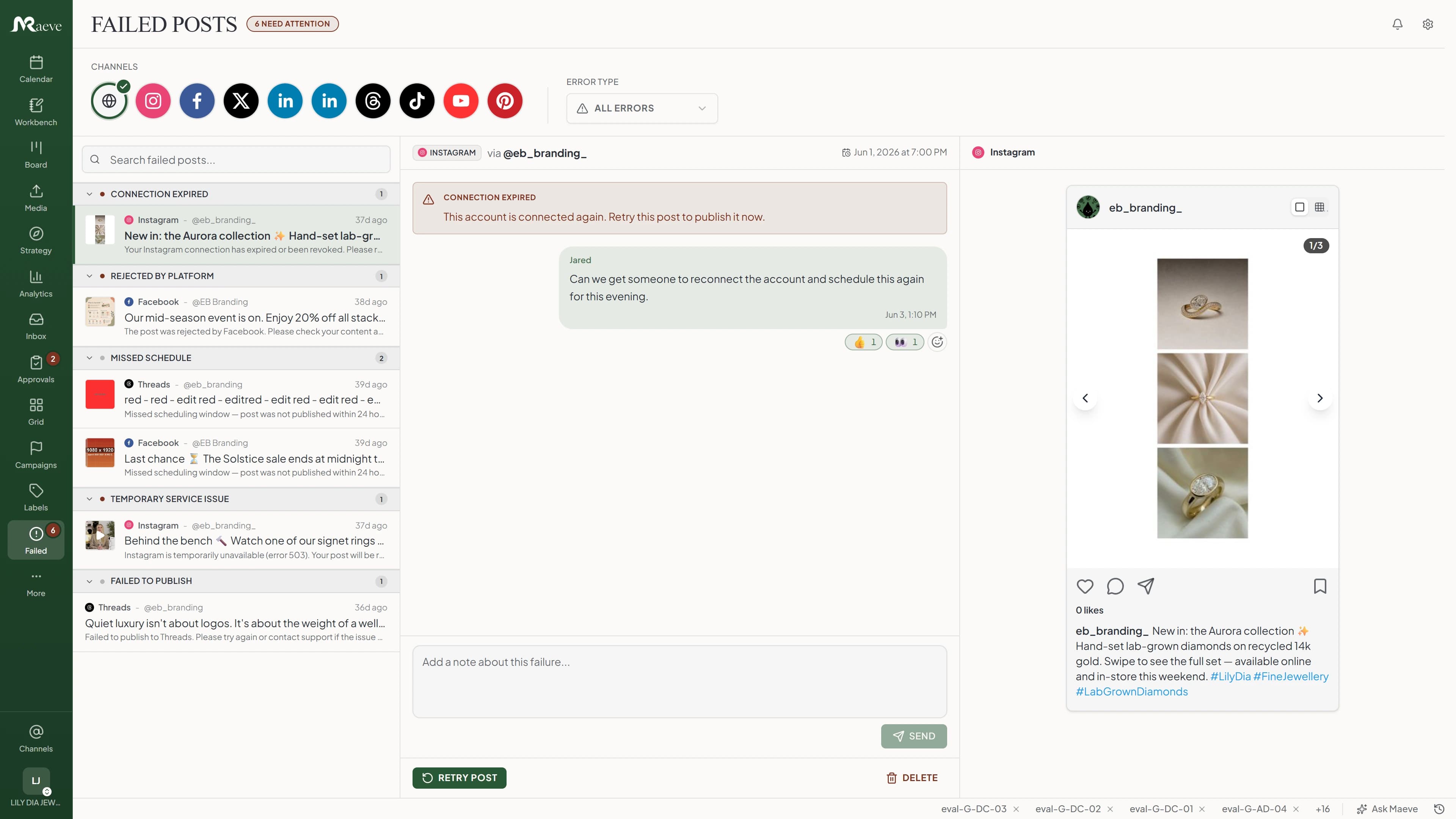
If a post does not go out, you hear it from Maeve
Temporary failures retry on their own. Anything else lands in one queue with the reason written in plain words.
Reconnect the account or pick a new time and it goes out as it was, instead of you finding out a week later that nothing posted.
Where you can post
Connect an account once and it keeps its own caption, media and settings from then on.
That is who Basic is for. One person, one business or a couple of small ones, with the calendar, the editor, the Media Room, the inbox, analytics and saved hashtag groups.
What kind of businesses is this for?
Cafes, salons, clinics, studios, boutiques, trades, makers, consultants and small online shops. What they have in common is that social matters and it is nobody's full time job.
Can I plan a whole week at once?
That is the point of it. Build the posts while you are already thinking about marketing, schedule them, and leave them alone. They go out while you are serving customers.
Can one post go to more than one platform?
Yes. Write it once, pick the channels, then change each version before it goes. The Facebook one can point at your booking link, the Instagram one can carry the hashtags, and the LinkedIn one can be calmer.
Can I see comments and messages in one place?
Yes. Instagram, Facebook, Threads, TikTok and YouTube comments, Instagram and Facebook direct messages, and Google Business Profile reviews all land in one queue, with the post the customer is asking about beside the conversation.
Can I reply to Google reviews from Maeve?
Yes. Google reviews and Facebook recommendations come into the inbox and you reply from there. A Google review has one public business reply, so sending another replaces the last one.
Can it answer the same question for me?
On Standard, yes. Set up a rule for the questions you get all day, like opening hours or where to park, and Maeve replies to the comment and sends the details in a DM. Instagram and Facebook.
What if a scheduled post fails?
Temporary failures retry on their own. Anything that still will not publish lands in a queue with the reason in plain words, the post and its preview, so you fix the one thing that was wrong and send it again.
What numbers do I get?
Followers, reach, views, engagement and your best posts on Instagram, Facebook, YouTube, TikTok, Pinterest, Threads and LinkedIn. Google Business Profile reports how many people saw your listing and what they did next: calls, direction requests and website clicks.
Can I see what other businesses near me are posting?
Yes. Track their Instagram accounts and see how often they post, how fast they are growing and which of their posts did the numbers.
Can I set the regular posts once?
Yes. A recurring post repeats on the schedule you give it, which suits opening hours, the monthly special or the seasonal reminder. An evergreen one goes back in the queue instead of being used up.
Can I do this from my phone?
Yes. The iOS app covers writing, scheduling, approving, replying to comments and messages, and checking your numbers, which is usually all you need between customers.
Do I need a strategy before I start?
No. You can schedule without filling in a single strategy field. Pillars, labels and campaigns are there when you want to check the mix, and out of the way when you just want the post out.
Can I run two locations or a side brand?
Yes. Basic includes two workspaces, which covers a main business and a second one. Standard opens up more workspaces and lets other people in with you.
Can I try it first?
Three days free. Connect the accounts, build next week, and see whether the week feels lighter before you pay for anything.
Cancel before your trial ends to avoid the first charge. Subscription fees, including renewal payments, are non-refundable except where required by law. See the terms of service.