
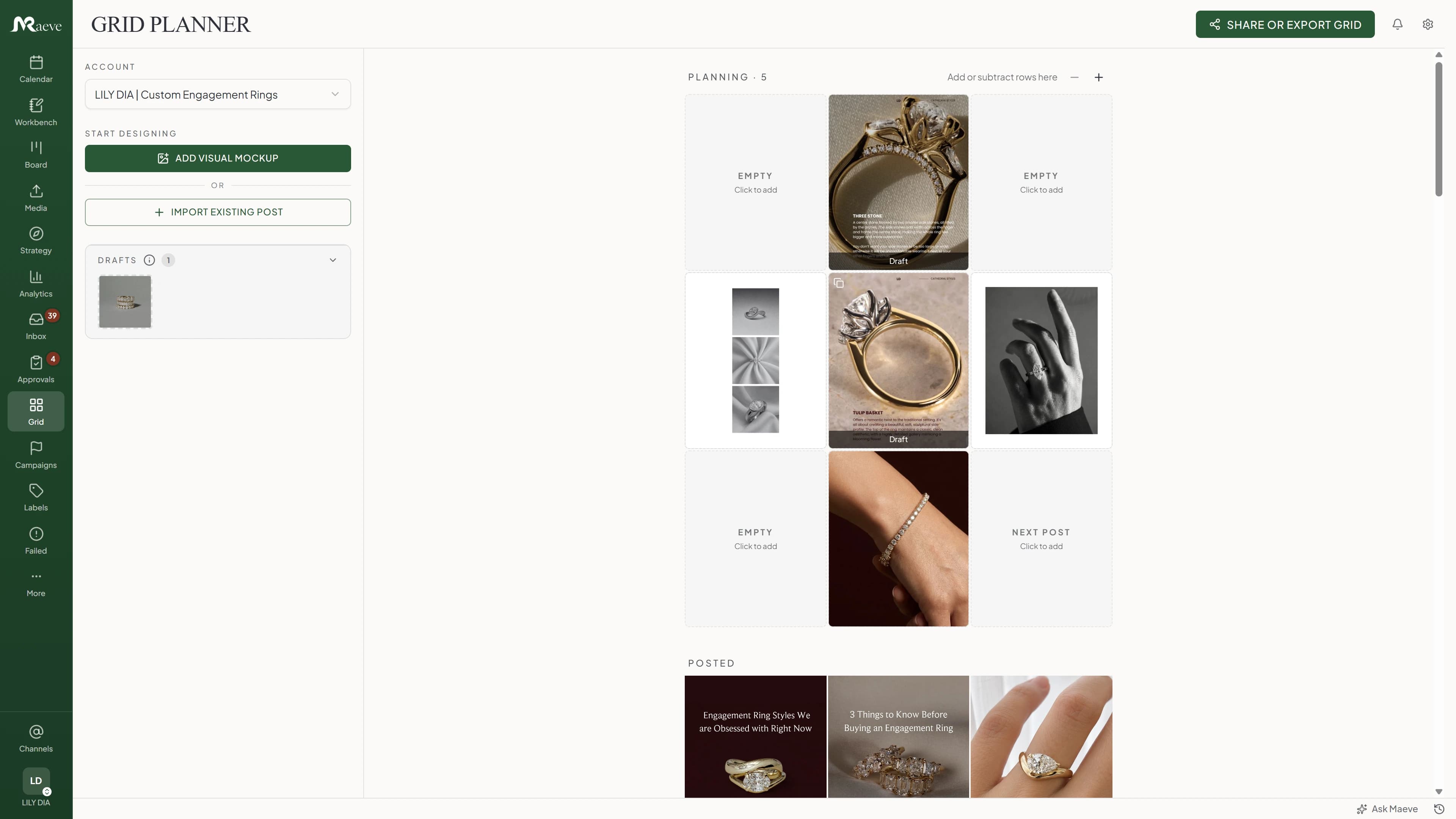
Instagram Grid Planner
Posted, scheduled and planned posts sit in the Instagram grid together, so you can see the page before it exists. Drag a tile to move it and the two posts swap their times.
Create your content once and schedule it to multiple platforms for better reach. It's really as simple as that.
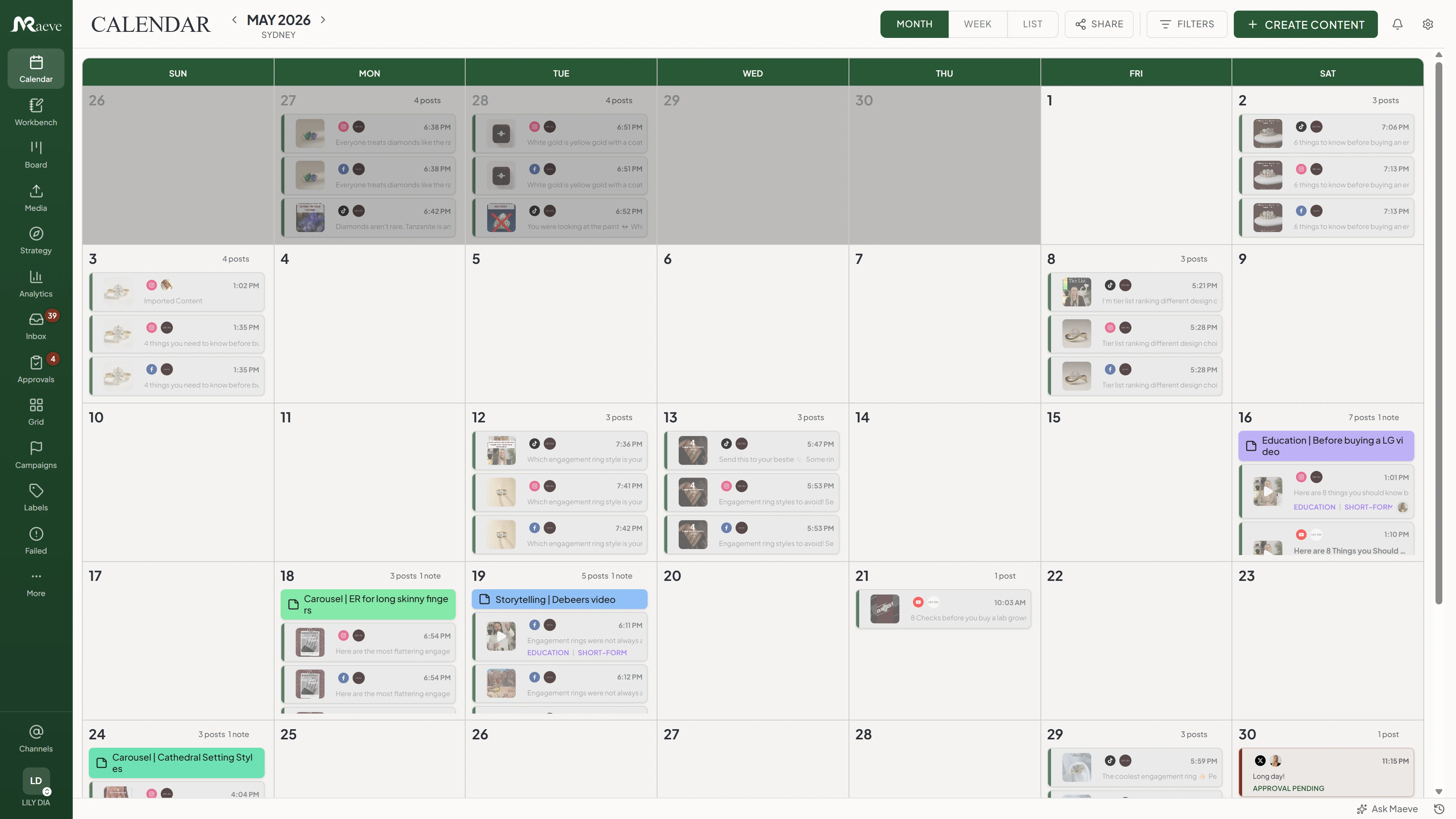
It's one post, but it doesn't have to look the same everywhere. Change the wording, swap the photo or re-crop the image for any account, and the others stay exactly as they were.
You'll see how each version looks before anything is scheduled, so there are no surprises once it's live. And if you prefer your hashtags in the first comment instead of the caption, you can write that here too.
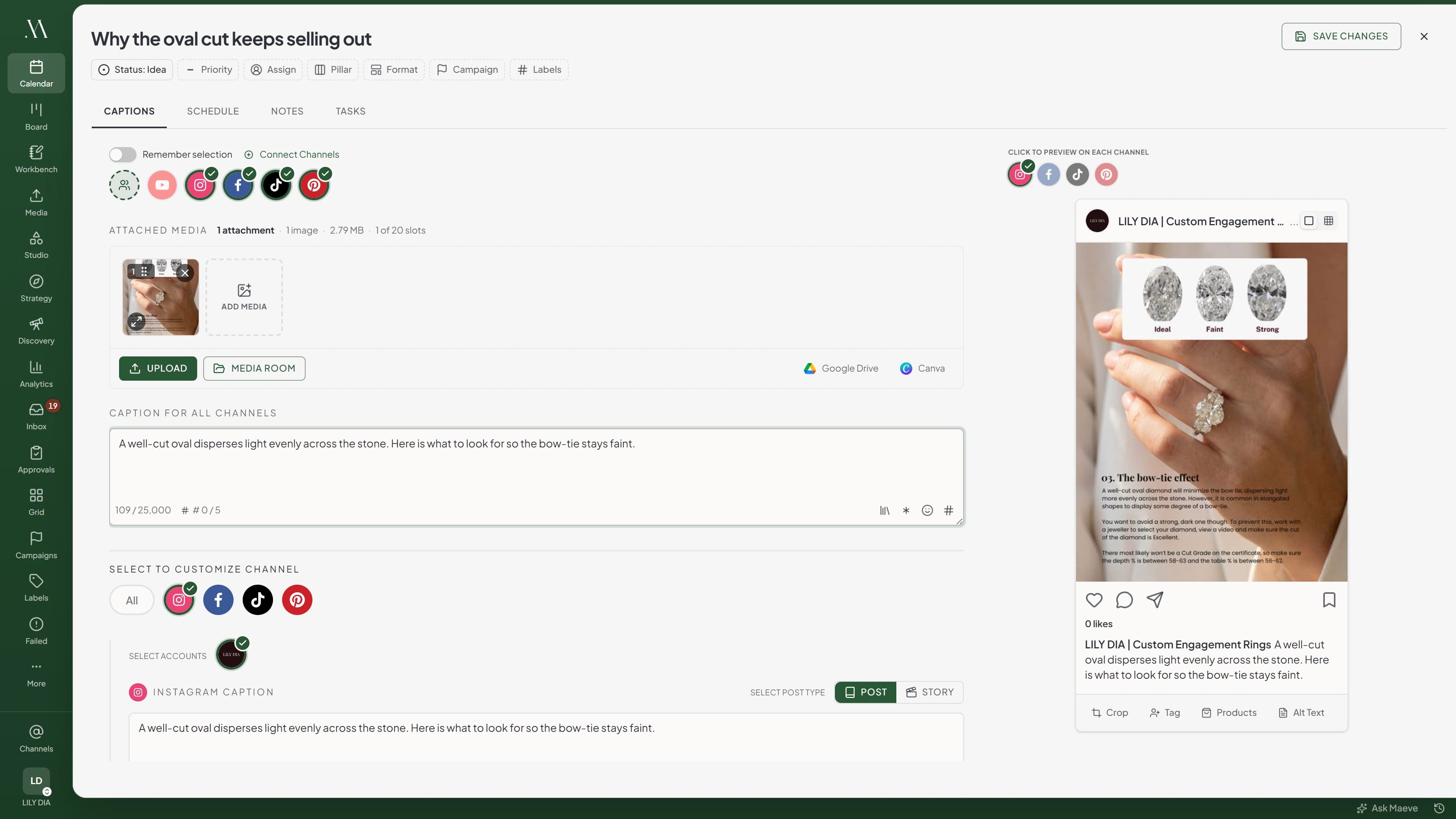
Pick a day, pick a time, and that's it. Your post goes up on its own, even when you're nowhere near your phone.
You'll see the rest of that week right next to the picker, so you know what's already going out before you commit. If that account is posting within the hour, Maeve will say so, but it's your call either way.
For anything you post every week, turn on Repeat and Maeve builds the whole series for you. You pick the days, how often, and when it stops. It works with one account at a time.
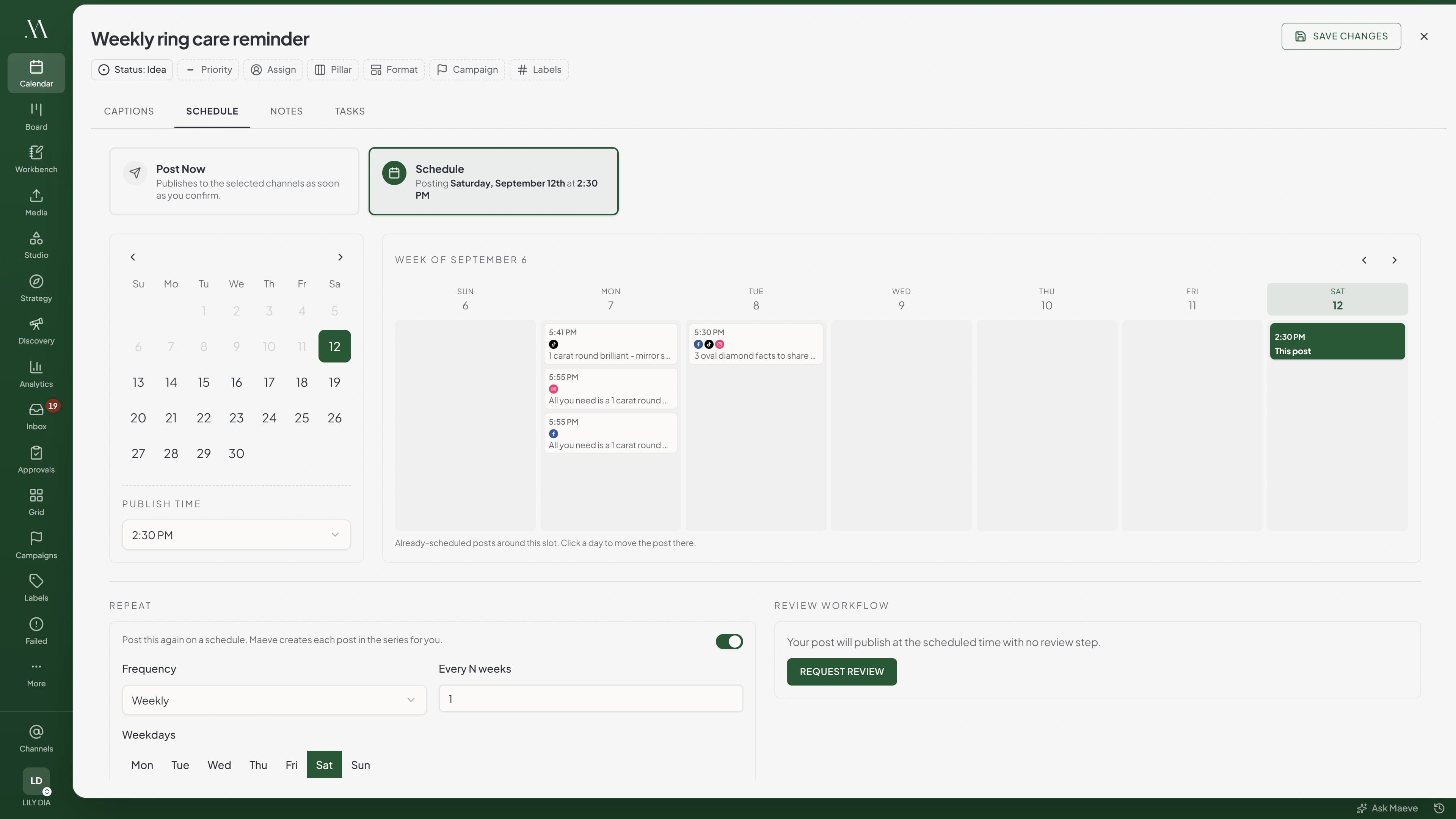
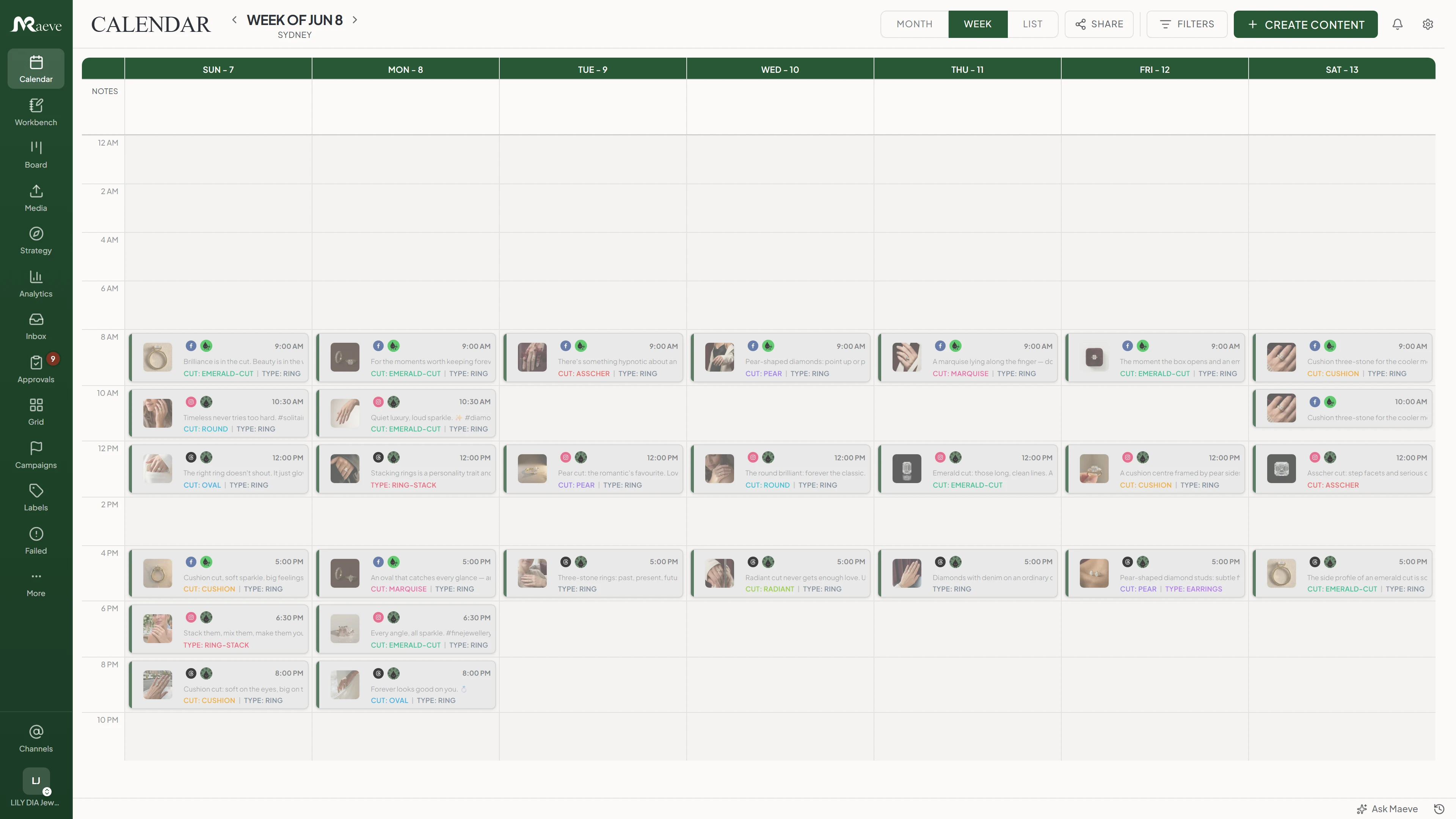
Every account you've connected lands on the same calendar, so you can see the whole picture in one go. Switch between month, week and a plain list, and drag any post to a new day or time when plans change.
The week view lays your posts out by the hour, so you'll spot a quiet day or a pile-up straight away. And whatever you've filtered stays put when you switch views.
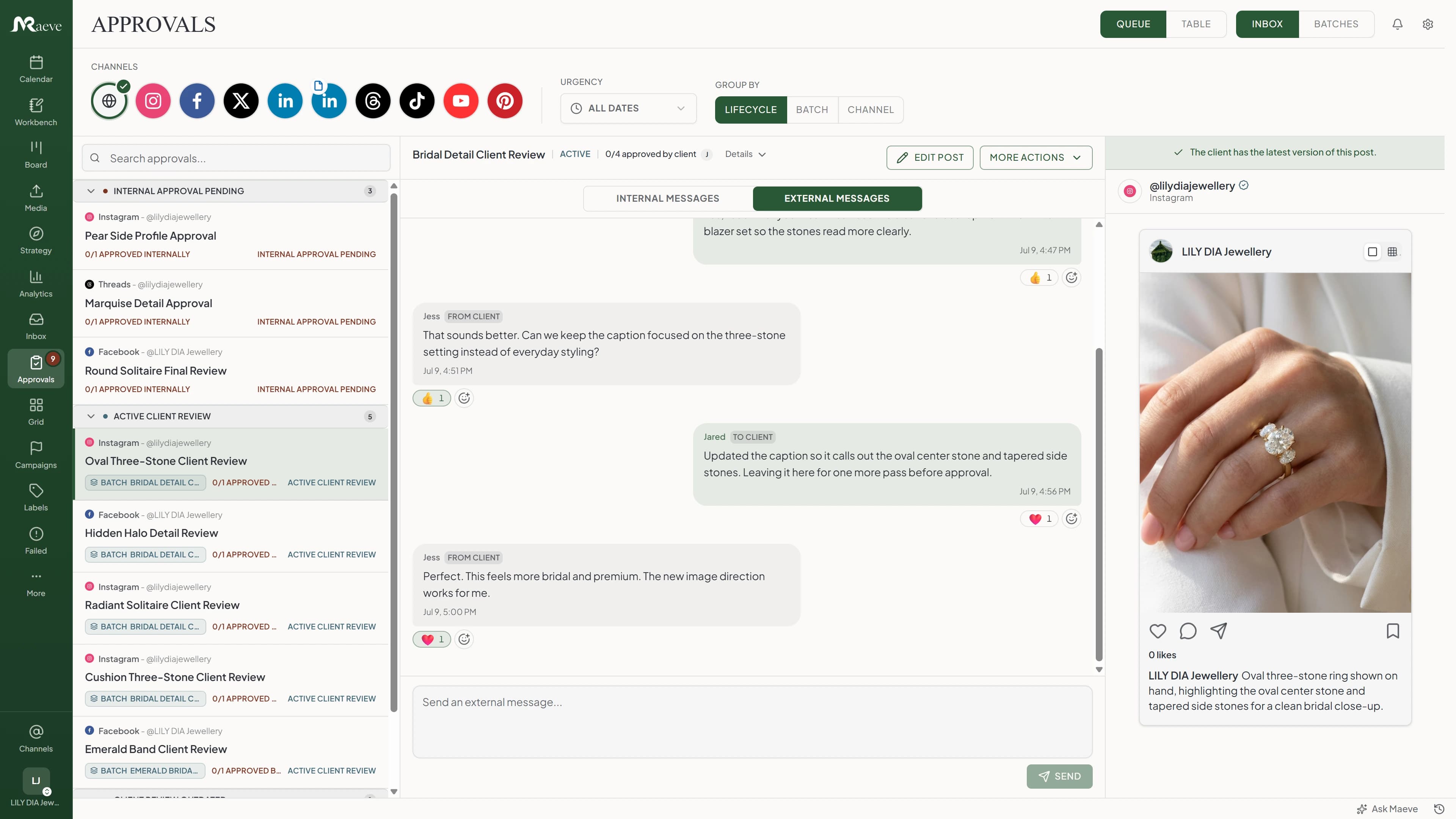
If something needs signing off first, send it to your team, your client, or both in turn. It'll sit tight until they've said yes, so nothing slips out early.
They can approve it or ask for a change and tell you why. There's no reject button, because knowing what to fix is more use than a flat no. Send a new version and they'll see exactly what changed rather than reading it all again. And if you only moved the time, the approvals you've already got still stand.
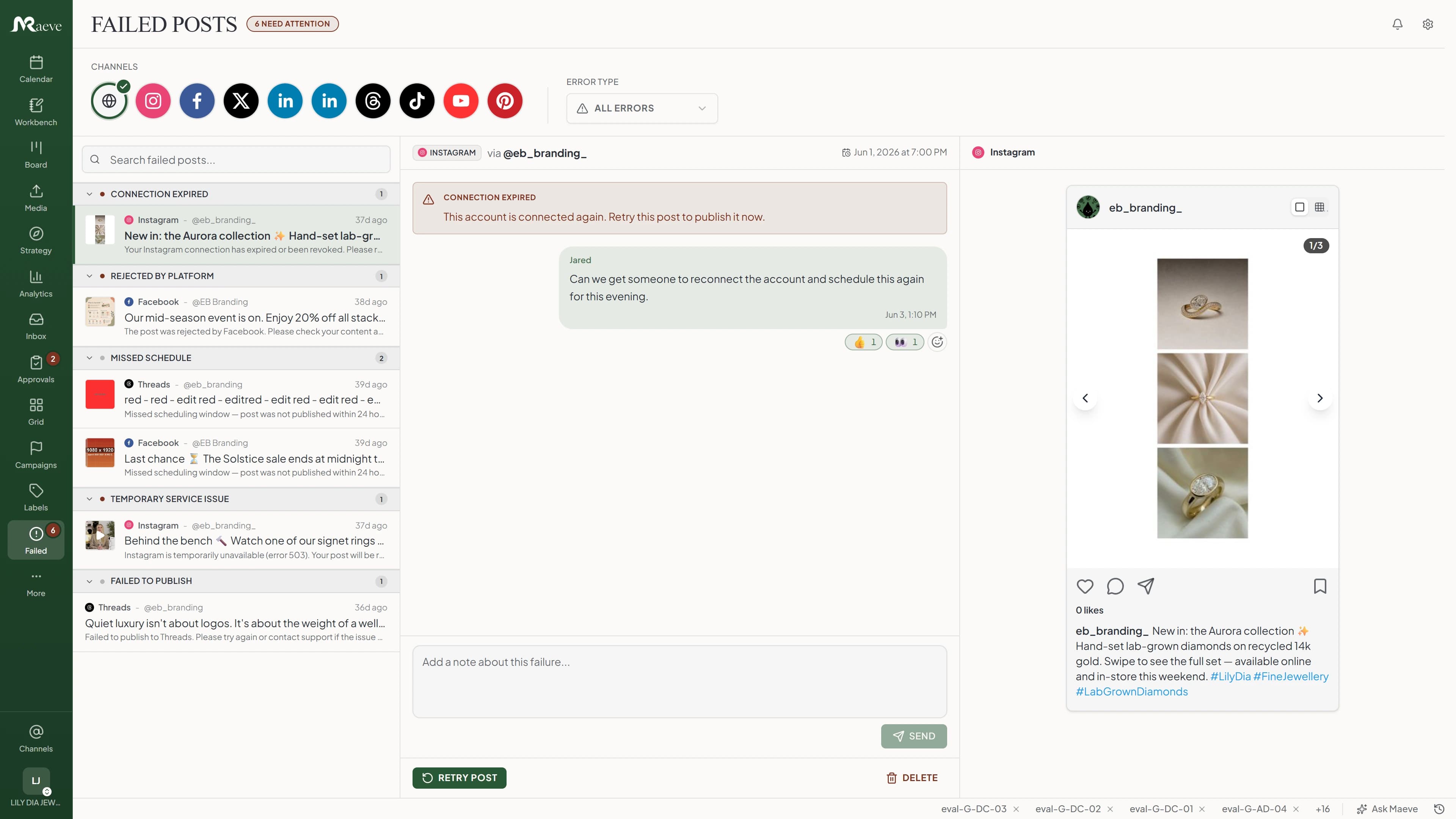
Sometimes a post won't go up. Instagram has a bad five minutes, or an account needs signing into again. Maeve keeps trying while it looks like the sort of thing that'll pass, and stops as soon as it's something only you can sort out.
Anything left ends up in Failed Posts, grouped by what went wrong, with the app's own error put in plain English. Next to each one is the thing that'll fix it, whether that's reconnecting the account, changing the post and rescheduling, or just sending it again.
Posted, scheduled and planned posts sit in the Instagram grid together, so you can see the page before it exists. Drag a tile to move it and the two posts swap their times.
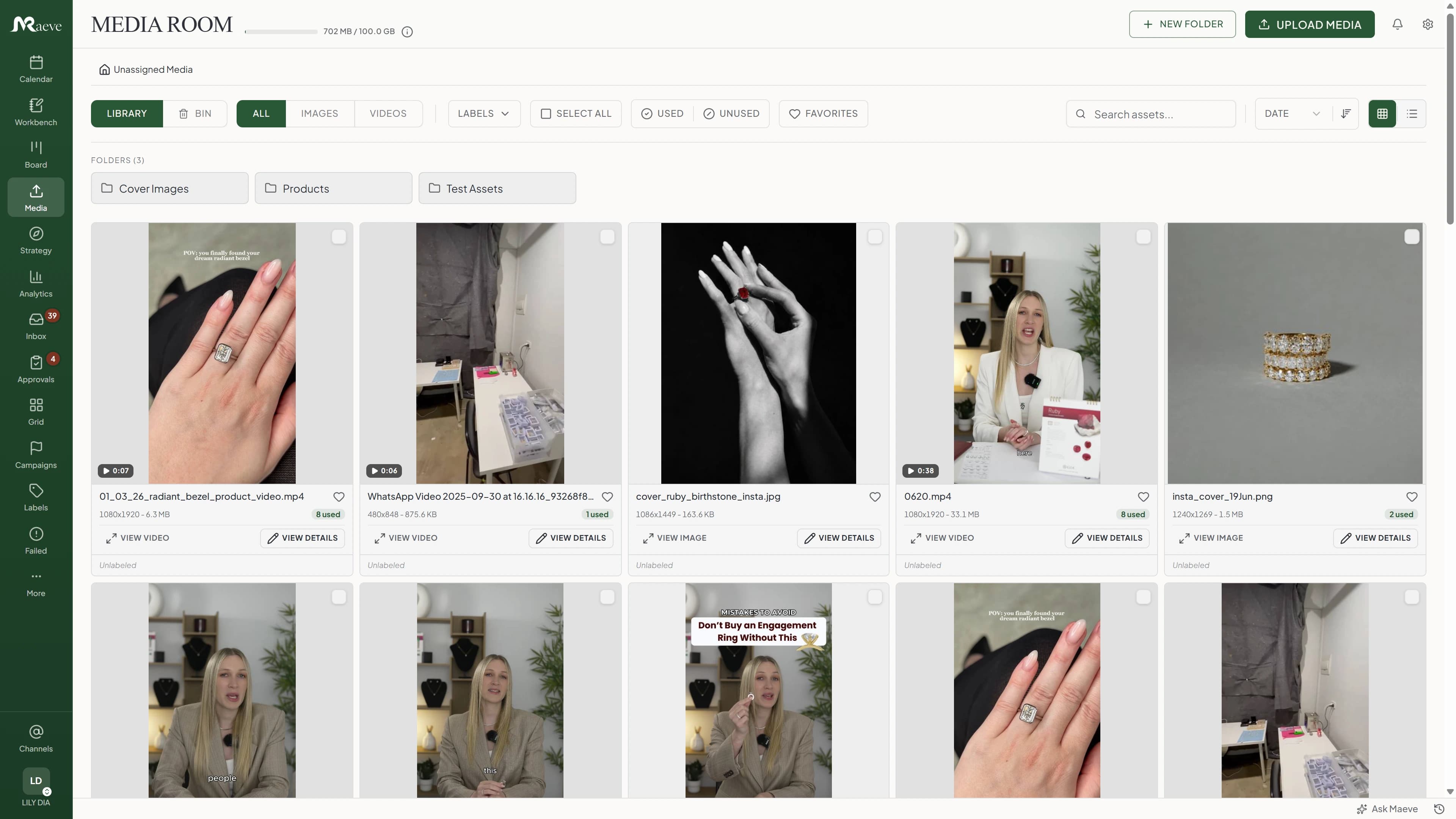
Upload a photo or a video once and use it in any post. Each file shows the posts it is currently in, so you do not delete something that is about to go out.
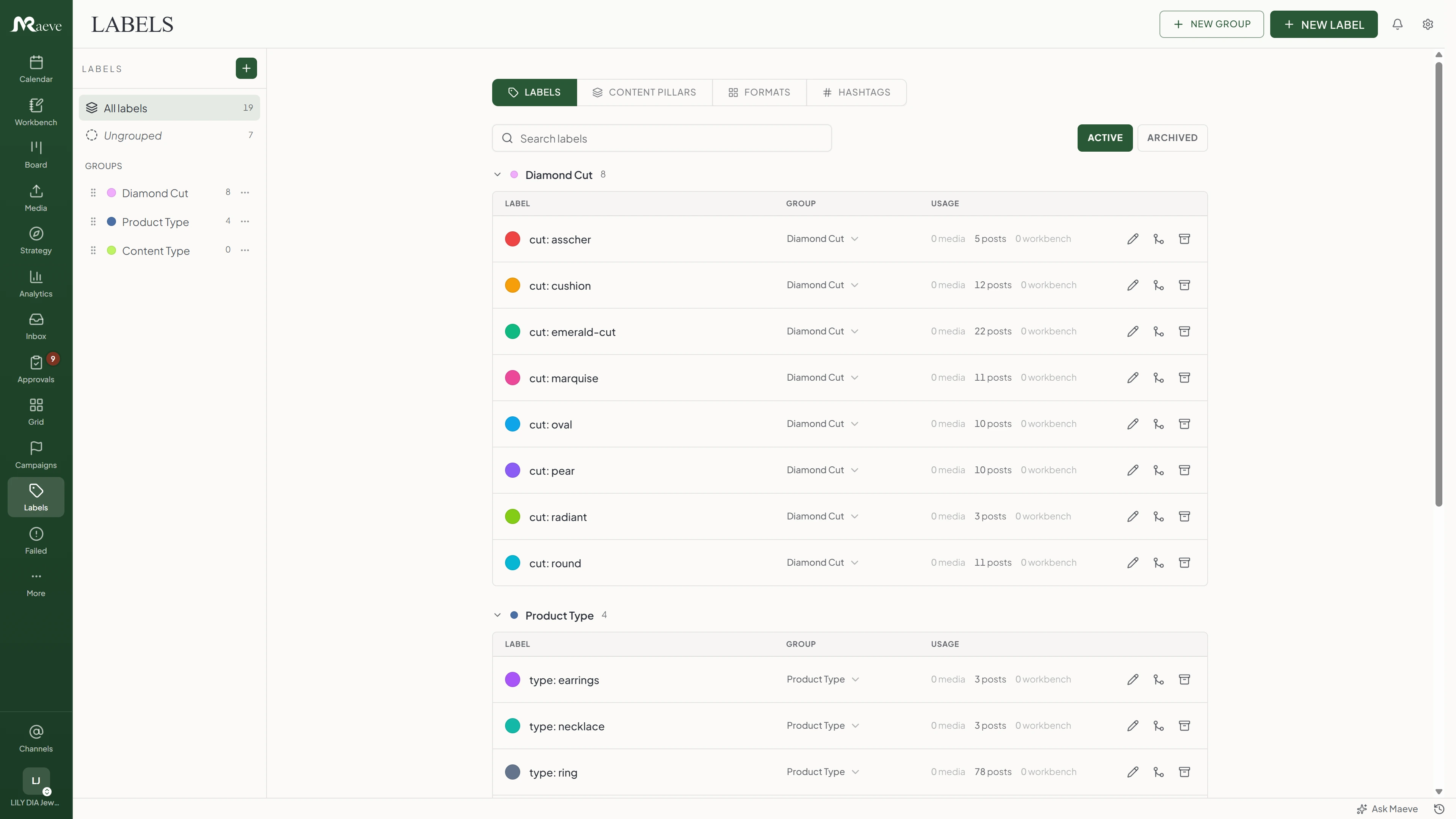
Label a post so you can find it again, and filter the calendar by those labels. Hashtag sets you use often are saved and dropped into a post rather than typed out.
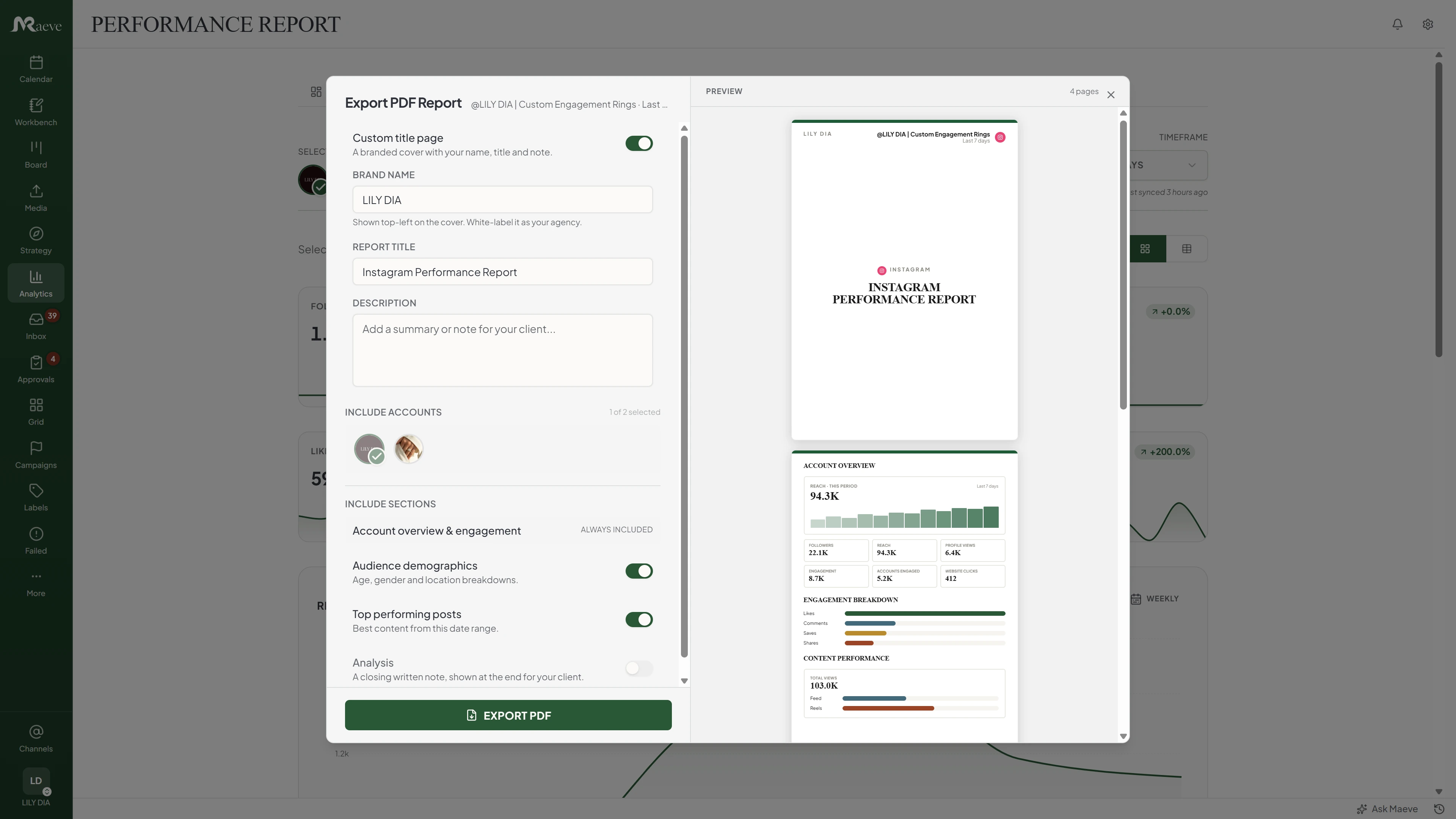
After a post goes out, Maeve collects how many people saw it, how they responded and whether you gained followers. The month exports as a PDF with your name on the cover.
A tool for writing your posts ahead of time. You give each post a day and a time, and it goes up on its own when that time comes. You do not have to open the app to publish it.
Instagram, Facebook, LinkedIn, TikTok, YouTube, X, Pinterest, Threads and Google Business Profile. Each one takes what it supports: normal posts, photos, videos, Reels and Stories.
Yes. Write the post once and choose the accounts. Each account keeps its own version, so the wording, the photo and the crop can be different on each one.
Yes. Maeve shows the post the way the app will show it, before it is scheduled. The final result on the app itself can still vary a little.
Open the post, go to the Schedule tab, choose Schedule, and pick the day and the time. Times run in 15 minute steps. Maeve shows the week around that day and warns you when the same account already has a post within the hour.
No. Maeve has no queue and no saved posting times. Every post carries its own day and time. The week shown beside the picker is how you space them out.
Yes. Turn on Repeat and choose the days, how many weeks apart, and when the series ends. Maeve makes each post in the series. Repeat works with one account at a time, and a repeating post cannot go through approvals.
Yes. Write the posts in a batch, place them across the calendar, and drag any that need moving.
It publishes the posts you wrote, at the times you set, and retries one that fails. It does not write posts and send them without you.
The planning tools, including the calendar and the report templates, are free and need no account. Scheduling is part of the paid plans. Every plan starts with a three-day trial with everything included.
Yes, on the Standard plan and above. The check can go to someone on your team, to your client, or to both in turn. Your client opens a link and does not need an account.
Yes. Maeve collects how many people saw each post, how they responded and whether you gained followers. The month exports as a PDF you can send on.
Yes. Every account you connect shows up on the same calendar. Separate businesses or clients can be kept in their own workspaces. How many accounts and workspaces you get depends on the plan.
Maeve keeps trying while the problem still looks temporary. Anything left moves to Failed Posts with the reason in plain words and the action it needs beside it. A post does not retry on its own once it is there.
Best for freelancers and small businesses
Billed $240 yearly
3 days free. Cancel anytime.
Best for agencies, teams and businesses
Billed $950 yearly
3 days free. Cancel anytime.
Best for large agencies and businesses
Billed $1900 yearly
Secure Payment via Stripe
Cancel before your trial ends to avoid the first charge. Subscription fees, including renewal payments, are non-refundable except where required by law. See the terms of service.
One post can go to all nine. Each one keeps its own wording, its own photo and its own settings, so they do not go out identical.