You finish the video and then you still have to post it. In Maeve you write it once, change what each platform needs, and schedule the lot in one sitting. Your clips, your ideas, your numbers and your comments are all in the same place, so posting stops eating the day.
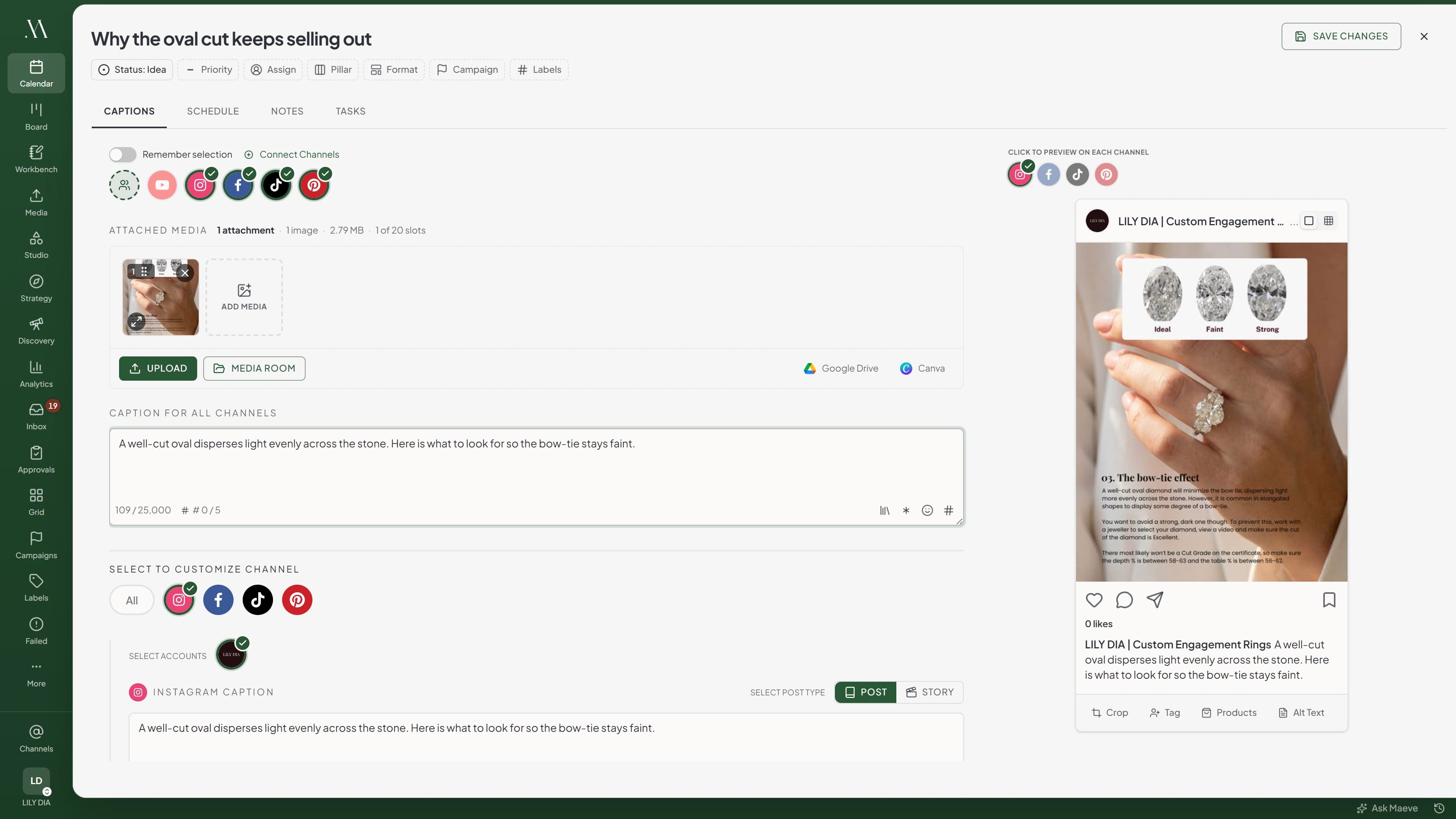
The same caption rarely works everywhere. Write the main one, then open each platform and change what that one needs: the hook for TikTok, the title and tags for a Short, the first comment for Instagram.
It stays one post, so you are not keeping six versions straight in your head.
TikTok
TikTok Caption
Title
Photo: Max 90 chars
Autumn booking window
October bookings are open. Two Saturdays left.
46 / 4,000
Media for TikTok
1 of 35 selectedSelect allClear
TikTok Settings
Visibility
Select visibility...
Allow comments
Let other TikTok users comment on this post.
Content disclosure
Indicate that this post promotes goods or services in exchange for something of value.
AI-generated content
Adds TikTok's Creator labeled as AI-generated disclosure.
Post to drafts
Send to TikTok drafts instead of publishing directly.
YouTube
YouTube Caption
Title
Max 100 chars
Autumn booking window
October bookings are open. Two Saturdays left.
46 / 5,000
Media for YouTube
1 of 1 selectedSelect allClear
YouTube Settings
Visibility
Select visibility
Category
Select category
License
Select license
Tags
technology, coding, tutorial (comma separated)
Custom thumbnail
Notify subscribers
Allow embedding
Made for kids
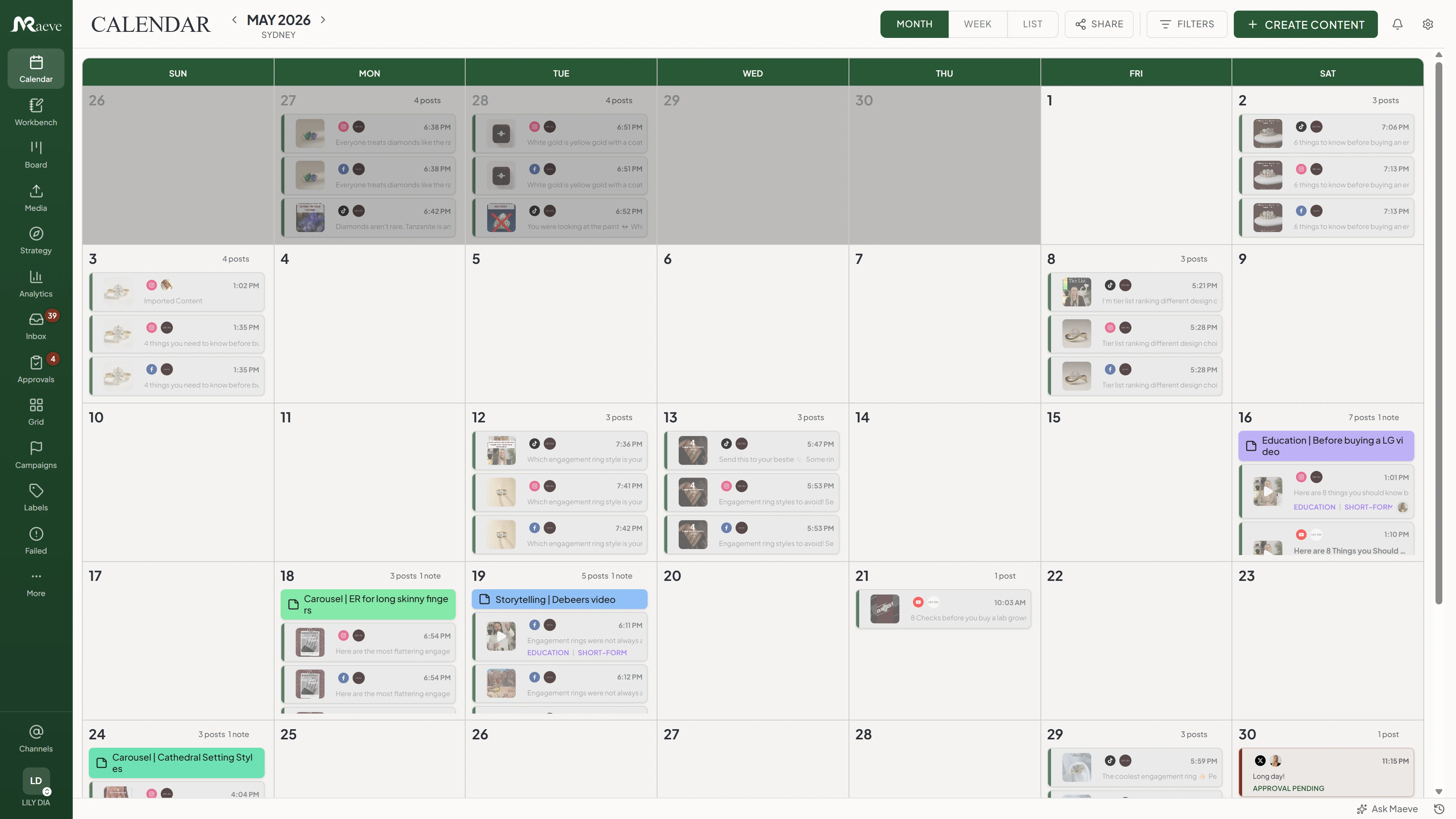
Batch a week in one sitting
Fill the calendar while you are already in the mood to write, then let it go out on its own. Drag something to a new day when the week changes shape.
You can see the whole month at once, which is usually when you notice you have posted the same kind of thing four times.
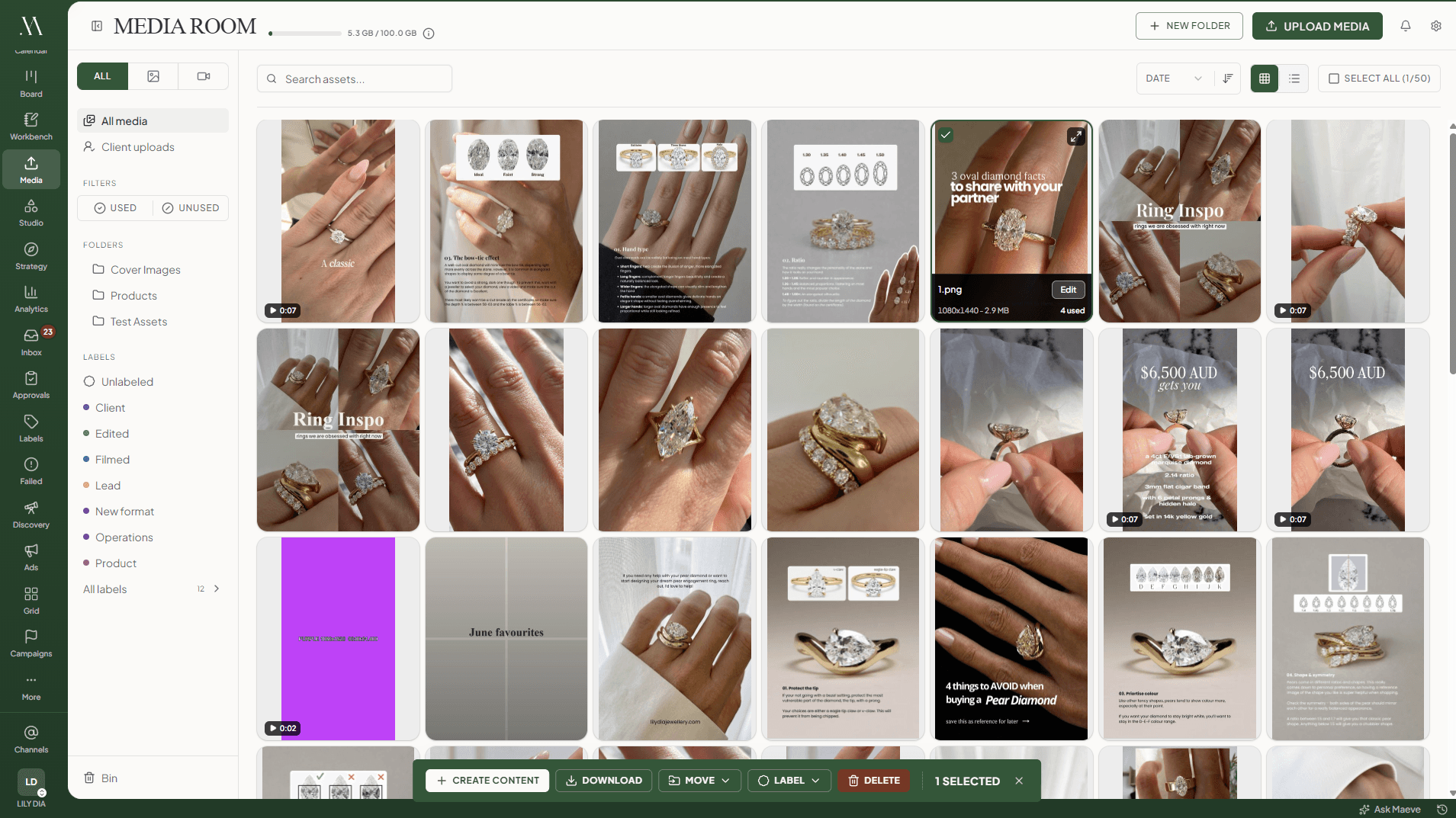
Your clips and thumbnails, where you can find them
Upload once into folders with labels, and build posts straight from what is already in there.
Each file tells you which posts it is already in, so you are not reusing last month's thumbnail by accident.
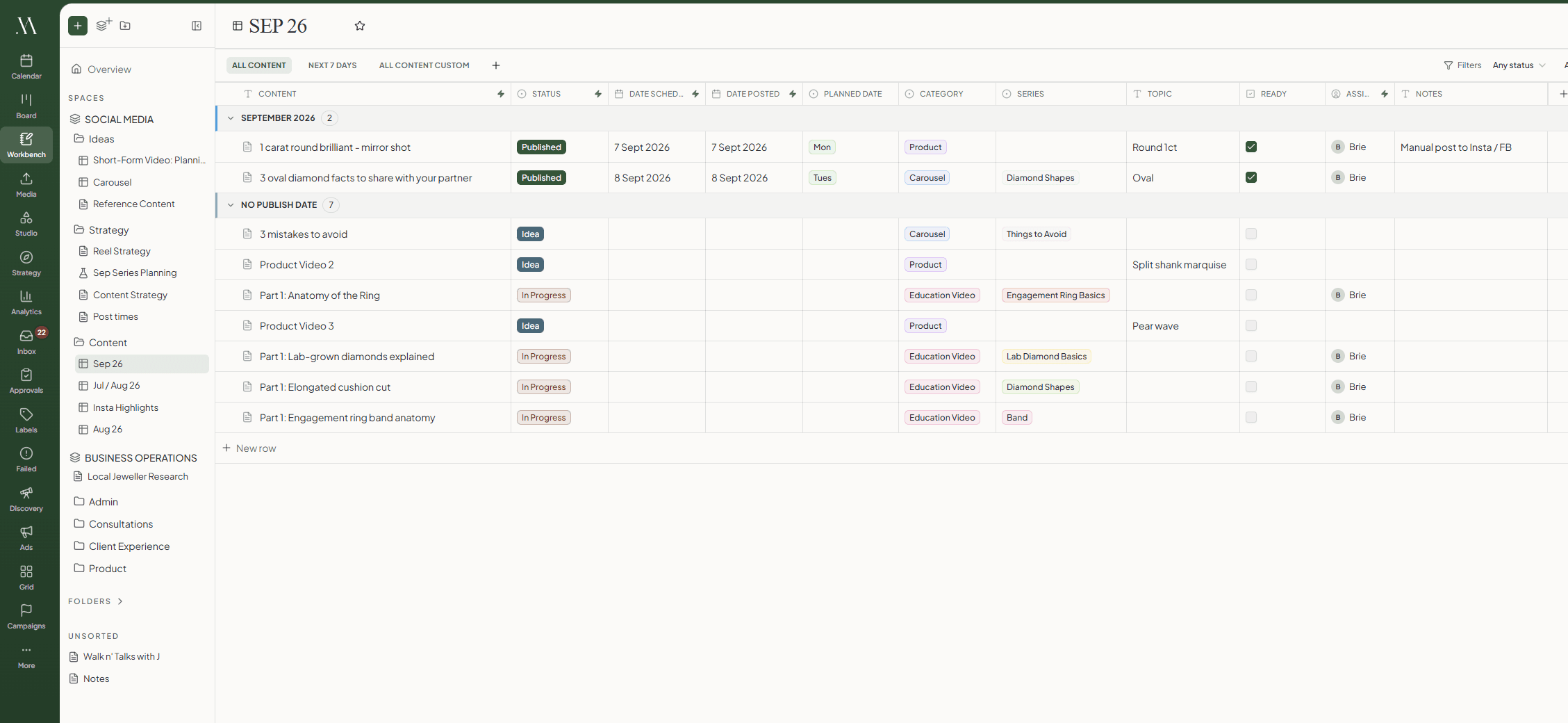
The ideas that are not posts yet
Keep the list of what you are going to make in a content table, one row per idea, with its status and its date.
A row is the actual post, so when you are ready to write it you open the row rather than copying anything across.
Check the grid before you post
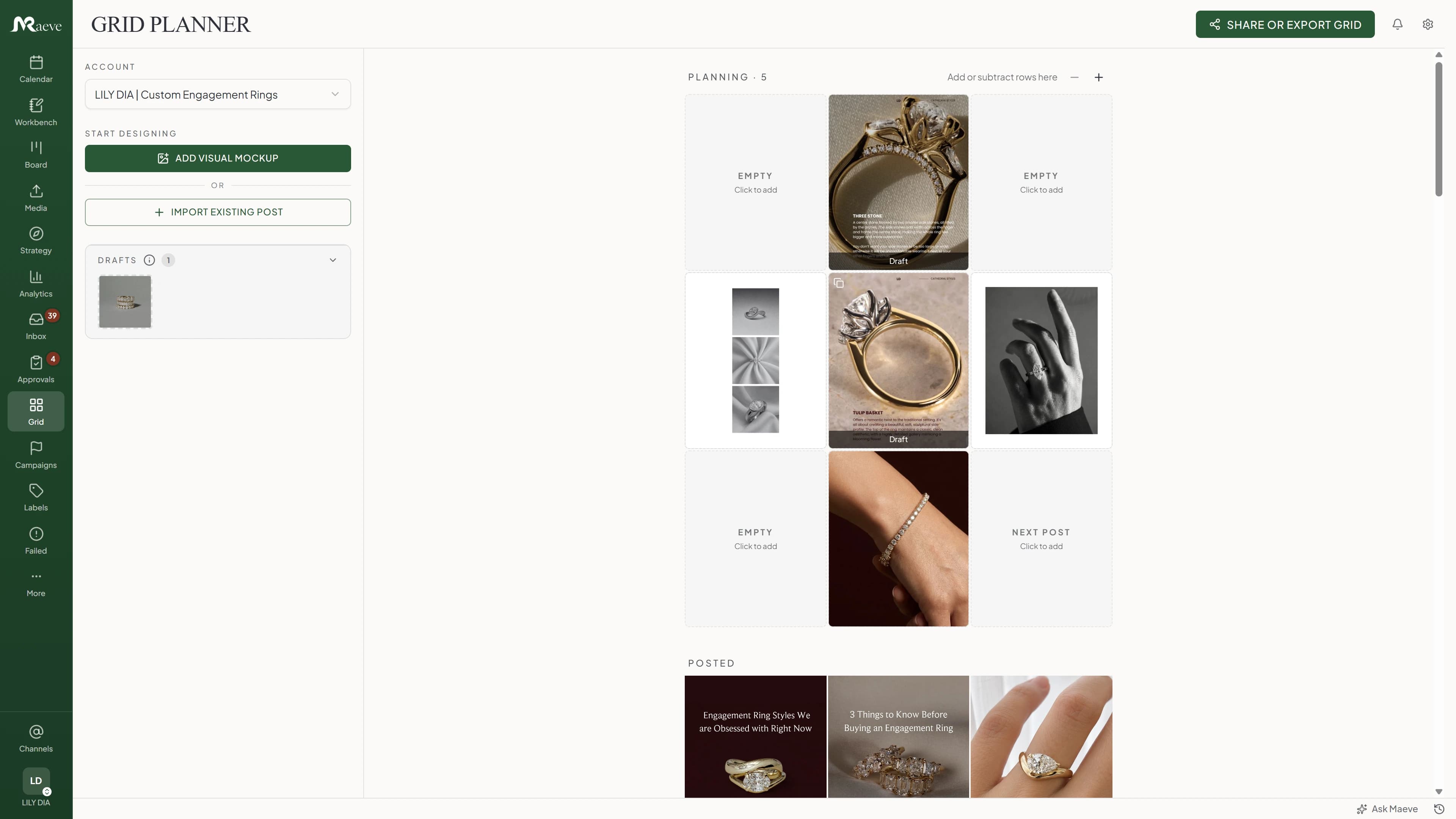
Drop what is scheduled into a mock Instagram feed and see whether the next nine squares look right together.
Move things around until they do, and the calendar moves with it.
See what is working for everyone else
Track the accounts you watch anyway. How fast they are growing, how often they post, which of their posts did the numbers, and the hashtags they lean on.
TikTok trending hashtags and sounds sit beside it, so you can catch a sound while it is still climbing.
Both, and Basic is the one for a single person. It is $25 a month, or $20 a month paid yearly, and it has everything on this page in it. Standard is worth moving to when an editor or an assistant starts working on the posts with you.
Can I schedule Shorts, TikToks and Reels?
Yes. YouTube videos and Shorts, TikTok videos and photo posts, and Instagram posts, Reels, Stories and carousels, plus Threads, X, LinkedIn, Facebook and Pinterest.
Can one idea become a different post on each platform?
Yes. Write the caption once, pick your platforms, then open each one and change the caption, the title, the media, the first comment or the thread. The LinkedIn version can be calmer than the TikTok one, and it is all still one post.
Does it help me batch?
It is the main reason creators use it. Fill a week or a month while you are already sitting down to write, pull the clips from the Media Room instead of your camera roll, and keep the ideas somewhere other than four open tabs.
Can I see what other accounts in my niche are doing?
Yes. Track competitor Instagram accounts and see their follower growth, how often they post, their engagement rate and their best posts. TikTok trending hashtags and sounds are in there too. One competitor on Basic, five on Standard.
Can I track what performed well?
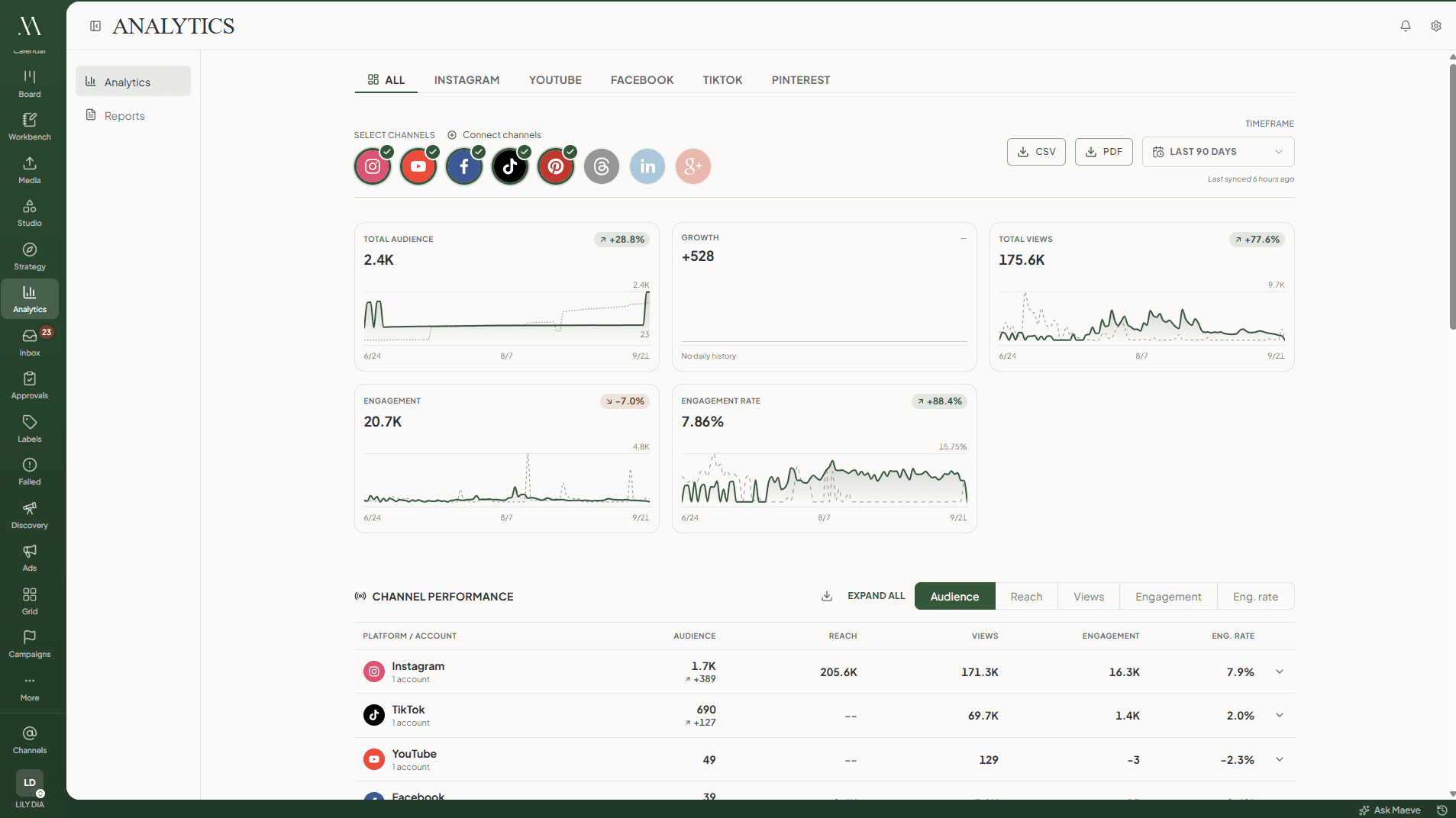
Yes, on the eight networks that report data back: Instagram, Facebook, YouTube, TikTok, Pinterest, Threads, LinkedIn and Google Business Profile. Followers, views, reach, engagement and a table of your posts, with a PDF export for a sponsor or a brand deal. X does not report anything back to any tool.
What happens when a scheduled post fails?
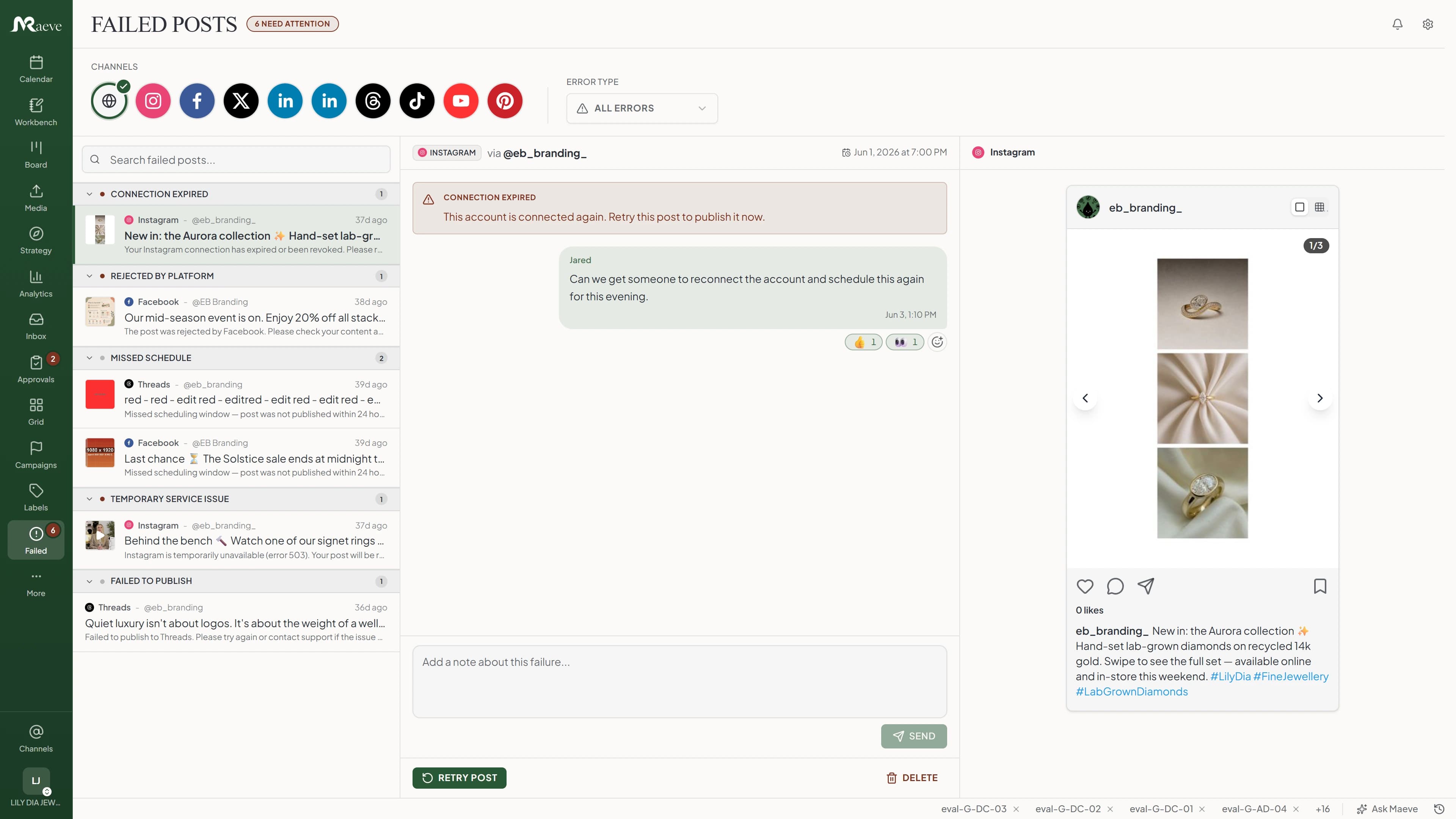
Maeve retries the temporary failures itself. Anything that still cannot go out lands in a recovery queue, grouped by what went wrong and written in plain words, so you reconnect the account or pick a new time rather than rebuilding the post.
Can I organise pillars, formats, labels and hashtag groups?
Yes, on every plan. Filter the calendar and the board by any of them to see whether the month is all opinions, all tutorials, all launches, or actually balanced.
Where do my clips and thumbnails live?
In the Media Room, in folders with labels. It tells you which posts an asset is already in, so you are not reusing last month's thumbnail by accident.
Can an AI write and schedule for me?
You get AI credits every month inside Maeve, and you can also connect your own agent. Claude, Codex, Cursor and others can draft, schedule, organise media and read your analytics in your workspace.
Can I run more than one brand?
Yes. Basic includes two workspaces, which covers a main brand and a side project. Standard raises it to five and adds team members.
Cancel before your trial ends to avoid the first charge. Subscription fees, including renewal payments, are non-refundable except where required by law. See the terms of service.