
Instagram comparison · Reviewed 2026-04-30
How far in advance can you schedule Instagram posts?
Bottom Line
Instagram's native scheduler lets you schedule posts and Reels up to 75 days in advance, with a native cap of up to 25 scheduled posts per day. A scheduler such as Maeve Social's Instagram scheduler can help you plan beyond that window, but the actual auto-publish window and daily publishing limits depend on the publishing surface, account setup, and tool rules.
The Differences That Matter
- Instagram app
- Up to 75 days
- Use this as the native answer for how far out you can schedule Instagram posts and Reels.
- Meta Business Suite
- Check the date picker
- Business Suite can feel different from the Instagram app, especially when managing connected accounts or cross-posting.
- Third-party scheduler
- Tool-specific
- Schedulers can help you plan farther ahead, but auto-publishing still depends on Meta permissions, API limits, and the tool's own queue rules.
Native scheduling window: 75 days
For the native Instagram app, the clean answer is 75 days in advance. That is the number to use when you are asking how far out you can schedule a standard Instagram post or Reel directly inside Instagram.
There is also a daily native scheduling cap, so this is not a blank check to load an unlimited calendar. If you are batching heavily, the 75-day window and daily limit both matter.
Scheduled is different from planned
This is where the native-versus-tool distinction matters. A post is scheduled when it has a confirmed publish time inside Instagram, Meta Business Suite, or a connected scheduling tool. A post is planned when it lives in your calendar, draft workflow, or content system but is not necessarily inside Instagram's publish queue yet.
That distinction keeps the workflow honest. You can use the Maeve Social Instagram scheduler to batch ideas, arrange the feed, write captions, and organize content farther ahead than the native publish window, then lock the final auto-publish timing when the post is close enough and ready.
What to do if your date will not save
If a post refuses to schedule as far out as you want, do not assume Instagram scheduling is broken altogether. First, try a date that is closer in. If that works, you are likely dealing with a workflow-specific limit rather than a complete scheduling failure.
The calmer rhythm is to plan months ahead, but only lock publishing dates when the content is stable enough to survive changes. Instagram content can be sensitive to trends, campaign timing, product details, and audience context, so farther out is not always better.
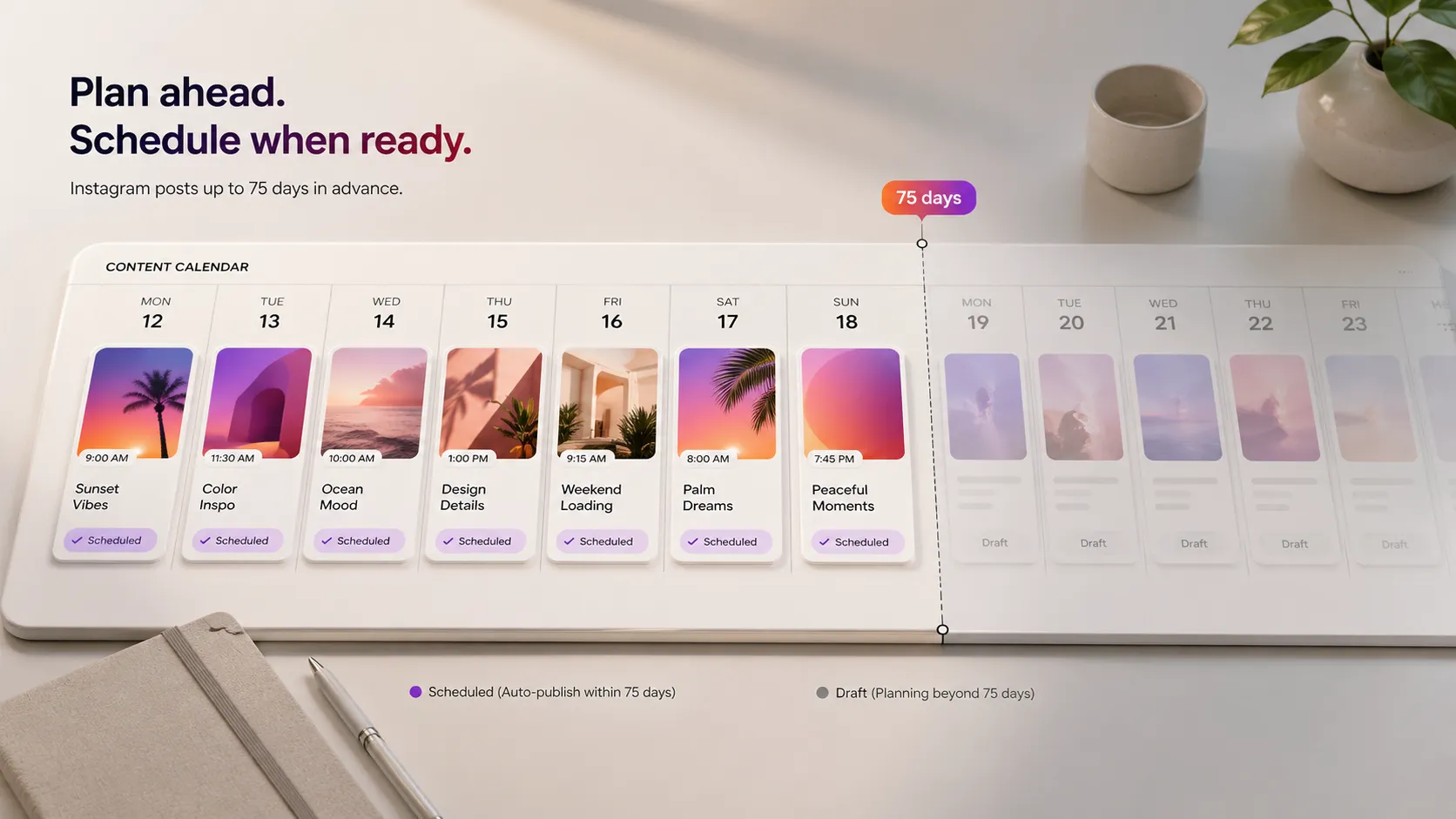
Plan farther out than Instagram's 75-day window
Use a scheduler that helps you batch content, preview the feed, and stay organized before each post is ready for its final publish time.
Compare More Instagram Answers
Keep going inside the Instagram cluster, or head back to the full list.
Tools Mentioned Here
Features, tools, and guides that pick up where this answer leaves off.