
Research what is working on social
Research is where you keep what you find. Save posts from Instagram, TikTok and YouTube, watch the Instagram accounts you care about, from your competitors to the ones you admire, and see what is trending on TikTok, all in the workspace you plan your own content in.
Save the posts worth keeping
- TikTok
- YouTube
Paste a link to a public Instagram post or reel, a TikTok video or photo post, or a YouTube video or Short, and Maeve Social saves it with its image, caption, views, likes and comments. A post you open in Watchlist or Compare feeds, or a video on the TikTok charts, saves with one click.
Sort saved posts into collections, which sit in a row like story highlights, and add a note and tags to each one. Saved posts belong to the workspace, so your team sees the same ones, and there is no cap on how many you keep.
Maeve Social keeps the details and one image, never the video. Posts from private accounts, removed posts and YouTube live streams can't be saved.
Watch an account properly
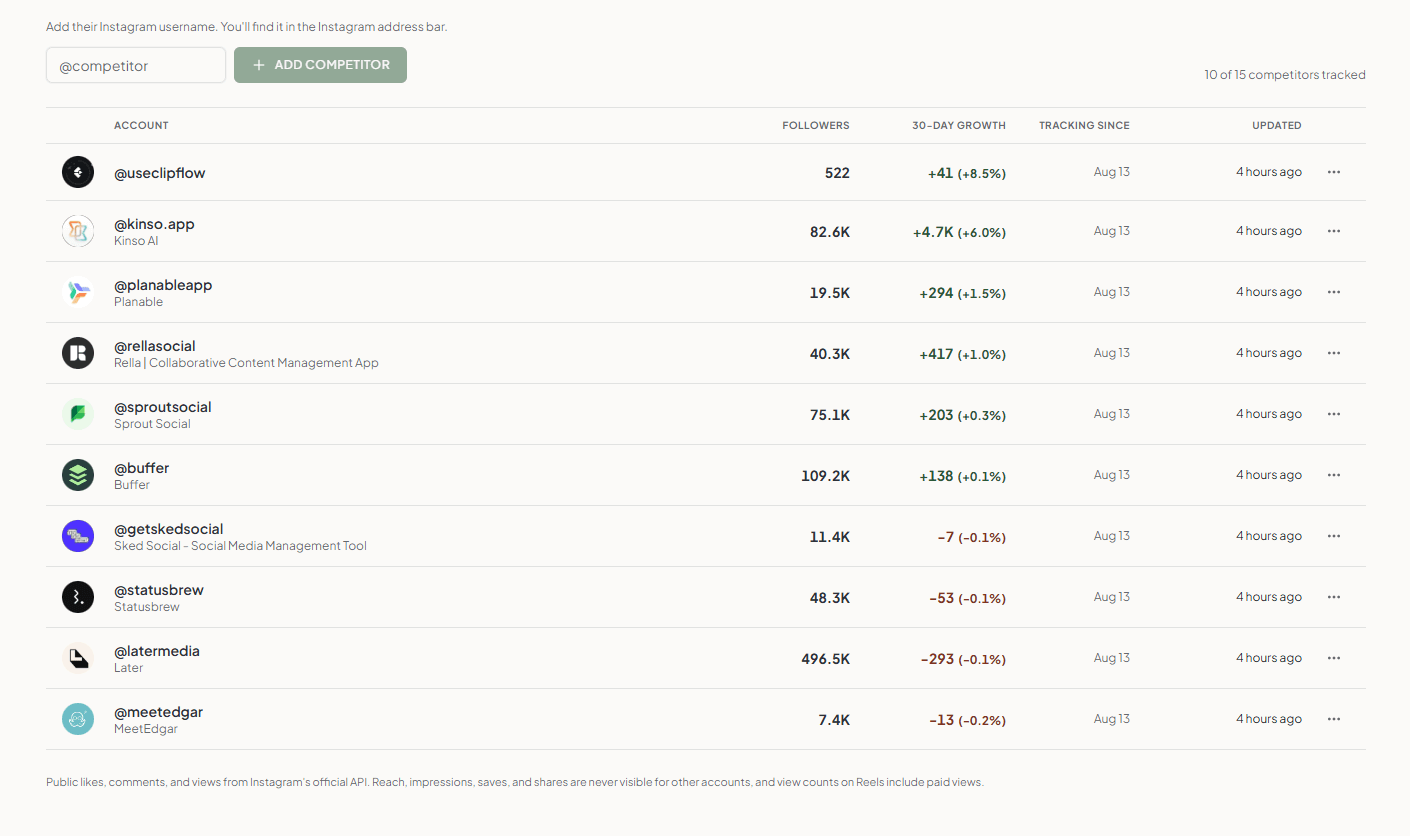
Add any Instagram Business or Creator account to your watchlist, whether it is a competitor or an account you admire, and Maeve Social collects its public history in the background. Open one to see how fast it is growing, how often it posts and what it posts.
Your own account sits at the top of the same table, so you can see where you stand without doing the sums yourself.
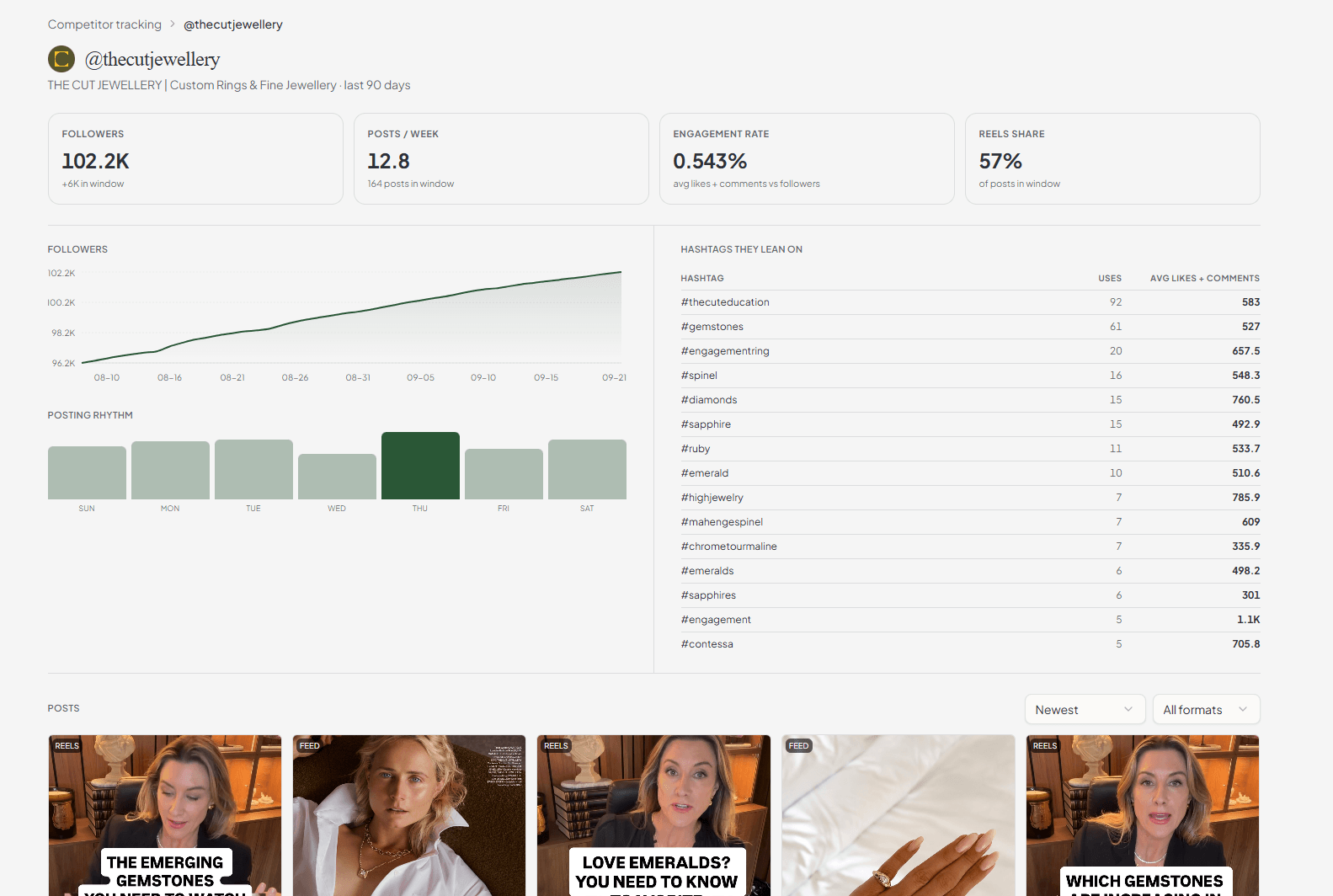
Sort their posts by what worked
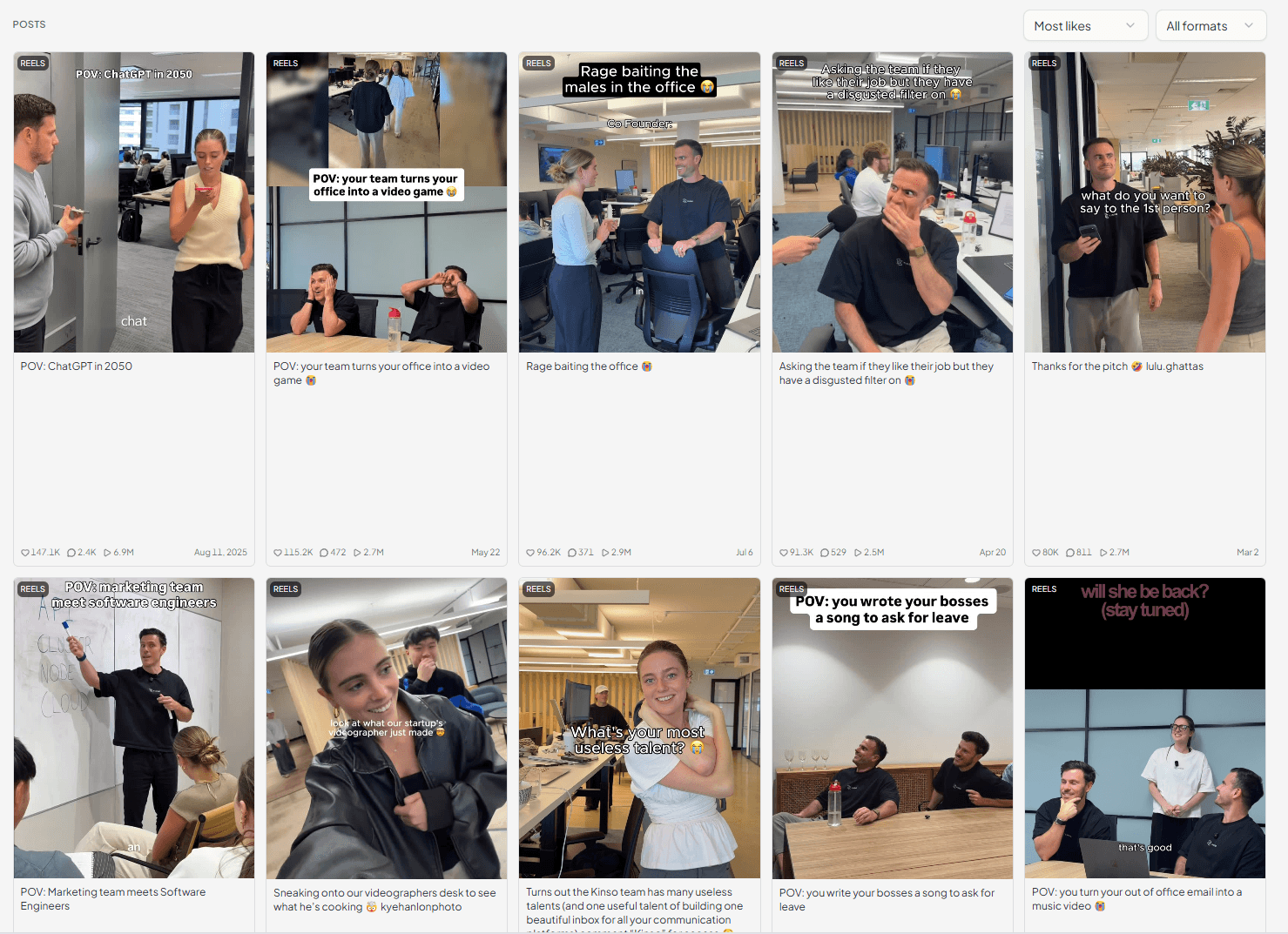
Every post they have put out in the window, sorted by likes, comments or views, filtered to Reels or feed posts, or narrowed to standouts: posts that did at least twice the account's usual.
Compare feeds puts up to four accounts side by side, so you can see which of their ideas actually landed rather than scrolling their profiles and guessing. Save a set of accounts as a view and everyone in the workspace can open it.
What you can and cannot see
Instagram decides what an app is allowed to read about someone else's account. Watchlist shows you all of it, and is straight with you about the rest.
No estimates dressed up as numbers. Watchlist figures come through Instagram's own business tools.

What Instagram shares about another account
You can see
- Followers, and how they move day by day
- Every public post, with its format
- Likes and comments on each post
- Views on Reels, paid views included
- How often they post, and on which days
- The hashtags they use, and how often
Nobody can see
- Reach and impressions
- Saves and shares
- Stories
- Anything private or deleted
This comes from Instagram's own business tools, so it is the same for every app. Anyone promising you a competitor's reach is guessing.
See what is trending on TikTok
- TikTok
Hashtag rankings by country and industry, sounds that are climbing, and the words people actually search for.
Copy what you want into your caption and carry on writing, or save a trending video to come back to. Nothing gets posted from here.

Trending hashtags
| # | Hashtag | Move | Views | Posts |
|---|---|---|---|---|
| 1 | #jewellery | 2 | 48.2M | 12.4K |
| 2 | #engagementring | New | 31.7M | 8.9K |
| 3 | #ringtok | 1 | 22.1M | 6.2K |
| 4 | #labgrown | 5 | 18.4M | 4.8K |
Trending sounds
- 1Golden HourJVKE3:29204K
- 2Sailor SongGigi Perez3:36156K
- 3EspressoSabrina Carpenter2:5598K
Hashtag rankings work without connecting anything. Sounds, keywords and caption hashtags need a TikTok Business account.
Questions
What is Research?
The research side of Maeve Social. Save the posts you want to come back to, watch the Instagram accounts you care about and see what is trending on TikTok, without leaving the workspace you plan in.
Is this what used to be called Discovery?
Yes. Discovery is now Research, and Competitor tracking is now Watchlist. Watchlist covers every account you keep an eye on, from your competitors to the accounts you admire.
Which networks does it cover?
Saved takes links from Instagram, TikTok and YouTube. Watchlist and Compare feeds cover Instagram. Hashtags, Sounds and Keywords cover TikTok.
What can I save?
A link to a public Instagram post or reel, a TikTok video or photo post, or a YouTube video or Short. Maeve Social saves its image, caption and counts. You can also save a post you open in Watchlist or Compare feeds, or a video from the TikTok hashtag and sound charts. Posts from private accounts, removed posts and YouTube live streams can't be saved.
Does Maeve Social keep a copy of the video?
No. It keeps the post's details and one image, never the video. TikTok and YouTube videos play in the platform's own player, and an Instagram post opens on Instagram. If a video is removed from the platform, it stops playing.
Who sees our saved posts?
Saved posts and collections belong to the workspace, so everyone in it sees the same ones. They are never shared with another workspace. Anyone who can manage connected accounts can save, sort and remove posts.
How do I add an account to my watchlist?
Type its Instagram username and press Add an account. It has to be a Business or Creator account, because personal and private accounts can't be read. Maeve Social collects its public history in the background, and you can leave the page while it runs.
How many accounts can I watch?
One on Basic, five on Standard, fifteen on Premium. Your own connected Instagram account shows at the top without using a place. Remove an account from your watchlist to free one up.
How far back does it go?
Basic collects up to 90 days of an account's posts, Standard up to a year, Premium everything Instagram will give. Follower counts start the day you add the account, because nobody can see yesterday's followers.
What can I actually see about a watched account?
Followers and how they move, every public post, likes, comments, Reel views, how often they post, which days they post, and the hashtags they lean on. Reach, impressions, saves and shares are never available for another account, on any tool.
What does 4.2× usual mean?
It compares an Instagram post with the account's usual post, so you can see which posts did far better than normal. Posts at twice the usual or more are marked as standouts. TikTok and YouTube posts have no outlier, because nothing gives their account's usual post.
How is engagement rate worked out?
Average likes plus comments per post, against the account's current follower count. It is shown next to the number so you always know what you are reading.
How often does it update?
Watched accounts refresh once a day, and the table shows when each one last updated. A saved link keeps the counts it was saved with until you press Refresh counts, which you can do once they are a day old.
Do I need to connect anything?
Saving a link needs no connection. Watchlist and Compare feeds need an Instagram account connected through Facebook, because that is the only connection Instagram lets read another account's public data. TikTok trending hashtags need nothing at all. Sounds, keywords and caption hashtags need a TikTok Business account.
Can I turn something I find into a post?
You can copy a hashtag, a keyword or a track name and paste it into your caption. Maeve Social does not create or publish anything from Research, and a saved post does not become a draft.
Is there AI in it?
No. Research reports what the networks report. Your own agent can read your watchlist's numbers through the MCP server if you want it to write the summary.
Which plan do I need?
Saved is on every plan, with no cap on saved posts. Watchlist and Compare feeds are on Basic and above. The TikTok sections are on every plan, subject to the connection each one needs. Everyone in the workspace can read Research.