
Connecting and Publishing to X
Updated
Connect your X account to publish text, media, or threads from Maeve. Your account's Premium and verification status determine its caption and video limits.

- 1Pick the network
- 2Approve on the network
- 3Connected
Connect available channels
3 / 20Connecting an Account
- 1
Open Settings, then Social channels
Select X from the connection grid.
- 2
Sign in on X
Sign in on X's sign-in page. Maeve does not receive or store your password.
- 3
Approve the permissions
X asks to read your profile and posts, post on your behalf, upload media, and stay connected between sessions. All four are needed, and X grants them together or not at all.
- 4
Confirm the Connected Account
Check the connected handle and profile picture. Maeve reads Blue verification status for video limits and Premium subscription status for longer captions.
What Maeve Asks Permission For
| Permission | What stops working without it |
|---|---|
| Post on your behalf | Maeve cannot publish posts |
| Upload media | Text posts still go out, but images and video are refused |
| Read profile and posts | Maeve cannot read the handle or confirm the account |
| Offline access | The connection expires quickly and needs reconnecting constantly |
Links in X Posts
Remove URLs from the X caption and every reply before scheduling. Maeve blocks links in X posts on all plans because link posts incur higher publishing costs.
The check includes full URLs, bare domains such as example.com, and addresses
starting with www. Email addresses and version numbers such as 1.2.3 are allowed.
This restriction applies to post text. Use the separate community field when you want to choose an X community.
What You Can Publish
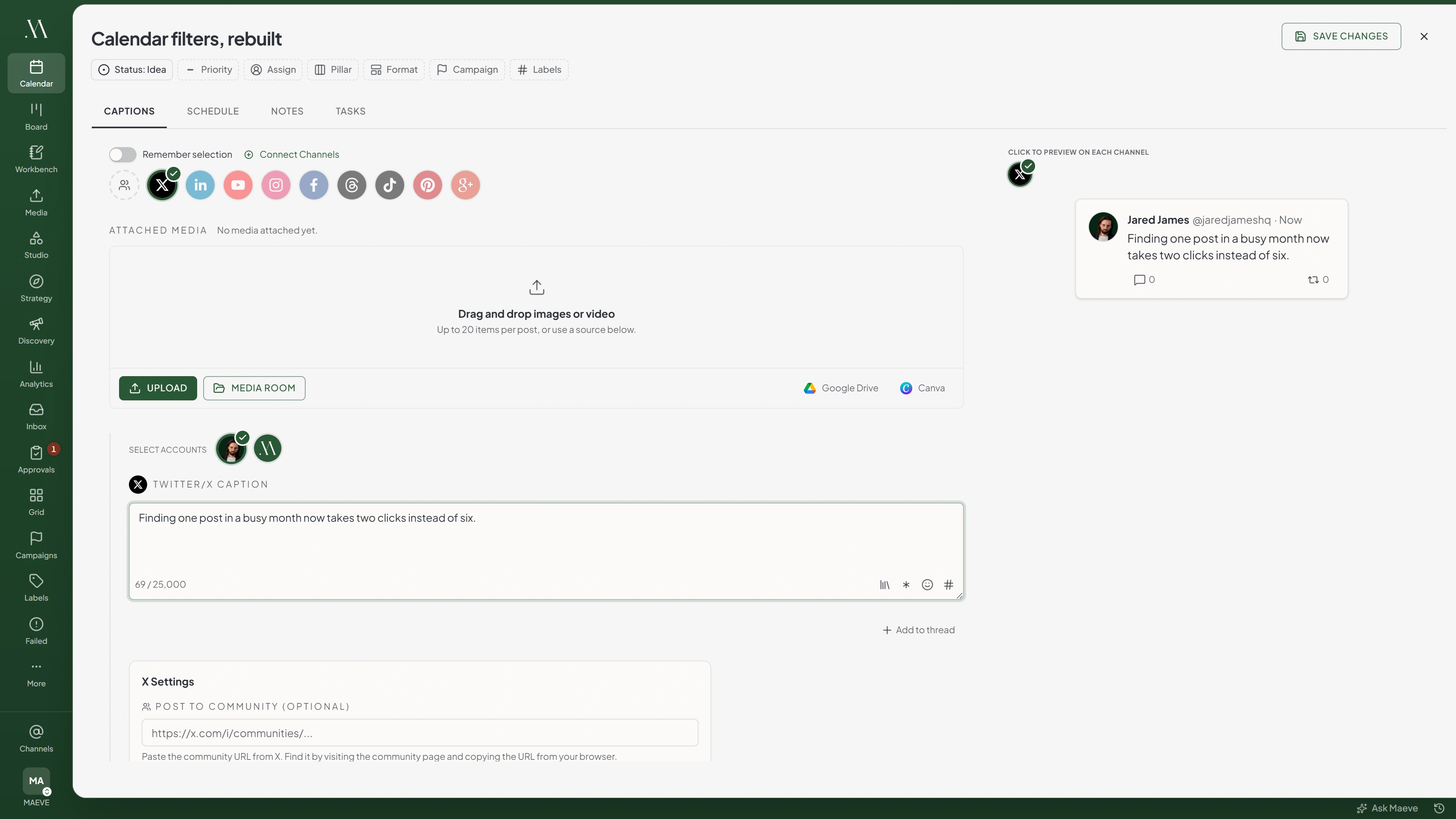
Select X in the composer and enter the post text. Add media if needed.
X section
X Caption
Write for X...
0 / 25,000The counter flags 280, where a standard account stops and a Premium one carries on.
Media for X
0 of 4 selectedUp to 4 items, photos, GIFs and video togetherX Settings
- Community
- A post. Up to four images, GIFs or videos, and they can be mixed
- A thread. The caption plus up to twenty more messages, so twenty-one posts, each carrying up to four pieces of media
You can combine images and video within the four-item limit.
Threads
Write the first post in the caption field, then add up to 20 replies in the composer. This creates a thread of up to 21 posts.
Attach up to four media items to each post. The draft can hold 20 attachments, and you can reuse an attachment in more than one reply.
Posting to a Community
Open the community on X and copy its URL from your browser. Paste it into the community field in Maeve's X settings.
If Maeve warns that the URL is invalid, copy it again before scheduling. An invalid community URL may cause the post to publish to your timeline.
The Limits
| What | Limit |
|---|---|
| Caption | 25,000 characters, with a warning at 280 |
| Media per post | 4 |
| Replies per thread | 20, plus the first post |
| Media per thread message | 4 |
| Alt text | 500 characters |
| Video length, standard account | 140 seconds |
| Video size, standard account | 512MB |
| Video length, Blue account | 10 minutes |
Keep the caption within 280 characters for a standard X account. An active X Premium subscription is required to publish up to 25,000 characters. The editor's higher limit does not grant that access to a standard account.
X uses weighted character counts. Emoji and some non-Latin characters can count as more than one character.

Transform
Aspect Ratio
What Will Stop a Post
- More than four pieces of media on one post or one thread message
- More than 20 replies in a thread
- A video over 140 seconds or 512MB when any selected account is not Blue verified
- A video over 10 minutes on a Blue account

X will refuse
X posts with URLs are blocked because X charges a higher create rate for URL posts. Remove the URL and try again.
4 of the ones people hit
When the Connection Breaks
If an account shows Needs reconnecting, restore its connection before the next scheduled post is due.
- Open Settings, then Social channels.
- Find the affected account and select Reconnect.
- Sign in to the same account and approve the requested permissions.
Reconnecting keeps scheduled posts attached to the account. After reconnecting, retry any posts that failed while the connection was unavailable.
Your connected channels
2X
@yourbrand
X Account@yourotherbrand
Needs reconnectingThis account's connection has expired. Reconnect it in Settings and try again.
Errors X Returns
| Error message | What to do |
|---|---|
| At least one selected X account only supports videos up to 140 seconds | One of the accounts on this post is not Blue verified. Trim the video, or post it from the Blue account on its own |
| At least one selected X account only supports videos up to 512MB | Same cause. Compress the video or split the accounts |
| Blue-verified X accounts can only publish videos up to 10 minutes | Trim the video to 10 minutes or less |
| This does not look like an X community URL, so X may ignore it | The community field has something that is not a community address. Copy it again from X |
| This account's connection has expired | Reconnect the channel in Settings, Social channels, then retry the post |
Questions
How long can an X video be?
Use up to 140 seconds for standard accounts or 10 minutes for Blue-verified accounts. Maeve reads the verification status from the connected account.
Why did my video get rejected at 140 seconds when my account is Blue?
Check the other X accounts selected for the post. The longer limit only applies when all selected accounts are Blue-verified. Select the verified account on its own to use that limit.
How many posts can be in an X thread?
Up to 21 posts: the first post plus 20 replies. Each can contain up to four media items.
Can I put images and a video in the same X post?
Yes. Attach up to four images, GIFs, or videos in total.
Why will X not publish my post with a link in it?
Maeve blocks links in X captions and replies on all plans. Remove full URLs, bare domains, and addresses starting with www before scheduling.
Why does the editor warn me at 280 characters on X?
Standard X accounts are limited to 280 characters. Only use the higher limit of 25,000 if the connected account has an active X Premium subscription.