
First Comments, Hashtags and Saved Captions
Updated
Add a first comment under a supported channel, or open the caption toolbar to insert saved hashtags and captions.
First Comments
Open the channel's First comment field and enter the text to publish as a reply to your post. Maeve sends the comment after the post publishes.
First comments are supported on these channels:
| Channel | Limit |
|---|---|
| 5,000 characters | |
| 2,196 characters | |
| 1,248 characters | |
| LinkedIn Page | 1,248 characters |
Write a different first comment for each channel if needed. Accounts selected within the same channel share its first comment.
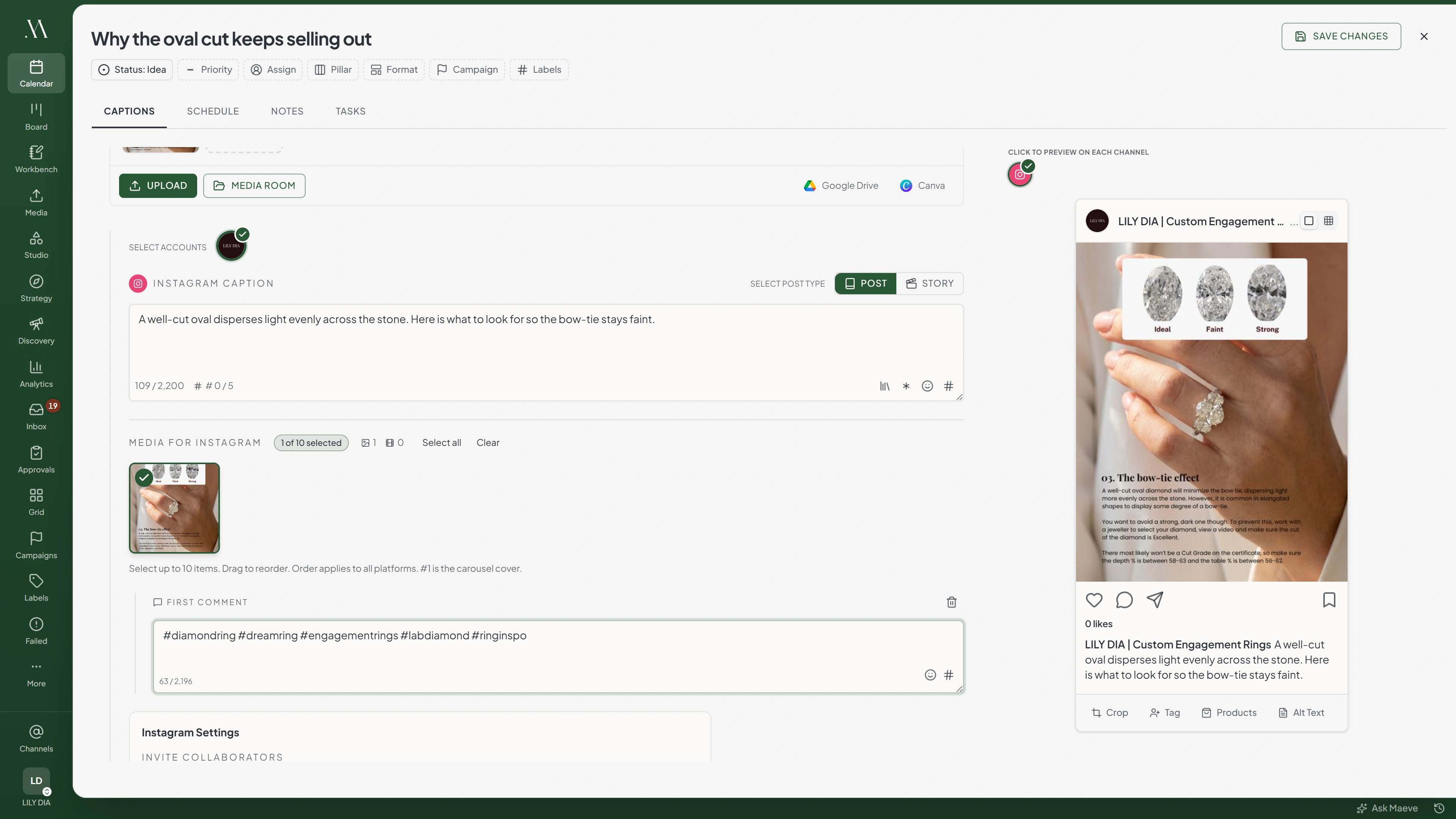

First Comment
#autumnbookings #localmakers #shopsmall #weekendplans #ourlittleshop
68 / 2,196First Comment
Happy to answer questions about how we plan the season.
55 / 1,248X, Threads, TikTok, YouTube, Pinterest and Google Business Profile have no first comment in Maeve.
If the LinkedIn first comment field is missing, select an account and check that the post type is Post. The connection must also have comment permission.
Check the comment on the platform after publishing if it is required. A failed first comment does not change the post's Published status and is not retried automatically.
Hashtag Groups
- Open the caption you want to update, either shared or channel-specific.
- Open the hashtag library from the caption toolbar.
- Search for a group and apply it, or create a new group.
Maeve adds the hashtags to the end of the open caption after a blank line. It does not insert them at the cursor.
Groups are saved to the workspace so your team can reuse them.

Hashtag Library
Saved Hashtag Groups (2)
New group- Autumn season4 hashtagsSelect all#autumnbookings#localmakers#shopsmall#weekendplans
- Always on2 hashtagsSelect all
Selected (2)
Instagram Counts to Five
Keep the Instagram caption within five hashtags. The counter appears beside the character count, and Maeve blocks publishing when it exceeds five.

Instagram Caption
October bookings are open. Two Saturdays left. #autumnbookings #localmakers #shopsmall
87 / 2,200# 3 / 5The counter checks the caption only. It does not validate hashtags entered in the first comment.
Saved Captions
Open the caption library from the caption toolbar and select saved text to insert into the current caption. Use it for text you repeat, such as a sign-off or disclosure.
Saved captions belong to the workspace. Saved replies from the Social Inbox are not shown in the composer.
Caption Library
- Season sign-offCaptionInsert
- Gifted post disclosureDisclaimerInsert
- Book a slotCTAInsert
One store, two lists
Caption Library
Caption, hook, CTA, hashtag block, post copy and disclaimer.
Saved replies
Saved reply only, and only in the Social Inbox.
Which Caption Gets It
Select the shared caption before inserting text if you want it to reach every channel that still follows the shared caption.
Select an individual channel to insert text there only. Editing its caption also stops it following later changes to the shared caption.
Questions
Which networks support a first comment?
Facebook, Instagram, LinkedIn profiles, and LinkedIn Pages. Their limits are 5,000, 2,196, 1,248, and 1,248 characters respectively.
Why did my first comment not publish on a story?
Instagram and Facebook Stories do not support first comments. Use a feed post if you need one.
How many hashtags can I use on Instagram?
Use up to five hashtags in the Instagram caption. Maeve blocks publishing above that count.
Are hashtag groups shared with my team?
Yes. Hashtag groups are saved to the workspace for your team to reuse.
Can I add hashtags to one channel only?
Yes. Open that channel's caption before applying the hashtag group.
What is the caption library for?
Save text you reuse, such as a sign-off or disclosure, and insert it from the caption toolbar. Saved Inbox replies are kept separate in the interface.
Can a first comment be different for each network?
Yes. Enter a separate first comment under each supported channel. Accounts selected within the same channel share that comment.