
Tagging People, Products and Locations
Updated
Use the Instagram preview to tag people or products on an image. Add collaborators in the Instagram settings panel. For Threads, select a location in its settings.
Tagging People on the Image
- Select Instagram and attach an image to a Post.
- Select Tag below the Instagram preview.
- Click the image where you want the tag and enter the person's handle.
- Check the handle and marker position before scheduling.
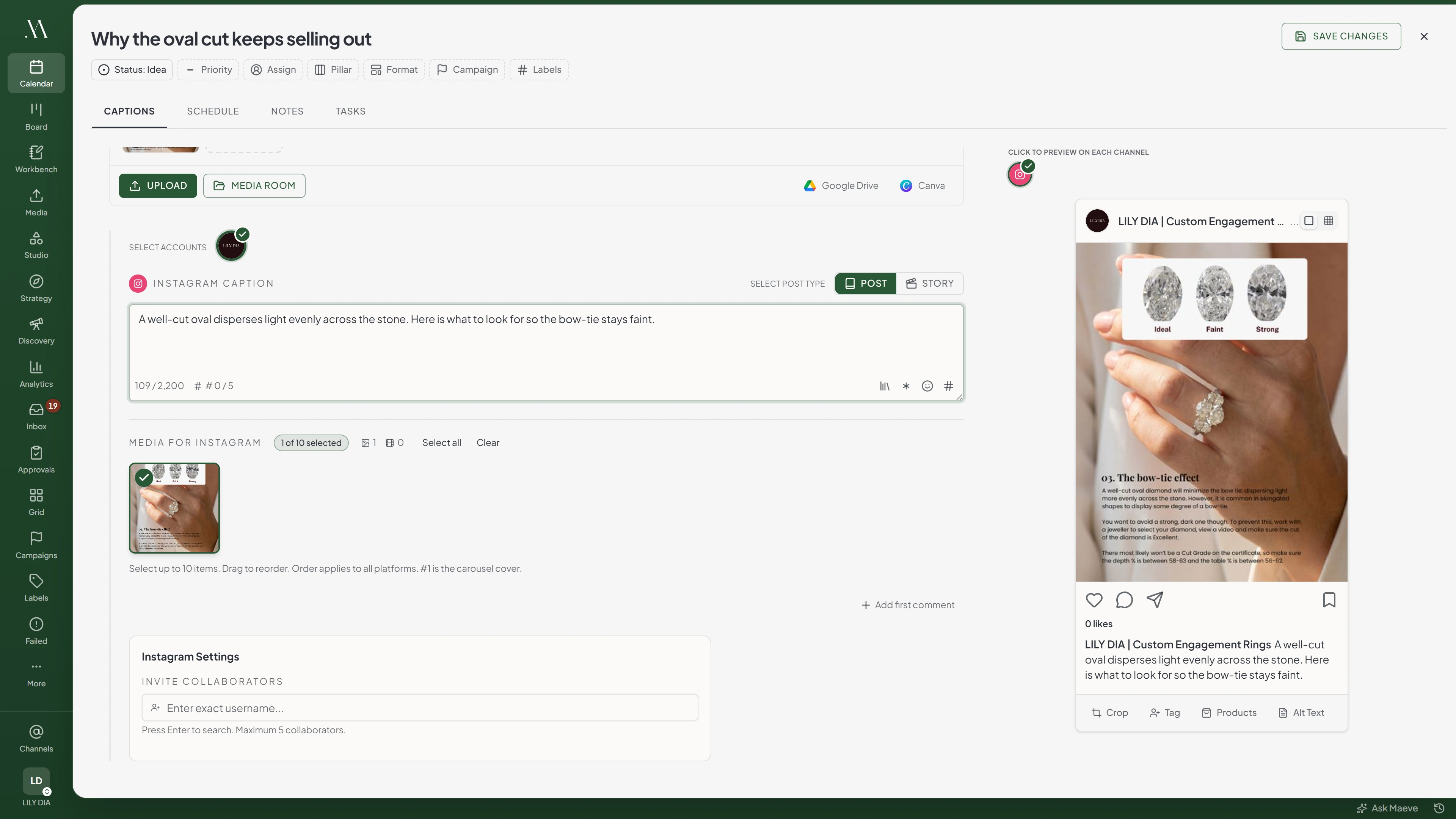

Instagram preview
Both buttons need a Post with an image. A video, a Reel or a Story has neither of them.
Image-tag handles are not checked against Instagram as you type. Verify the spelling yourself. If Instagram rejects a tag, the post can publish without it.
The image-tagging control is available for image Posts. It is not shown for videos, Reels, or Stories.
Instagram Product Tags
- Select an Instagram image Post.
- Select Products below the preview.
- Click the image where you want the product tag.
- Search the connected catalog and select the product.
Product tags require Facebook Login, catalog and product-tagging permissions, and a product catalog connected to the Instagram account. If the picker has no products, check those requirements.
If Instagram rejects a product tag, the post can publish without it.
Instagram Collaborators
Enter the collaborator's handle in the Instagram settings panel. Maeve checks the account and adds it to the selection when found. You can add up to five collaborators.
Instagram sends each collaborator an invitation. The post appears on their profile after they accept. Collaborators are supported on Posts and Reels, but not Stories.

Instagram Settings
Invite Collaborators(2/5)
Press Enter to search. Maximum 5 collaborators.
If a collaborator error prevents publishing, check the handle or remove that collaborator, then reschedule.
Threads Locations
Open the Threads location field, search for a place, and select a result. Clear the field to publish without a location.

Threads settings
Threads
Location
- The Flour Shop12 Kirkgate, Otley, United Kingdom
- Otley Market PlaceMarket Place, Otley, United Kingdom
- Wharfemeadows ParkBridge Street, Otley, United Kingdom
Topic Tag
One topic per post, and Threads files the post under it.
Typing over a selected location clears the selection. Select a result again and check the field before scheduling.
Threads also supports one topic tag. Set it separately to identify the post's subject.
What Each Network Has
| Network | People on the image | Product tags | Collaborators | Location |
|---|---|---|---|---|
| Yes, on a Post with an image | Yes, on a Post with an image | Yes, on a Post or a Reel | No | |
| Threads | No | No | No | Yes |
| Every other network | No | No | No | No |
YouTube has a field called Tags, but those are keywords for the video rather than anything to do with people or places.
Mentions
Enter an @handle in the caption where the platform supports text mentions. Whether it becomes a linked mention depends on the platform and its publishing support. Check the published post if the mention is required.
A mention does not invite someone to co-author an Instagram post. Use the collaborator field for that.
Questions
What is the difference between a collaborator and a mention?
A collaborator is invited to co-author the Instagram post. A mention appears in the caption. An image tag marks a position on a photo.
Why is the collaborator field disabled?
The account uses Instagram Login. Connect through Facebook Login to use collaborators.
Why can I not tag products?
Check that the account uses Facebook Login, has catalog and product-tagging permissions, and has a connected product catalog.
Can I tag a location on an Instagram post?
The Instagram composer does not offer a location field. Threads has a location search field.
Do collaborators work on a Story?
No. Use a Post or Reel for collaborators. People and product image tags require an image Post.
What happens if a collaborator handle is wrong?
Check the handle or remove the collaborator, then reschedule. Collaborator errors can stop publishing, while rejected image tags can be omitted without failing the post.
Can I tag someone on LinkedIn or X from Maeve?
There is no separate image-tagging control for LinkedIn or X. Caption mentions depend on the platform's publishing support.