
Moving a Post
Updated
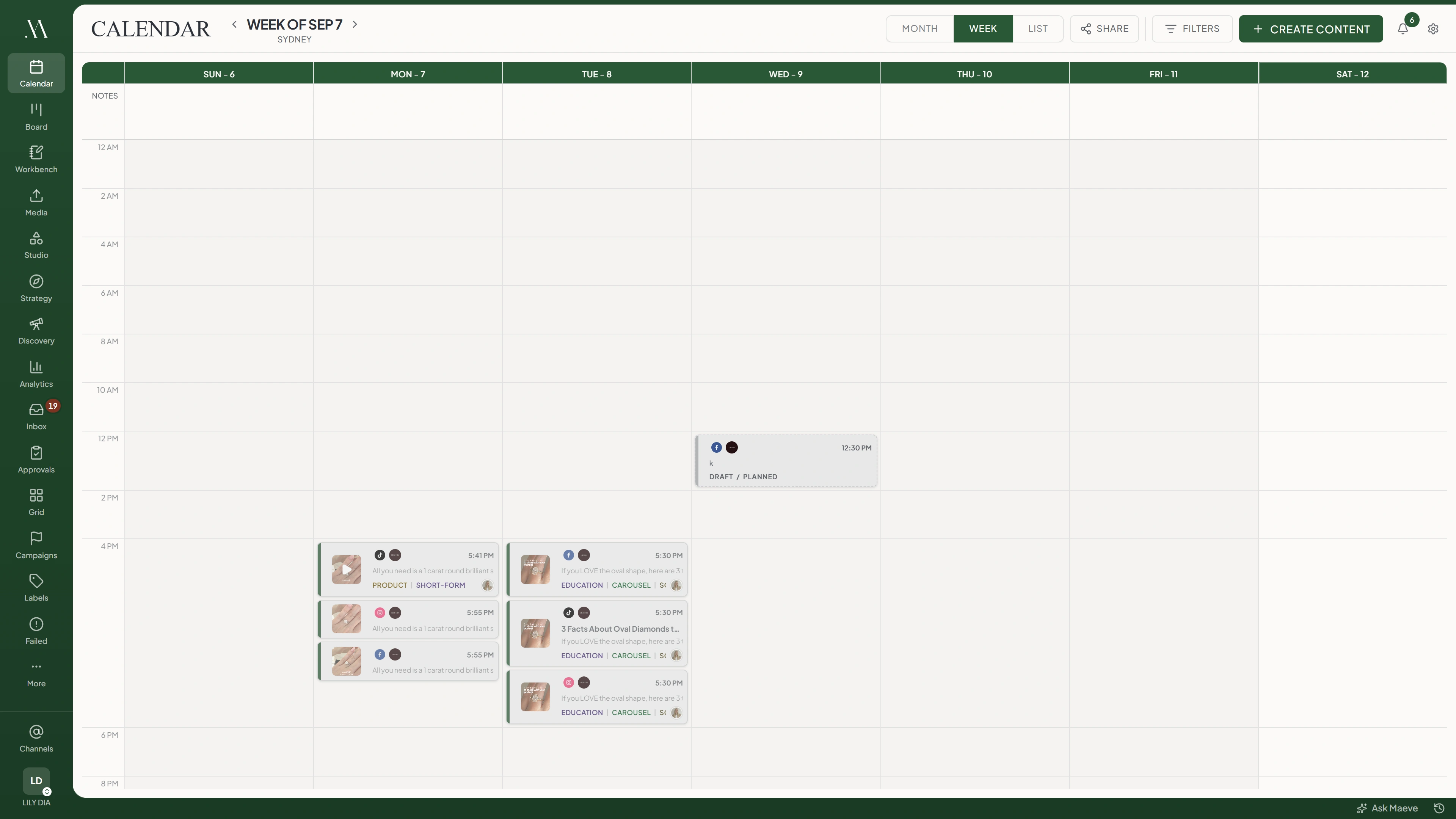
Drag a post in month or week view to move it. To choose an exact date and time, open the post's Schedule tab.
Dragging
Drag the post onto the destination day or time block. The move applies immediately.

- Month view
- Week view
Mon 28
Tue 29
Wed 30
Thu 1
Fri 2
3:47 PM
Month viewThe target is the whole day, so only the date changes.
- Month: Drop onto another day to change the date and keep the time.
- Week: Drop into a two-hour block to use that block's starting hour and keep the minutes. A 3:47 post dropped on the 8 AM block becomes 8:47.
A post targeting several accounts moves all of them together.
Check the tile's new date and time after dropping it. If the move fails, Maeve shows an error and returns the tile to its previous position.
What Cannot Be Dragged
You cannot drag published, failed, imported, or currently publishing posts, or posts with changes requested.
To reschedule a failed post, open it and change its schedule, or use Edit and Reschedule in Failed Posts. Open a post with changes requested to change its schedule there.
Posts waiting for approval can be moved. Changing the time preserves their approval state. If a waiting post misses its slot, the review can still finish, and the approved post then needs a new time.
Posts Cannot Move Into the Past
Choose a future slot in the workspace timezone. Past dates and times earlier today are rejected. If the move is rejected, select a later time and try again.
Changing the Time
- 1
Open the Post
Select the post on the calendar and open Schedule.
- 2
Choose the Date and Time
Set a future date and time in the workspace timezone.
- 3
Confirm the Change
Select Confirm Reschedule and review the Reschedule post confirmation.
If you change content without changing the time, the action reads Update Content. It becomes available when you make a change.
Moving One Date of a Repeating Post
Dragging a recurring occurrence moves that occurrence only and marks it Detached. Later series updates will skip it. It cannot be reattached.

Moving one date of a series
Before the drag
RecurringOccurrence #3
Wednesday, with the rest of the series. Changes to the series still reach it.
After the drag
DetachedOccurrence #3
Thursday, on its own. It keeps its number and the series leaves it alone from now on.
No dialog asks which dates you meant, and there is no way back. Maeve never offers a choice between this date and the whole series, because the two are different actions in different places.
To move the remaining series, open an occurrence, set the new date and time, and choose More actions, then Apply schedule to this and future. Published and detached occurrences remain unchanged.
Choose the method before making the change. Dragging does not ask whether you want to move one occurrence or the series.
Questions
Does dragging a post change its time?
Month view keeps the time and changes the date. Week view uses the destination block's starting hour and keeps the minutes.
Why can I not pick up a post?
Check its status. Published, failed, imported, currently publishing posts, and posts with changes requested cannot be dragged.
Can I reschedule a failed post?
Yes. Open the post and change its schedule, or use Edit and Reschedule in Failed Posts. Retry attempts to publish immediately.
Can I drag a post to a day that has passed?
No. Choose a future slot in the workspace timezone.
How do I know a move worked?
Check the tile's new date and time. A failed move shows an error and returns the tile to its previous position.
Does moving a post going to several channels move all of them?
Yes. All accounts on the scheduled post move together.
Can I move a note on the calendar?
Yes. Drag it to another day in month view.
Which views support dragging?
Month and week. In list view, open the post to change its schedule.
How do I move one date of a repeating post?
Drag the occurrence to its new slot. It becomes Detached and is excluded from later series updates.
How do I move a whole repeating series?
Open an occurrence, set the new date and time, then choose More actions, Apply schedule to this and future.
Does moving a post reset its approval?
Changing only the schedule preserves the approval state. Editing the content sends it back to the first stage of its review.
What happens if a move is refused?
Read the error. The tile returns to its previous position, and you can choose another slot.